OpenAI API Key and Organization ID: What You Actually Need in 2026
OpenAI's API auth is project-first now. For most developers, `OPENAI_API_KEY` is enough. Organization ID and project ID still matter, but mainly when you must choose scope explicitly or when you're using admin endpoints rather than normal inference.
On this page
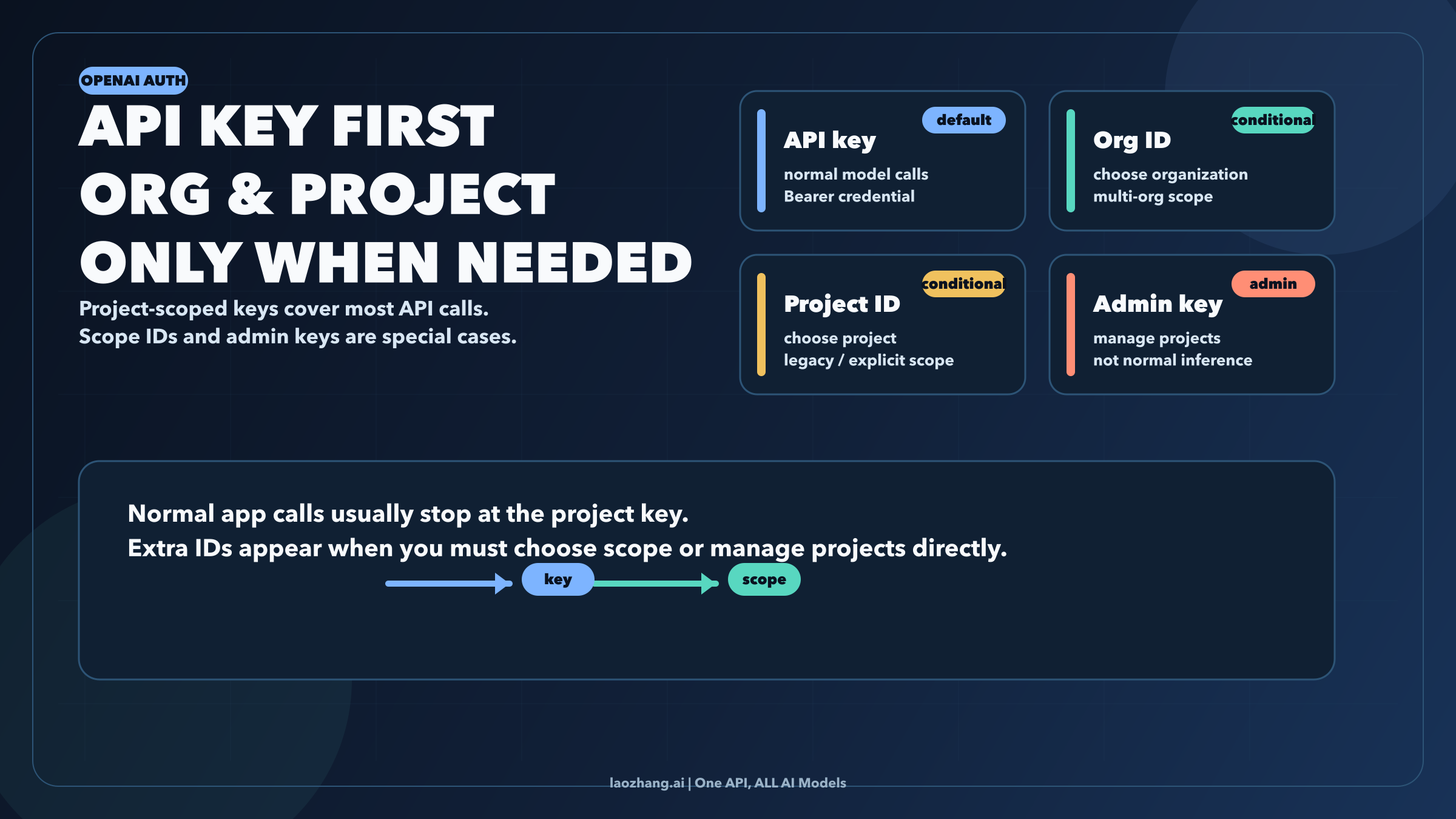
OpenAI's API auth is project-first now. For most developers, the only secret you need to call the API is OPENAI_API_KEY. Organization ID and project ID still exist, but they are no longer default companions to every request. They matter when you must choose scope explicitly, usually because you belong to multiple organizations, you are still dealing with a legacy user-key flow, or you are calling admin endpoints rather than normal model inference.
That distinction matters because the web still mixes three different layers together: the secret key that authenticates the request, the organization that owns projects and billing, and the project that scopes members, budgets, permissions, and most day-to-day API keys. If you keep treating all three as equal setup fields, you will keep pasting unnecessary headers into working code and you will make it harder to debug the cases where scope really does matter.
This guide was checked against current OpenAI API docs, help-center project docs, API key safety guidance, and the current official Python SDK source on April 2, 2026.
TL;DR
- The default OpenAI API credential is a secret API key.
- In most current setups, a project-scoped key is enough for normal model calls.
- OpenAI's auth docs only call for
OpenAI-OrganizationandOpenAI-Projectheaders when you belong to multiple organizations or access projects through a legacy user API key. - Project-scoped personal keys and service-account keys already belong to one project, which is why many requests do not need extra scope headers.
OPENAI_ADMIN_KEYis different from the normal inference key. It is for organization and project management endpoints.- If you have a key but do not know which org it belongs to,
GET /v1/mecan show the organizations associated with that key.
Quick Answer: What You Actually Need
If you only want the shortest possible answer, use this matrix:
| Situation | What you need | Why |
|---|---|---|
| Normal API call with a key created inside the project you are using | OPENAI_API_KEY | The key is already scoped to that project, so the request can stay simple |
| You belong to multiple organizations or are using a legacy user-key flow and must choose scope explicitly | OPENAI_API_KEY plus OpenAI-Organization and possibly OpenAI-Project | OpenAI's auth docs say those headers are for explicit organization or project selection |
| You are listing or managing project keys and other org-level resources | OPENAI_ADMIN_KEY | These are management endpoints, not normal model-inference requests |
The fastest way to avoid confusion is to stop asking, "Do I need API key and organization ID?" as if those are always a pair. The better question is, "Which kind of key am I using, and does this request already know its project?"
The Current OpenAI Auth Model
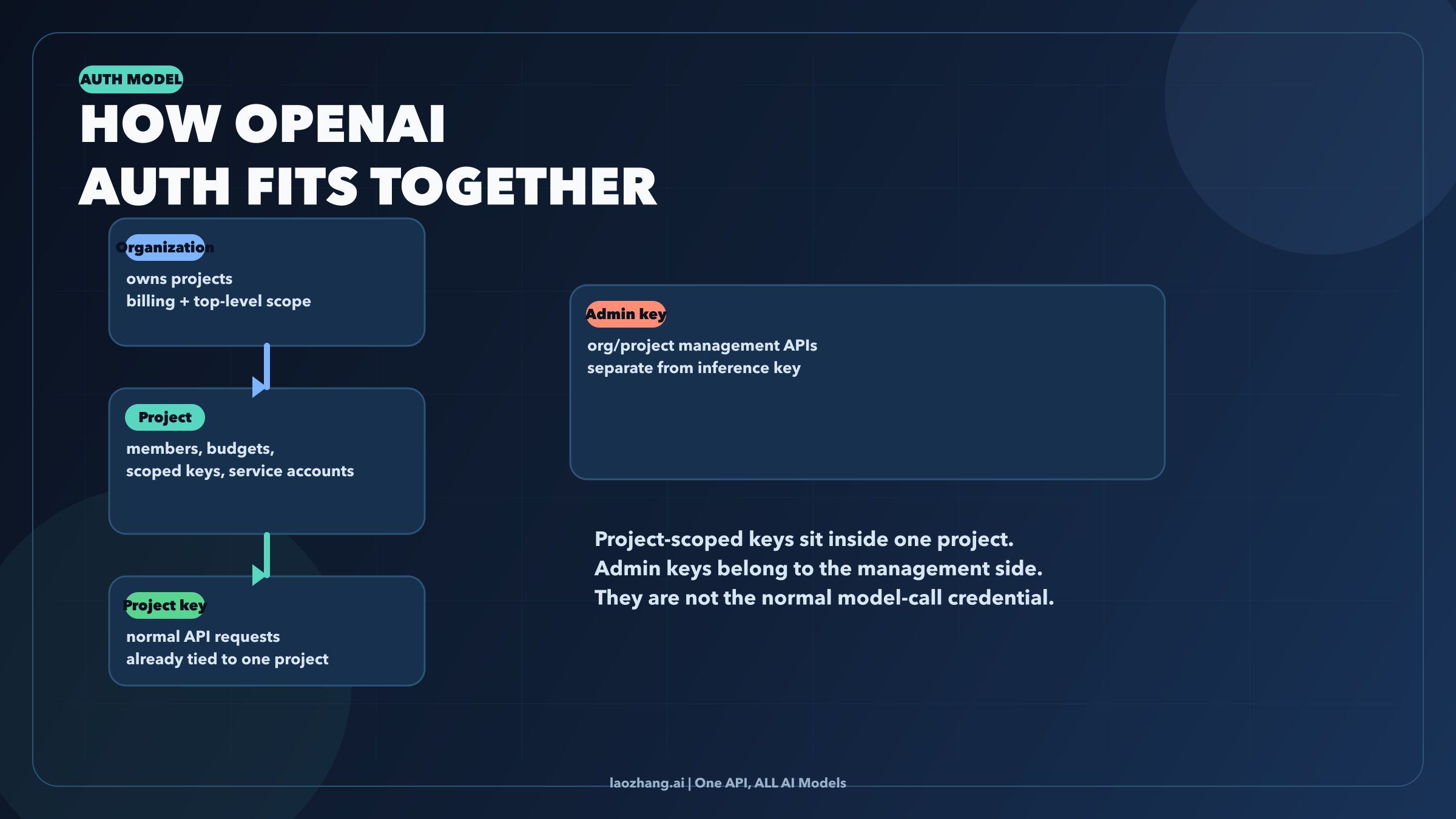
OpenAI's current platform makes the most sense as a hierarchy:
- An organization sits at the top level.
- Inside it, you create one or more projects.
- Inside a project, you create project-scoped keys and service accounts.
- Alongside that structure, OpenAI also exposes admin keys for organization or project management endpoints.
That is why older "set your API key and org ID everywhere" advice now feels off. The current help-center documentation says project members can generate a personal API key that is scoped and limited to that project and its resources. The current auth reference, meanwhile, says you only pass OpenAI-Organization and OpenAI-Project when you need explicit scope selection, especially for multiple organizations or legacy user-key access. Put together, those two facts describe a platform where the normal project-key path is intentionally simpler than the old header-heavy pattern.
One more distinction matters here. OpenAI also supports service accounts, and those are project-scoped too. They are designed for system access rather than individual humans. When you create one, OpenAI immediately generates a secret key and warns that you will not be able to view that secret again later. In practice, that means service-account keys behave like project-bound credentials for automation, not like a universal top-level org credential.
Then there is the admin key path. If you are reading API reference pages for project management and see examples that authorize with OPENAI_ADMIN_KEY, you are in the management plane. That is not the same as the credential you use for responses.create, model listing, or other normal application calls.
When OPENAI_API_KEY Is Enough
For most developers, this is the whole story.
If the secret key was created from the project you actually intend to use, the request usually needs only Bearer authentication. You do not need to make the request more "correct" by adding org and project headers just because some older snippets show them. In many cases, that extra configuration adds noise, not safety.
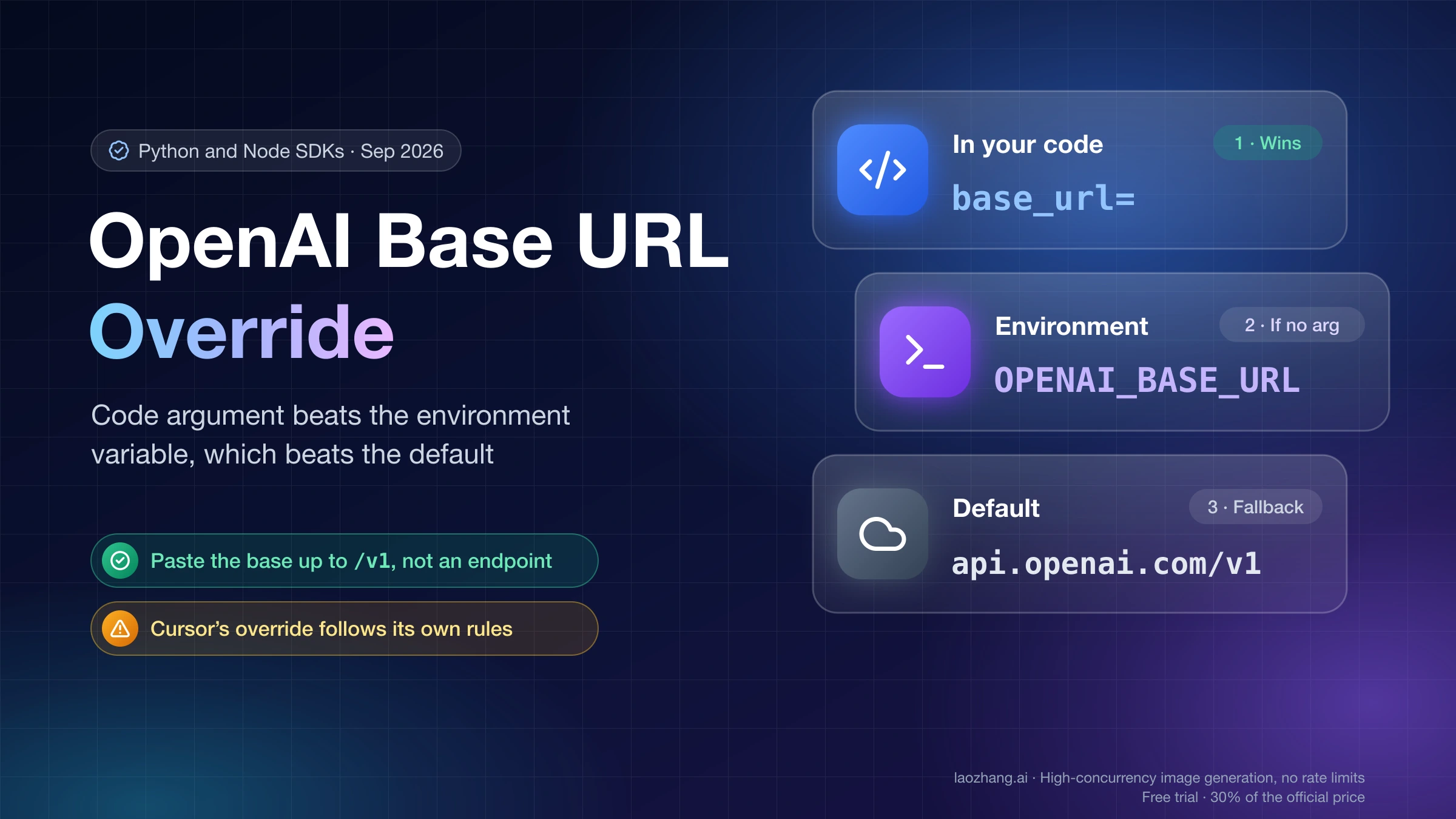
The current OpenAI docs support this model in two ways. First, they define API keys as the primary auth mechanism. Second, they reserve OpenAI-Organization and OpenAI-Project for explicit scope selection rather than for every request by default. The current Python SDK reinforces the same idea: it reads OPENAI_API_KEY automatically, and only sends OpenAI-Organization or OpenAI-Project headers if you explicitly set OPENAI_ORG_ID or OPENAI_PROJECT_ID.
That matters because many integrations now fail for a very ordinary reason: the developer assumes a minimal working config is incomplete unless it includes every possible identifier. In OpenAI's current project model, the cleaner habit is the opposite. Start with the smallest request that matches your key type. Add explicit scope selection only if the scenario really requires it.
When You Also Need Organization ID or Project ID
Organization ID and project ID are still real, and they still matter. They are just narrower tools than many search results make them look.
The clearest current use case is the one OpenAI documents directly: you belong to multiple organizations, or you are accessing projects through a legacy user API key. In that situation, the platform may need you to say which organization or project should receive the request. That is when OpenAI-Organization and OpenAI-Project become the right move.
Another common place you will see these values is inside third-party connectors. A tool may ask for API key, org ID, and project ID because the tool wants explicit routing for its own account model, usage tracking, or multi-tenant setup. That does not automatically mean every direct OpenAI API request needs the same trio. It means the connector is choosing to expose those fields.
The practical rule is simple. If the key already carries the project scope you want, the normal request stays small. If the platform or tool needs you to disambiguate scope, that is when org or project identifiers become necessary.
What you should not do is flatten those two realities into one sentence like "OpenAI requires API key and organization ID." That statement is too broad for the current platform.
Where To Find Each Value
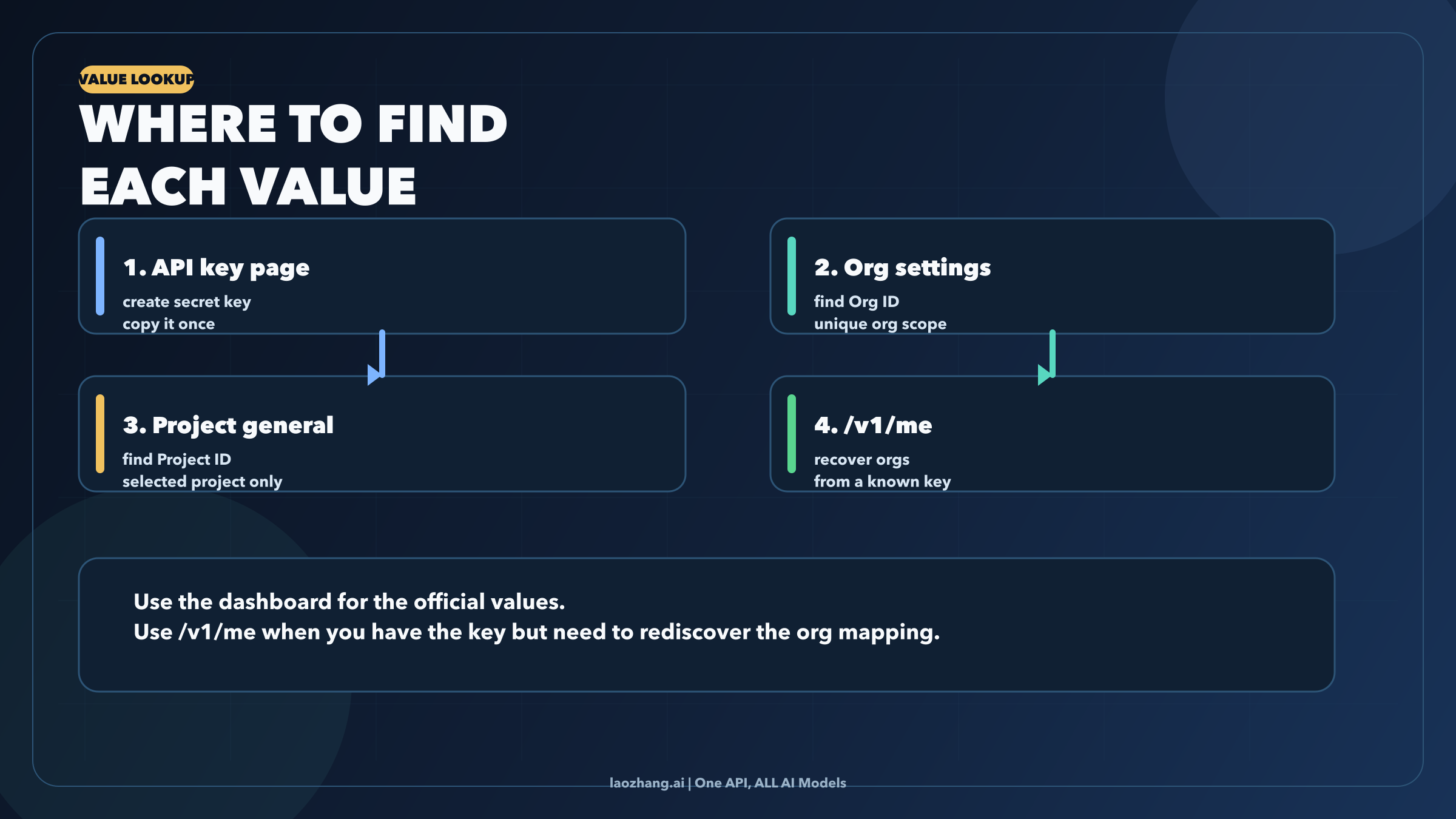
The values live in different places because they solve different problems.
Secret API Key
OpenAI's help center says you can find your secret API key on the API key page. That is the credential you should care about first if your goal is making an API request work.
Organization ID
OpenAI's auth reference says organization IDs can be found on the organization settings page. A separate help-center article also notes that the organization name can change, but the organization ID itself is unique and cannot be changed.
Project ID
The auth reference says project IDs are found on the general settings page for the selected project. This is the identifier you use when you must tell OpenAI or a connector which project should own the request.
If You Only Have the Key
This is the most useful rescue trick in the current source set. OpenAI's help center says you can call /v1/me with the API key as the Bearer token to discover the user and the organizations associated with that key.
curl https://api.openai.com/v1/me \
  -H "Authorization: Bearer $OPENAI_API_KEY"
That does not replace every dashboard check, but it is the fastest way to recover the org mapping behind a known key when you are debugging a connector or cleaning up an old environment.
Working Examples
The right example depends on the auth path you identified above.
1. Normal project-scoped request
If your key already belongs to the project you want to use, keep the request minimal:
curl https://api.openai.com/v1/models \
  -H "Authorization: Bearer $OPENAI_API_KEY"
That is the baseline. If this works, you do not improve it by adding extra scope headers just because a blog post told you to.
2. Explicit organization or project selection
If you actually do need to select scope, use the headers OpenAI documents:
curl https://api.openai.com/v1/models \
  -H "Authorization: Bearer $OPENAI_API_KEY" \
  -H "OpenAI-Organization: $OPENAI_ORG_ID" \
  -H "OpenAI-Project: $OPENAI_PROJECT_ID"
Use this because your situation fits the documented condition, not because it looks more official.
3. Python SDK with environment variables
The official Python client currently reads these environment variables automatically:
export OPENAI_API_KEY="sk-..."
export OPENAI_ORG_ID="org-..."
export OPENAI_PROJECT_ID="proj_..."from openai import OpenAI
client = OpenAI()
response = client.responses.create(
model="gpt-5.2",
input="Say hello in one sentence."
)
print(response.output_text)The important detail is not just that the SDK supports OPENAI_ORG_ID and OPENAI_PROJECT_ID. It is that the SDK treats them as optional. If you do not set them, it does not invent those headers on your behalf.
4. Admin-key example
If you are working with project-management endpoints, that is a different plane:
curl "https://api.openai.com/v1/organization/projects/$OPENAI_PROJECT_ID/api_keys" \
  -H "Authorization: Bearer $OPENAI_ADMIN_KEY"
This is a good example of why people get confused. It is an official OpenAI example, but it is not an example of normal model inference. If you copy the management-plane credential pattern into everyday application code, you are solving the wrong problem.
If your next step after auth is testing a real model call rather than sorting out account scope, see our GPT-5.4 free API guide for a model-specific access guide. If the confusion came from mixing consumer surfaces and developer surfaces, our OpenAI Sora API guide is the cleaner route map.
Common Mistakes and Troubleshooting
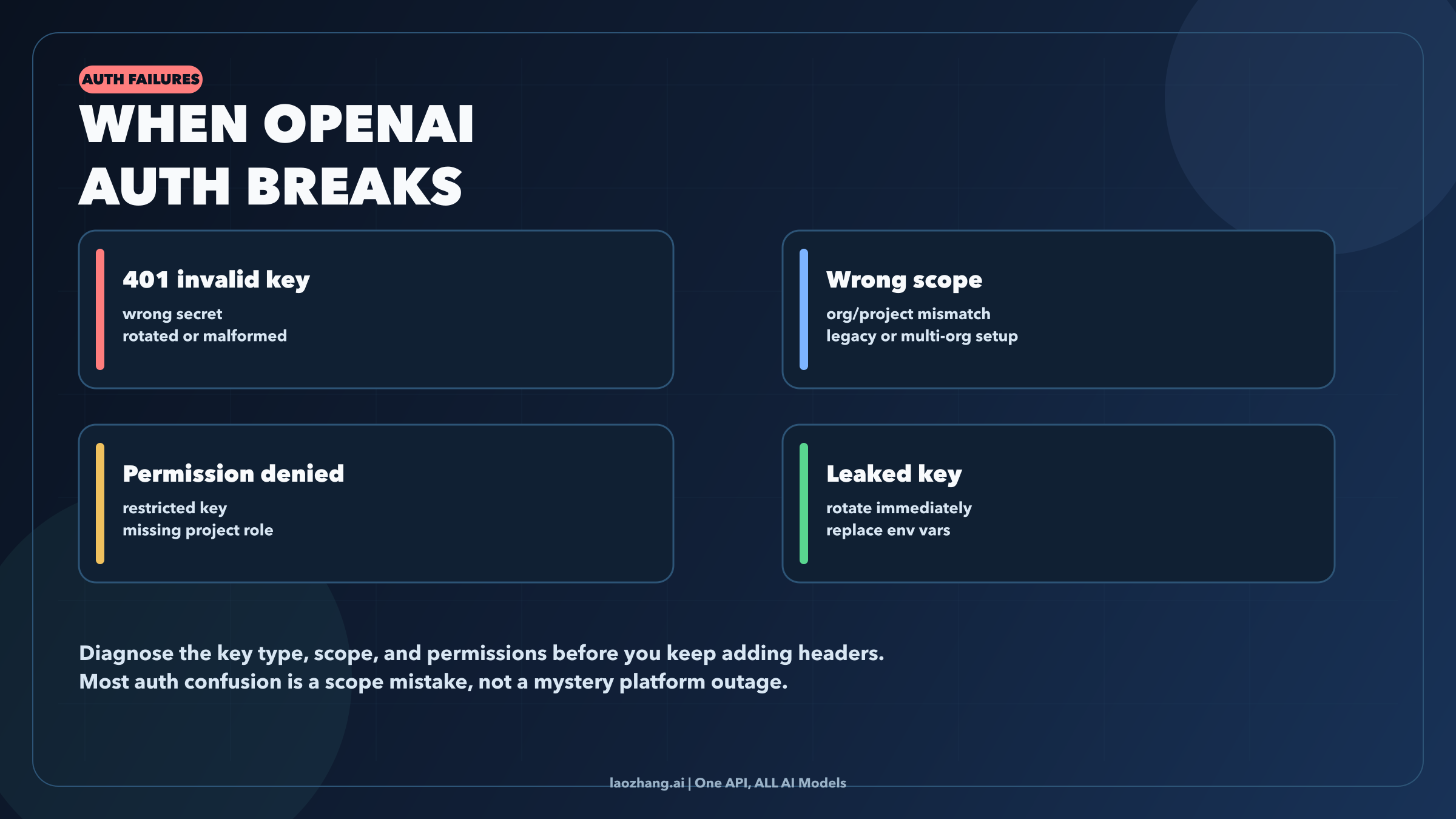
Most auth confusion falls into one of four buckets.
1. 401 invalid API key
This is the straightforward one. The secret is wrong, malformed, expired by rotation, or copied with whitespace or other junk. OpenAI's API key safety guidance is still the right baseline here: keep the key in environment variables, avoid client-side exposure, and rotate quickly if you suspect leakage.
2. The key works in one place but not another
That is often a scope issue, not a secret-string issue. A connector may be asking you to choose an org or project explicitly. A legacy user-key flow may also need headers that a project-scoped key does not. Check whether the environment is using a different organization, a different project, or an older auth pattern before you start regenerating credentials.
3. 403 permission denied or missing capability
OpenAI now supports All, Restricted, and Read Only key permissions at the project level. If the request authenticates but still fails on capability or resource access, the key may be restricted or the user may lack the project role needed for that action.
4. You leaked the key or cannot view it anymore
OpenAI's safety guidance is clear: rotate the key and replace it in your environment. For service accounts, remember that the secret is shown once at creation time. If it is gone, the right fix is not trying to rediscover the hidden value in the dashboard. The right fix is creating a new secret.
There is one more mistake worth calling out because it keeps wasting time: do not confuse API Platform org or project IDs with other OpenAI product identifiers. Developers often encounter API Platform docs, ChatGPT Enterprise setup docs, connector docs, and community answers in the same debugging session, but those pages do not all talk about the same layer.
The Practical Rule to Remember
Treat the key as the credential and the IDs as scope selectors.
That sounds small, but it solves almost the whole topic. Once you adopt that model, the current OpenAI platform stops feeling like a pile of overlapping fields. A project-scoped key becomes the default path for normal application calls. Org and project IDs become explicit routing controls for the cases that actually need them. And admin keys become what they really are: management-plane credentials, not the universal answer to OpenAI authentication.
If you keep one sentence from this article, make it this one: most 2026 OpenAI API setups start with OPENAI_API_KEY, not with a hunt for organization ID.