GPT Image 1.5 vs Nano Banana: Which One Should You Use in 2026?
GPT Image 1.5 is not universally better than Nano Banana in 2026. The useful answer is to compare GPT Image 1.5 against Nano Banana 2 by default, use GPT when text rendering and precise edits matter most, use Nano Banana 2 as Google's faster broader default, and treat Nano Banana Pro as a premium override rather than the assumed baseline.
On this page
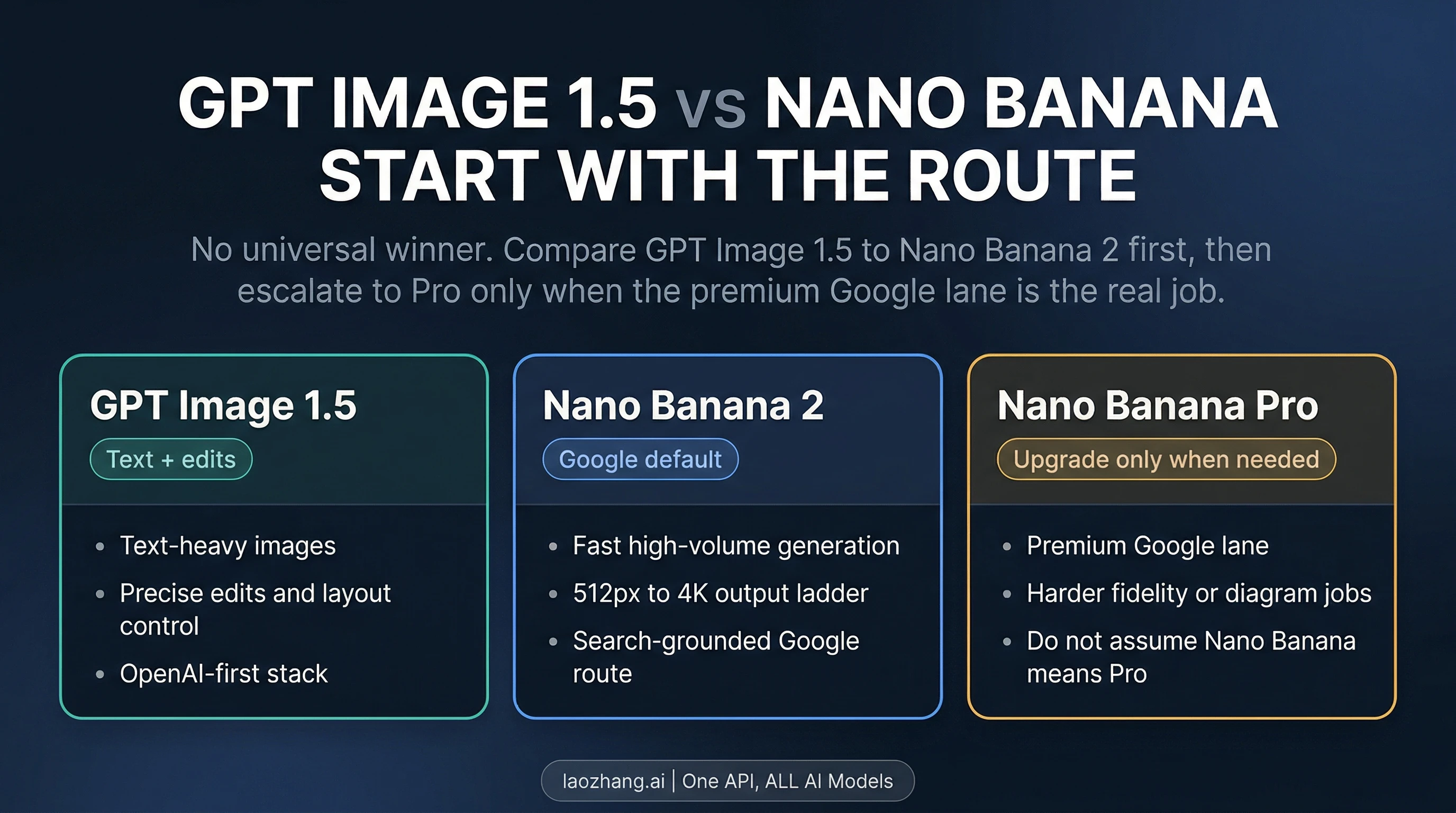
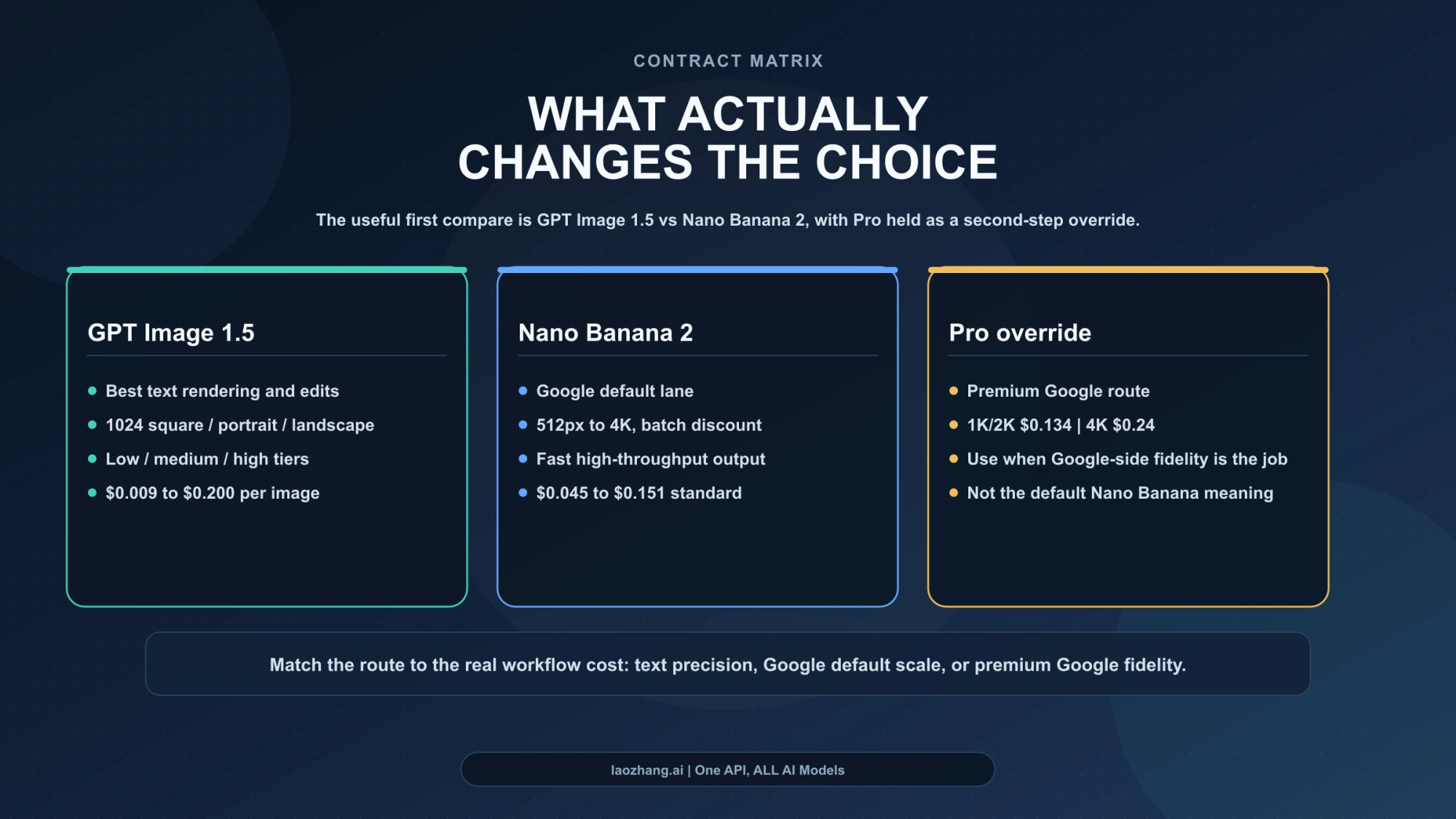
As of April 8, 2026, GPT Image 1.5 is not simply better than Nano Banana. If by "Nano Banana" you mean Google's current mainstream image route, the real default comparison is GPT Image 1.5 vs Nano Banana 2: GPT Image 1.5 is the better starting point when text rendering and precise edits are the expensive part of the job, while Nano Banana 2 is the better starting point when you want Google's faster, broader default with a cleaner path from 0.5K through 4K. Nano Banana Pro still matters, but mostly as a premium override, not as the baseline meaning of Nano Banana.
That distinction is where most comparison pages still go wrong. They collapse a family term, a product-surface choice, and a model-tier question into one fake winner board. Google's current Gemini docs, pricing pages, and launch material point the other way: Nano Banana 2 is the broader default lane, while Pro is kept as the higher-cost specialist upgrade for more demanding visual work such as infographics, diagrams, and other premium passes. On the OpenAI side, the current docs and pricing pages describe gpt-image-1.5 as the latest image generation model, with low, medium, and high quality tiers and three documented output shapes. In other words, this is a routing decision, not a one-number benchmark fight.
TL;DR
| If this is your real job | Start here | Why this is the better first move | When it is not enough |
|---|---|---|---|
| Text-heavy images, labels, UI mockups, posters, or precise edits | GPT Image 1.5 | OpenAI's current model is the safer route when readable text and controlled edits are the main failure cost | Switch if you need Google's larger native output ladder or you want to stay in the Google stack |
| General Google-side image generation, fast iteration, or higher-volume API work | Nano Banana 2 | Google's current pricing and product routing make Nano Banana 2 the broader default lane | Switch if the image is text-heavy, diagram-heavy, or the final-pass fidelity matters more than speed |
| Infographics, diagrams, or a premium Google-side final pass | Nano Banana Pro | Google's current materials frame Pro as the premium Google image tier for more demanding visual work such as infographics and diagrams | It is overkill if Nano Banana 2 already gets you there, and it costs more at every overlapping API tier |
| You already run image workflows inside OpenAI and do not need 2K or 4K | GPT Image 1.5 | The model, pricing, and SDK path are simpler if you are already committed to OpenAI | It becomes a weaker fit when your real need is Google's default route or native 2K / 4K output |
| You are not sure what "Nano Banana" means in the first place | Default to Nano Banana 2 as the Google-side compare target | That keeps the question aligned to Google's current mainstream route instead of jumping straight to Pro | If your actual workload is premium Google fidelity, then the real compare target is Pro, not Nano Banana 2 |
The short version is this: GPT Image 1.5 is better for text-first and edit-first work. Nano Banana 2 is better as the Google default. Nano Banana Pro is the right comparison only when the premium Google route is the real job.
What "Nano Banana" Means In This Comparison
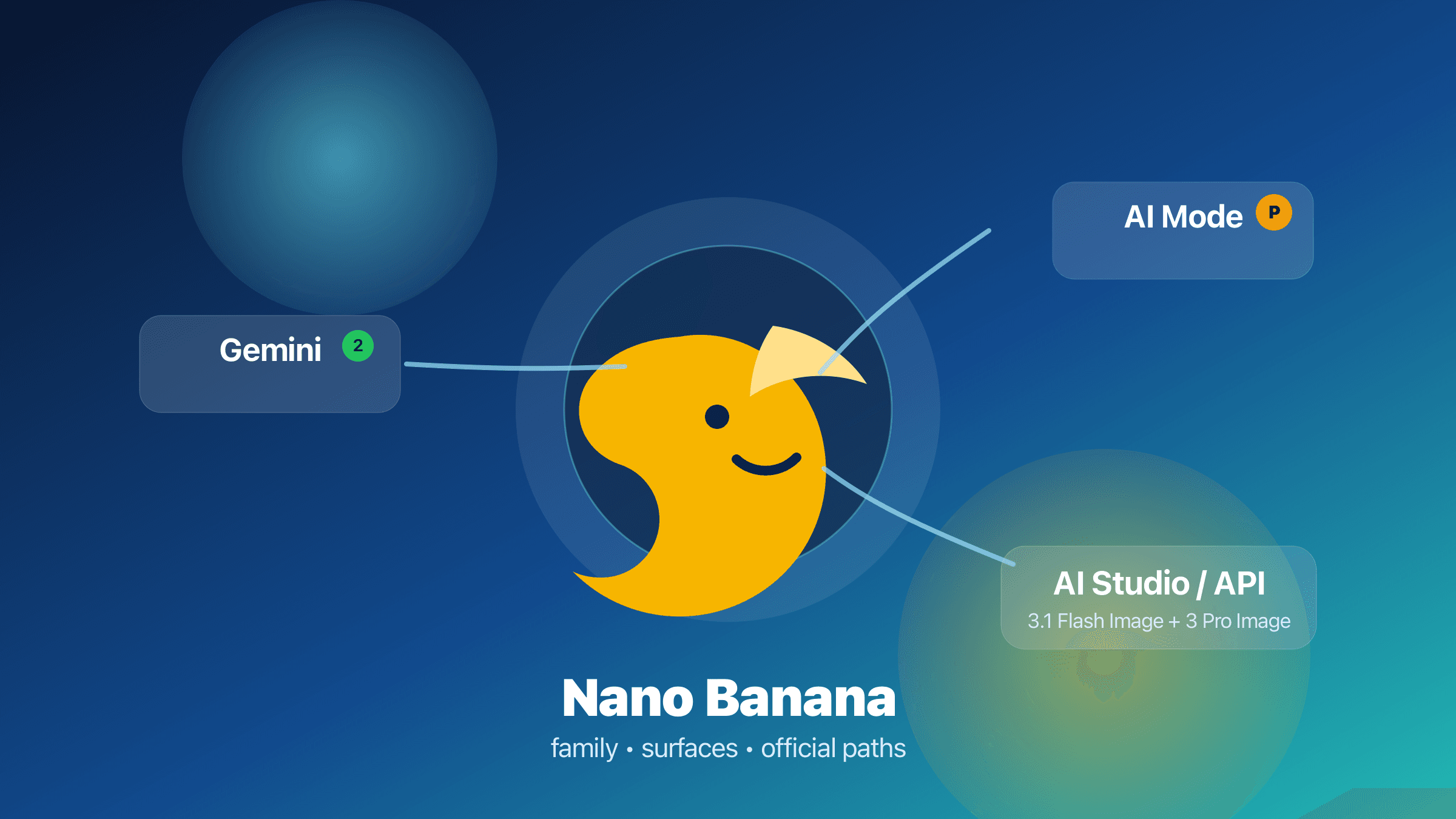
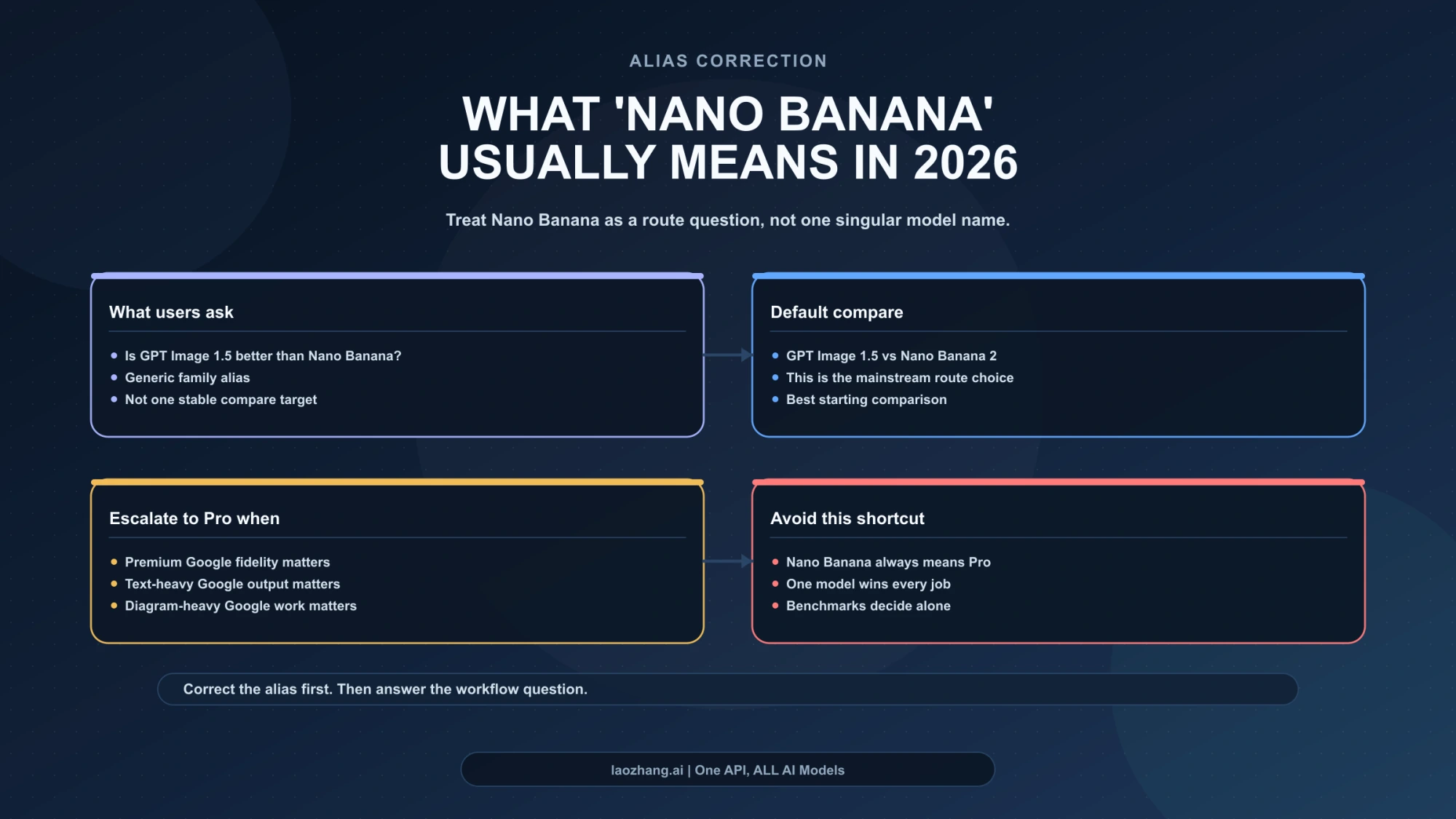
The raw query is misleading because "Nano Banana" is no longer one clean compare target. It is a family phrase used across Google surfaces, developer docs, and comparison posts that often really hides two different questions:
- Do you mean Google's current default image route?
- Or do you mean Google's premium image route?
If the reader means the default Google route, the comparison should start with Nano Banana 2. That is the useful correction this page makes. If the reader really means Google's premium route for higher-stakes final assets, then the comparison is GPT Image 1.5 vs Nano Banana Pro, which is a different article and a different decision surface.
This page is not trying to replace our broader Nano Banana family guide, and it is not trying to duplicate the Google-only Nano Banana Pro vs Nano Banana 2 comparison. Its job is narrower and more practical: when someone asks whether GPT Image 1.5 is better than Nano Banana, tell them which Google-side target they should actually compare against first.
Why GPT Image 1.5 Is The Better Starting Point For Some Work
GPT Image 1.5 is the cleaner answer when text fidelity, layout control, and editability are the real constraints. OpenAI's current model and image-generation docs position gpt-image-1.5 as the latest image generation model, and the API reference documents three supported output shapes: 1024x1024, 1024x1536, and 1536x1024, plus low, medium, and high quality tiers. That is a narrower output contract than Google's, but it is also a more focused one. If your image stays in the normal web and social ranges and the deliverable includes readable copy, callouts, or UI-like structure, GPT Image 1.5 is often the safer first bet.
That matters because text-heavy image work fails differently from generic illustration work. When the model gets the lettering wrong, loses the hierarchy, or drifts from the intended layout, the asset usually becomes unusable rather than merely imperfect. For a poster, labeled product image, diagram title board, or interface mockup, the expensive mistake is not "the style is slightly off." The expensive mistake is that the text or structure is wrong enough that you have to regenerate and retouch the image anyway. GPT Image 1.5 is the stronger default when that is your real cost.
The pricing logic also favors GPT Image 1.5 in a narrower but important band. OpenAI's pricing page currently lists square output at $0.009 / $0.034 / $0.133 for low, medium, and high, and rectangular output at $0.013 / $0.05 / $0.2. That makes GPT Image 1.5 the cheapest official route in this comparison if your workflow can live at standard web-sized output and you are comfortable using low or medium when appropriate. The model is not cheaper once you need sizes it does not offer, but for text-first image generation at standard sizes, the entry price is hard to beat.
There is also a workflow reason to pick GPT first: stack fit. If your application already runs inside OpenAI, already uses the same API keys and SDK patterns, and does not need Google's native 2K / 4K ladder, introducing a second vendor only makes sense when Google is materially better for the job. If your pipeline is already OpenAI-native and your images are text-sensitive, GPT Image 1.5 usually wins by keeping both the technical contract and the product routing simple.
Why Nano Banana 2 Is The Better Google-Side Default
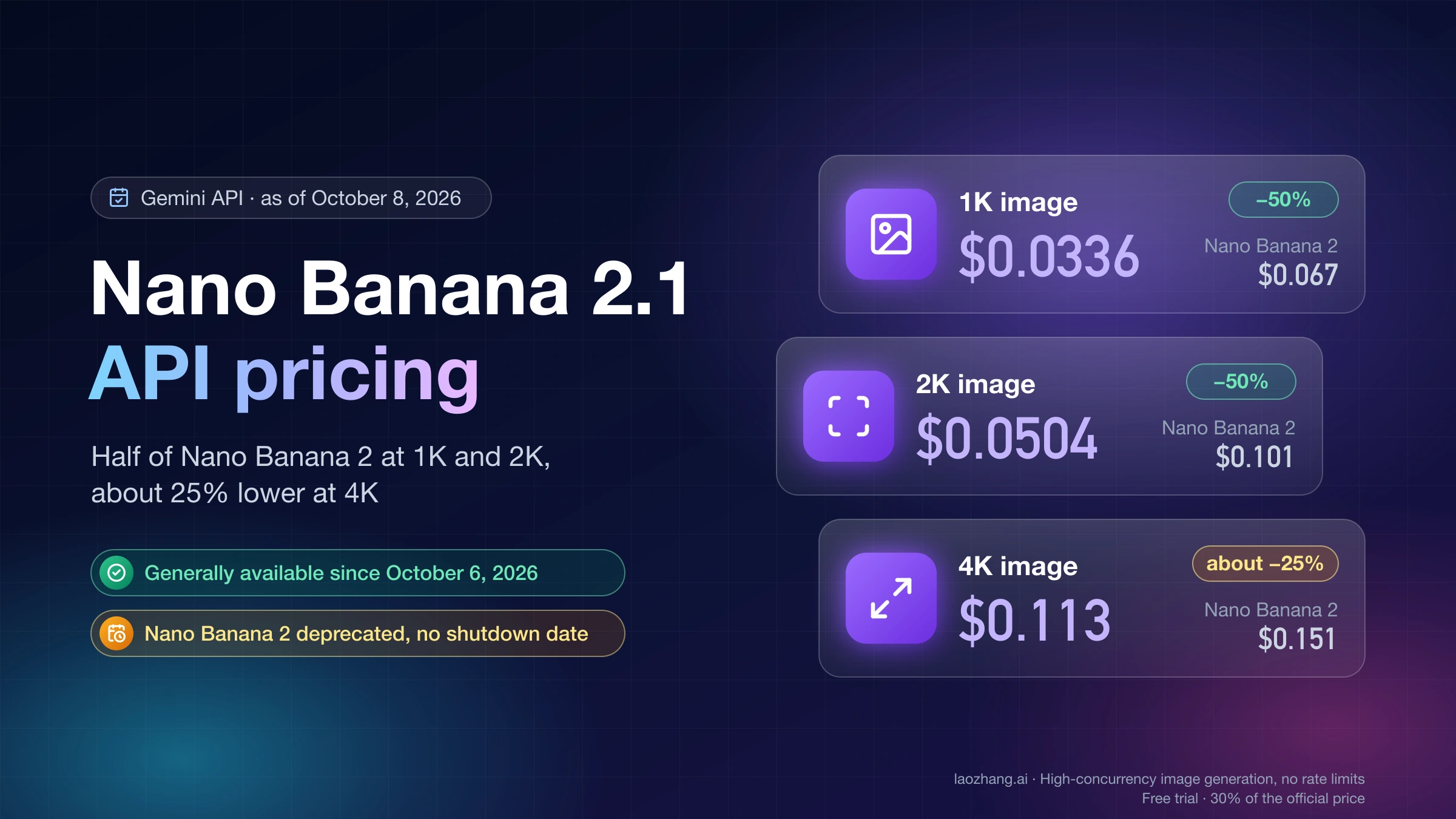
Nano Banana 2 is the better answer when the job is not "which model wins the best-looking benchmark?" but which Google route should I start with by default? Google's current Gemini pricing page describes gemini-3.1-flash-image-preview, the model usually referred to as Nano Banana 2, as "designed for speed and efficiency" and prices it at $0.045 for 0.5K, $0.067 for 1K, $0.101 for 2K, and $0.151 for 4K. The same page also lists grounding with Google Search for the paid tier. That is a much broader output contract than GPT Image 1.5 and a big part of why Nano Banana 2 remains the better default route on the Google side.
The product-surface logic points in the same direction. Google's current Gemini docs and launch material treat Nano Banana 2 as the broader, high-volume default lane and keep Nano Banana Pro as the higher-cost premium route rather than the assumed baseline. That is not a trivial positioning detail. It means the default Google-side question is still "Should I start with Nano Banana 2?" and only then "Do I have a clear reason to escalate to Pro?" When Google's own product story behaves that way, comparison pages should not pretend Pro is the assumed baseline.
That makes Nano Banana 2 the better starting point when your real need is one of these:
- you want Google's mainstream route rather than a premium override
- you need native
2Kor4Koutput - you care about throughput and the batch discount more than premium finishing behavior
- you want one model that stretches from cheaper
0.5Kdrafts to4Kfinals without leaving the same model family - you want to stay inside Google's own default product story rather than building a premium-only workflow
This is also where many readers overpay. They assume Pro is the "real" Google model and Nano Banana 2 is the cut-down version. Google's current routing does not support that reading. Nano Banana 2 is the broad default. Pro is the specialist upgrade.
When Nano Banana Pro Is The Real Comparison Instead
Nano Banana Pro becomes the right compare target when you can clearly name the override reason. Google's current Nano Banana materials frame Pro around more demanding visual work such as infographics, diagrams, and more deliberate premium passes, while the developer pricing docs keep Pro as the higher-cost premium lane: $0.134 for 1K/2K and $0.24 for 4K in the standard paid tier.
That means the real question changes when the workload changes. If your actual job is "I need Google's premium route for a diagram, infographic, or more deliberate final pass," then GPT Image 1.5 is no longer fighting Nano Banana 2 for the same role. It is now competing with Nano Banana Pro, which is a different argument:
- Do you want OpenAI's text-and-edit-first route?
- Or do you want Google's premium image tier, especially when the work stays inside Google's surfaces or needs Google's specific strengths?
That is why this page keeps Pro contained instead of flattening it into the main spine. Readers asking the raw question do not usually need a family guide and a premium-tier guide at the same time. They need the correct starting comparison first. Only after that should the page say, "If your actual workload is premium Google fidelity, the real compare target has changed."
If that is your case, stop here and continue with Nano Banana 2 vs Nano Banana Pro for the Google-only lane decision.
Price And Output Shape: Where The Cost Line Really Moves
The cleanest pricing comparison is not "which model has the smallest sticker price?" It is which model is cheaper for the output band you actually need.
Here is the current official picture, rechecked on April 8, 2026:
| Route | Official pricing signal | What that means in practice |
|---|---|---|
| GPT Image 1.5 | 1024x1024 at $0.009 / $0.034 / $0.133; 1024x1536 and 1536x1024 at $0.013 / $0.05 / $0.2 | Cheapest option here for standard-size low-quality drafts; still attractive for medium-quality text-heavy output |
| Nano Banana 2 | $0.045 at 0.5K, $0.067 at 1K, $0.101 at 2K, $0.151 at 4K | Better when you want Google's default route and the output-size ladder matters more than low-cost square drafts |
| Nano Banana Pro | $0.134 for 1K/2K, $0.24 for 4K | You are paying for the premium Google lane, not just for bigger pixels |
Two practical consequences matter more than the raw table:
First, GPT Image 1.5 is cheaper only inside its own supported output band. If your workflow fits 1024x1024, 1024x1536, or 1536x1024, GPT can be the cheaper answer, especially at low or medium. Once the requirement becomes native 2K or 4K, GPT Image 1.5 is no longer competing on the same output shape.
Second, Nano Banana 2 remains the more flexible Google default even when it is not the cheapest square image. The model gives you a cheaper draft tier at 0.5K, a standard 1K tier, and then direct escalation to 2K and 4K without changing model families. If the workflow lives inside Google and cares about that output ladder, Nano Banana 2 stays the better default even when GPT looks cheaper at standard square output.
This is why the most honest answer is not "GPT is cheaper" or "Nano Banana is cheaper." The answer is:
- GPT Image 1.5 is cheaper for standard-size text/edit work
- Nano Banana 2 is more flexible for Google's default route and larger output sizes
- Nano Banana Pro is the expensive specialist lane
The Practical Routing Rule For Most Teams
The most useful production rule is surprisingly simple.
Start with GPT Image 1.5 if the image contains important text, needs exact edits, or already lives inside an OpenAI-centered stack.
Start with Nano Banana 2 if the image is general-purpose, the Google route is your operational default, or you need Google's broader size ladder and faster high-throughput positioning.
Escalate to Nano Banana Pro only when the Google-side job is explicitly higher stakes: infographics, diagrams, text-heavy premium output, or a final-pass render where the higher-cost tier is justified.
That rule is more useful than a benchmark winner because it tells the reader what to do next. It also lines up with the current official contracts instead of fighting them. OpenAI presents GPT Image 1.5 as the latest image generation model with a focused size-and-quality contract. Google presents Nano Banana 2 as the faster broader lane and keeps Pro as the premium specialist route. The workflow should follow that reality.
What Most Comparison Pages Still Get Wrong
Most pages ranking for this topic still make one of three mistakes.
Mistake 1: They compare GPT Image 1.5 directly against "Nano Banana" as if Nano Banana were one stable product name. That hides the most important decision: whether you mean Nano Banana 2 or Pro.
Mistake 2: They treat Pro as the default Google answer. That was already shaky, and it is weaker now that Google's current help pages explicitly route normal Gemini generation through Nano Banana 2 first and present Pro as the redo or specialist path.
Mistake 3: They let the whole article become a benchmark argument. Benchmarks can still be interesting, but the reader usually does not need a public leaderboard summary. The reader needs to know which route to start with, what that route costs, and what exact signal should trigger the switch to a different model.
If the page cannot answer those three things in the first minute, it is not really answering the question.
FAQ
Is GPT Image 1.5 better than Nano Banana?
Not universally. If "Nano Banana" means Google's current mainstream route, the useful default comparison is GPT Image 1.5 vs Nano Banana 2. GPT Image 1.5 is better for text-heavy and edit-heavy work. Nano Banana 2 is better as Google's faster broader default. Nano Banana Pro only becomes the real compare target when the premium Google lane is the actual job.
Do you actually mean Nano Banana 2 or Nano Banana Pro?
By default, start with Nano Banana 2. Only switch the compare target to Nano Banana Pro when your job is really about higher-stakes Google-side fidelity, diagrams, infographic output, or a premium final pass.
Which one is cheaper right now?
For standard-size images, GPT Image 1.5 can be cheaper, especially at low and medium quality. Google's official pricing gives Nano Banana 2 the advantage when you need 2K or 4K, and it remains the broader value route if you want the Google-side output ladder. Nano Banana Pro is the most expensive overlapping Google tier.
When should I switch from Nano Banana 2 to Pro?
Switch when Nano Banana 2 stops being "good enough" because the asset is text-heavy, diagram-heavy, or expensive enough that the premium final pass matters more than speed or cost. If you cannot name that failure mode, you probably should not switch yet.
When is GPT Image 1.5 the safest choice?
When readable text, edit control, and standard-size output matter more than Google's larger size ladder. It is also the simpler choice when your existing stack is already inside OpenAI.
Official documentation
Request parameters, pricing, and billing rules are documented in the LaoZhang API developer docs: Nano Banana API docs.
Disclosure: laozhang.ai is our own service. Its prices are platform pricing, not an independent comparison.