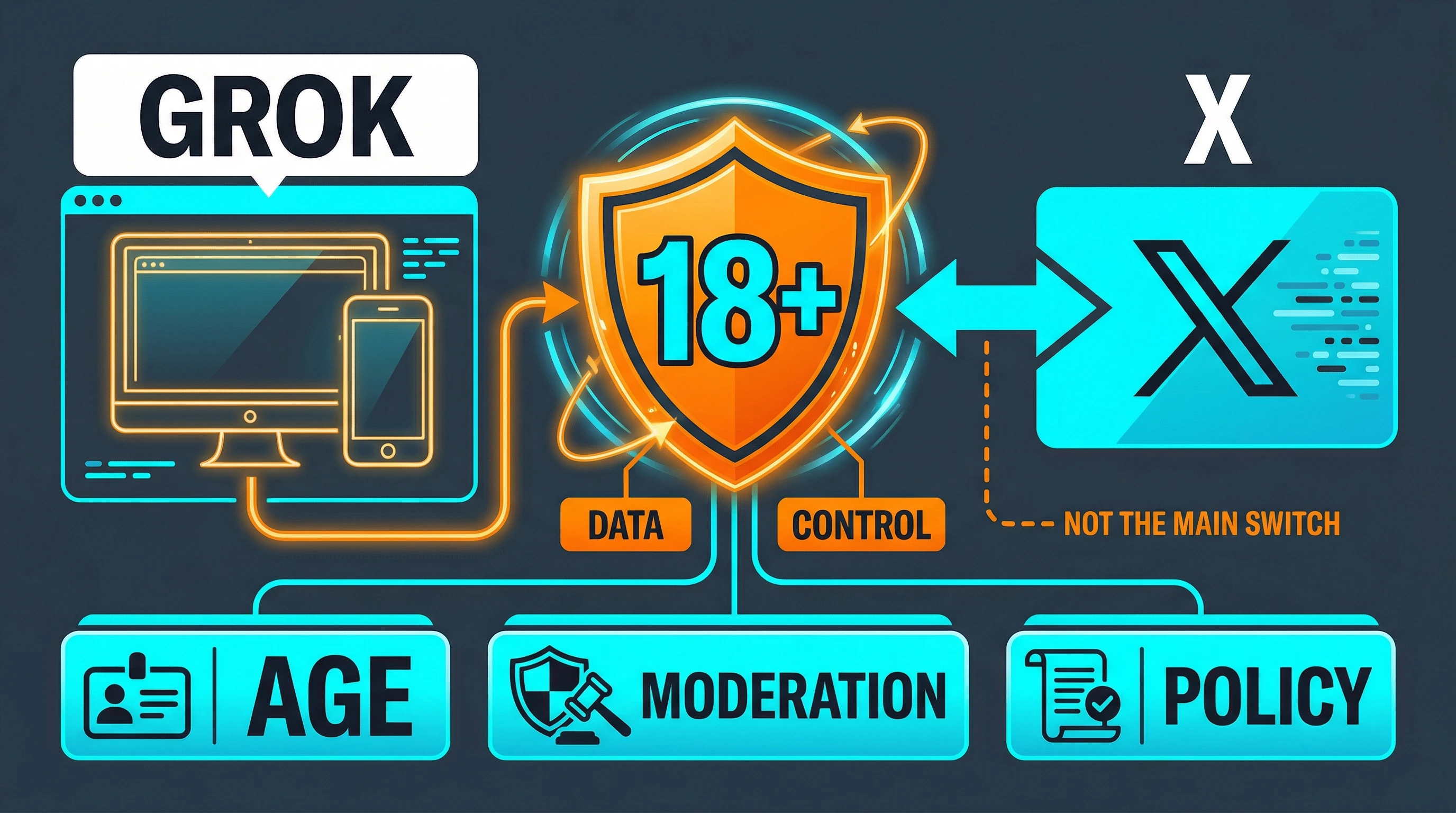
There is no single universal "Enable NSFW" switch in Grok anymore. As of March 29, 2026, xAI's public consumer docs point users to standalone Grok's data-control menus on mobile and web, and xAI's consumer terms explicitly reference an 18+ media control in Settings > Data Control for Australia. But xAI and X do not currently publish one global public walkthrough that says every account on every platform will still show the same NSFW preference. If you are trying to enable adult content in Grok today, the safest current path is to use standalone Grok rather than only X, check the data-control menus where the control is available, confirm your age or region eligibility, and stop treating X's sensitive-content settings as if they were a Grok permission switch.
That distinction matters because there are now at least three different control layers that older guides blur together. Standalone Grok on grok.com and the Grok apps is an xAI product with its own settings and policies. Grok on X sits inside X's own privacy and help system. Image and video generation also runs through model moderation that does not disappear just because you found an account-level preference. Once you separate those layers, the topic gets much less confusing.
Verification note: this article was checked against xAI Consumer FAQs, xAI Consumer Terms, xAI's Acceptable Use Policy, xAI docs, and X Help on March 29, 2026.
TL;DR
- If your account still exposes an adult-content control, the official place to look is standalone Grok:
Settings > Data Controlson the mobile app, orSettings > Dataon Grok.com. - xAI's current public terms reference an 18+ media control in
Settings > Data Control, but that wording currently appears in the Australia-specific section rather than in a universal "how to enable NSFW" help article. - X's sensitive-content settings affect posts and media on X. They do not act as a universal unlock for standalone Grok.
- Many older guides are stale. March 11, 2026 reporting showed the old
NSFW Preferencestoggle missing for some web and Android users. - Even if the setting is present and enabled, xAI moderation and xAI's Acceptable Use Policy still limit what Grok can show or generate.
The fastest way to decide what to change is this:
| What you are trying to do | Correct place to check | What that setting actually controls |
|---|---|---|
| See or receive adult / 18+ content on standalone Grok | Grok app Settings > Data Controls or Grok.com Settings > Data, where the control is available | Exposure to adult content on standalone Grok |
| View sensitive posts or media on X | X settings and X media-label system | What you see on X posts, not a standalone Grok unlock |
| Use Grok on X | X Help privacy / personalization controls | Training, personalization, history, and X-side behavior |
| Generate adult images or video through xAI models | No account toggle replaces moderation | Output still goes through content policy review and xAI policy |
Where the Setting Actually Lives Now
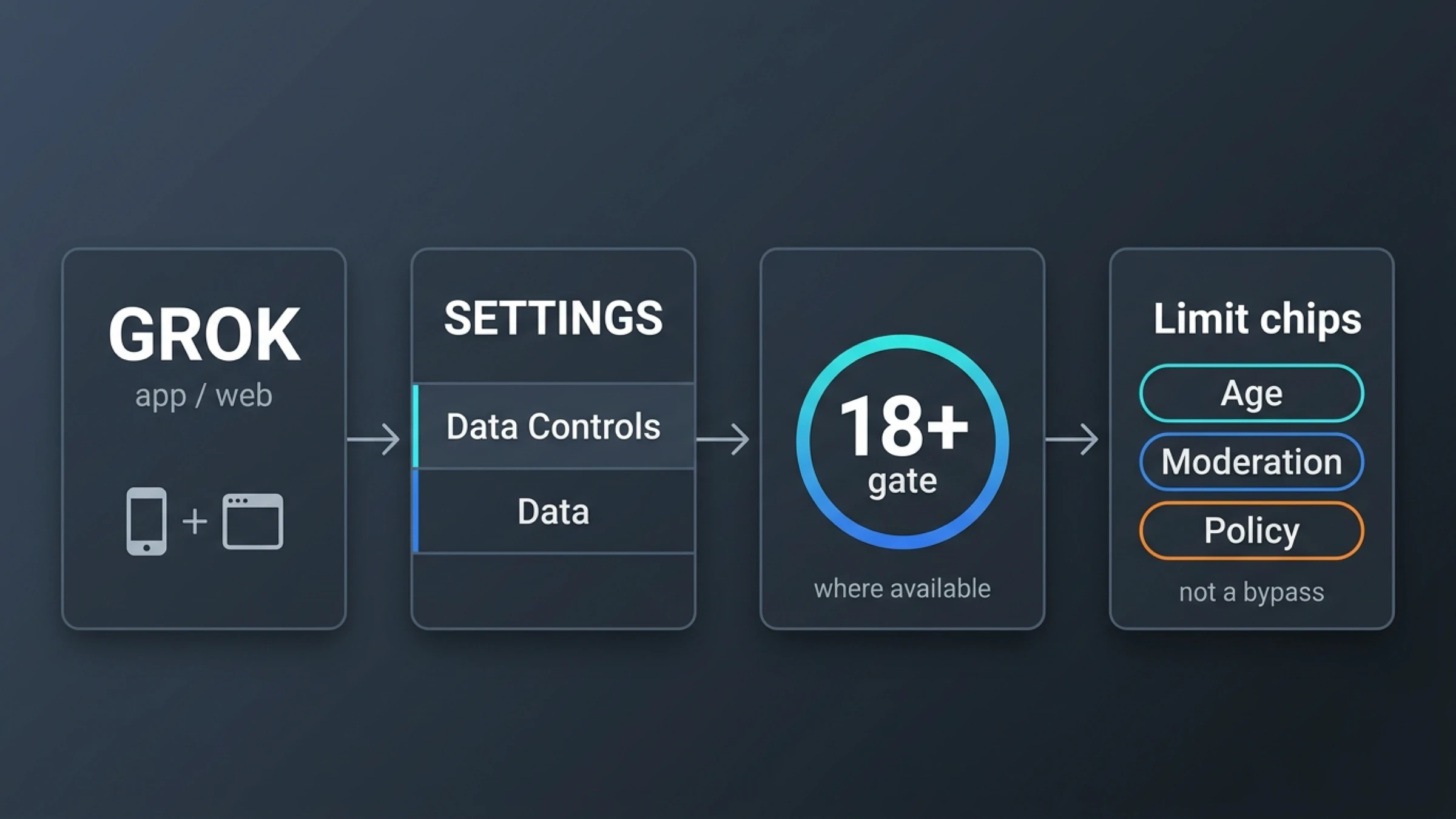
The strongest official clue is not in a flashy feature page. It is in xAI's current user-control documentation. The xAI Consumer FAQs say that standalone Grok users manage current data controls from Settings > Data Controls on the mobile app and Settings > Data on Grok.com. The same FAQ uses those menus for items such as "Improve the model" and "Personalize Grok using X." Separately, xAI's Consumer Terms say that users can limit access or exposure to media that may contain 18+ adult content in Settings > Data Control, with the most explicit public wording currently appearing in the Australia-specific section.
That does not mean every reader should expect the same label on every device. It means the official settings tree worth checking is now clear:
- Open the standalone Grok app or Grok.com.
- Go to
Settings. - On mobile, open
Data Controls. - On Grok.com, open
Data. - Look for an adult-content, 18+, or similar exposure control if your account currently offers it.
- Save the change, then test again on standalone Grok.
The exact wording may differ from account to account because xAI has not published one universal help article for this feature the way it has for model training and personalization. But if the control exists for your account today, this is the official settings neighborhood where xAI's own public documentation places it.
The second important implication is that you should check standalone Grok first, not just the X app. xAI's consumer FAQ is explicit that standalone Grok on mobile and web is an xAI product with its own settings stack, while X's Grok help page documents X-side controls such as training and personalization inside X. Readers who only look inside X often conclude the NSFW setting has vanished completely when what has really happened is that they are in the wrong product's settings tree.
Why Old Guides No Longer Match the 2026 Reality
The reason this topic feels unusually messy is that the product reality changed faster than the search results. In mid-2025, Grok's adult-content story was covered as a launch feature. For example, TIME reported on July 30, 2025 that Grok Imagine would allow explicit video generation and referenced a "spicy mode." That launch-era framing trained the internet to think of Grok adult content as a simple feature toggle problem.
That is no longer a safe assumption. By March 11, 2026, PiunikaWeb reported that the older NSFW Preferences option appeared to be missing from the web and Android versions of Grok, while an iOS-linked flow still surfaced a redirect-style settings page for some users. That is not official xAI documentation, so it should not be treated as a universal product statement. But it does match the reader experience many people now have: old screenshots exist, the older preference sometimes seems to linger in fragments, and the current public help pages no longer explain a universal NSFW toggle the way blog posts imply.
There is also a practical reliability issue. On March 29, 2026, a direct request to the older grok.com/user-feature-controls-static?...enable_nsfw=true pattern returned a Cloudflare challenge rather than a stable public settings page. That does not prove no logged-in user can still reach a related control. It does show why hidden-URL advice is weak: it is undocumented, unstable, and exactly the kind of brittle workaround that breaks the moment xAI changes routing again.
So the article should not promise magic. The honest current answer is that the old toggle story is fragmented, the public official help is thinner than the demand for it, and the only durable workflow is to use standalone Grok, check the current data-control menus, and accept that some accounts will not expose the same control anymore.
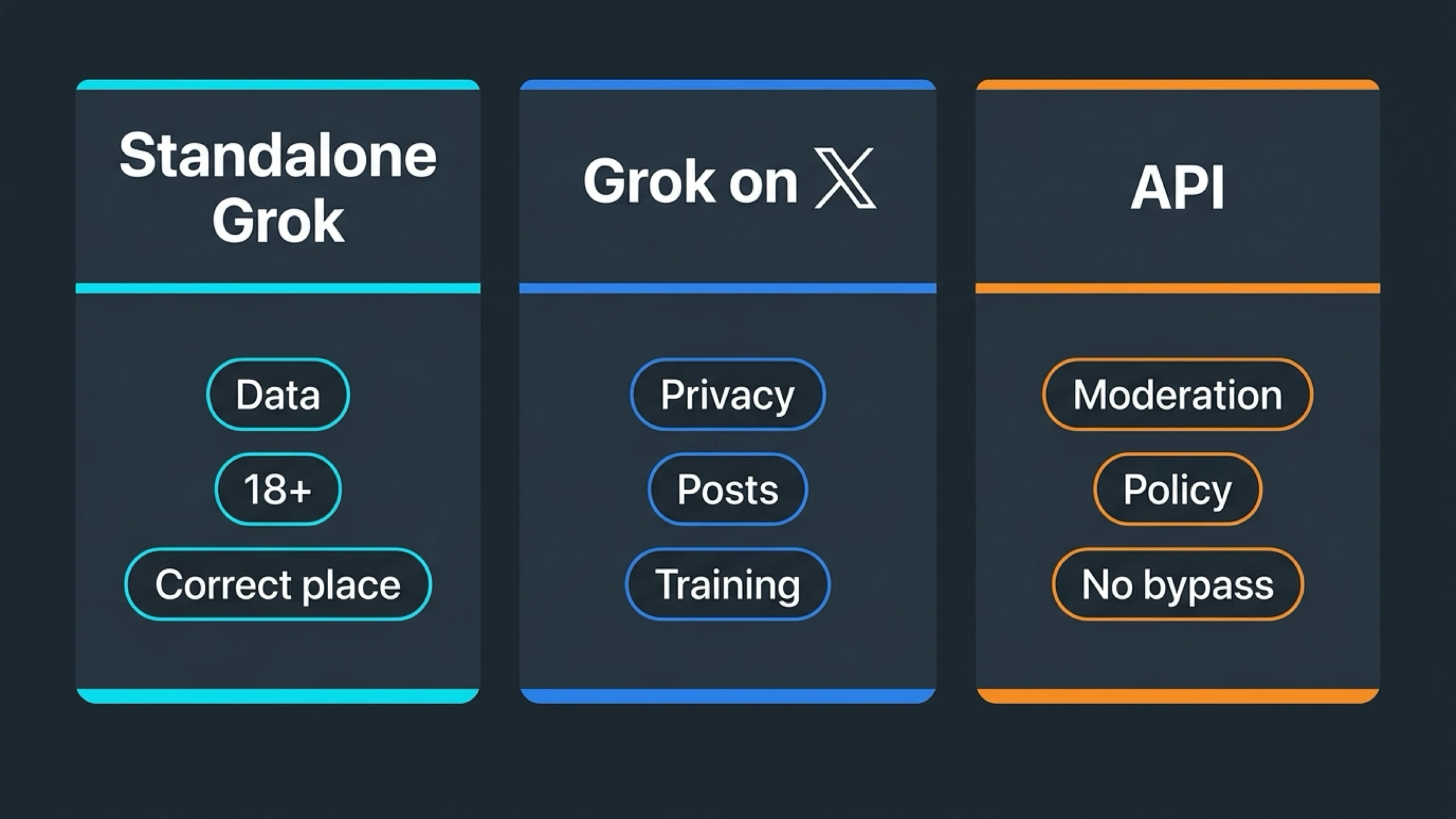
Standalone Grok, Grok on X, and API Moderation Are Different Systems
Most failed attempts to "enable NSFW Grok" happen because users change the wrong setting in the wrong product.
Standalone Grok is the xAI product on the Grok apps and Grok.com. This is where xAI's own Consumer FAQ and Consumer Terms place current data controls. If an adult-content exposure setting is still available for your account, this is the right surface to look at first.
Grok on X is not the same thing. X's About Grok page documents X-side controls around training, personalization, and conversation history. It tells users to go through X's Privacy & Safety flow for training and personalization preferences. What it does not do is publish a universal X-side "turn on NSFW in Grok" setting. That absence matters. It means readers should stop assuming that anything under X's privacy menus is the main adult-content unlock for standalone Grok.
X itself has its own adult-content rules. X's non-consensual nudity policy says consensually produced adult content is allowed on X if it is marked as sensitive. That is a rule about posts and media on X. It is useful context because it explains why some guides send readers into X's sensitive-content settings. But it is still the wrong mental model for standalone Grok. Labeling or viewing sensitive media on X is not the same thing as changing a Grok account preference.
The API and model layer is separate again. xAI's docs for video generation say generated videos are subject to content policy review, and the SDK even exposes whether a response passed moderation. That means a preference menu and output moderation are not interchangeable. You can have the correct account setting and still see requests filtered at generation time.
If you keep that three-part split in mind, the rest of the troubleshooting becomes much easier:
- standalone Grok settings control what the xAI consumer product exposes to your account
- X settings control X posts, X privacy, and X-side Grok behavior inside X
- model moderation controls whether a specific prompt or output is allowed at all
What Still Blocks Adult Content Even After You Enable the Setting
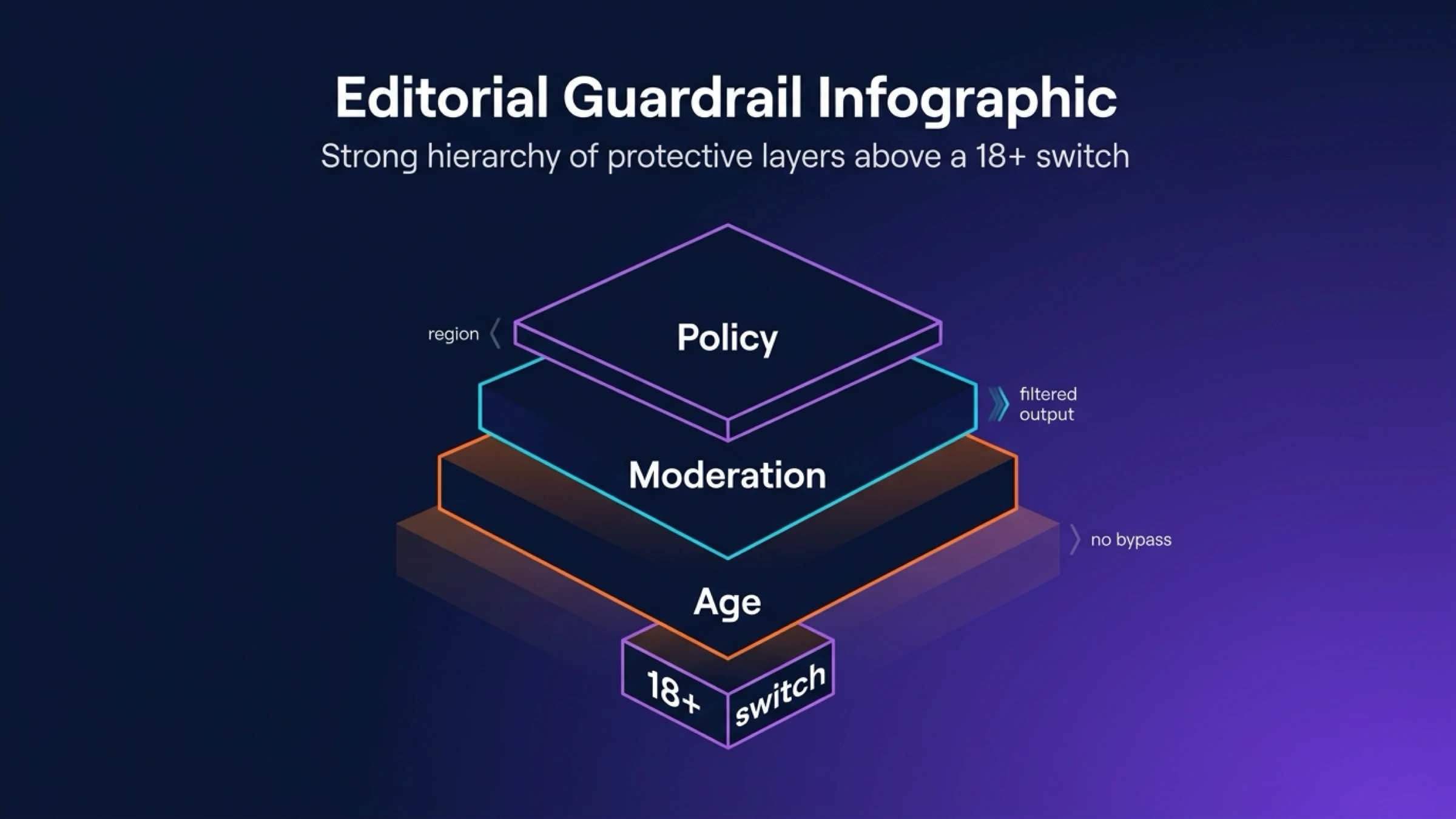
Finding a switch is not the same thing as getting unrestricted adult content. Three separate limits still matter.
1. Age and region controls
The clearest public wording xAI currently gives is in its Consumer Terms for Australia. There, xAI says users in Australia who are under 18, or whose age has not yet been determined, may not be able to access 18+ adult content. The same terms also say users can limit access or exposure to media that may contain 18+ adult content in Settings > Data Control.
The careful way to interpret that is this: age assurance and regional compliance can affect whether the control appears or works. Even if you are outside Australia, it would be a mistake to assume all regions or all accounts will expose the feature identically.
2. xAI moderation
The setting does not replace moderation. xAI's docs say generated videos are subject to content policy review, and the practical meaning is obvious: an account-level preference is about exposure and product behavior, not a blanket pass for every prompt. You may still see content filtered even when the setting is enabled.
3. xAI's Acceptable Use Policy
xAI's Acceptable Use Policy makes two boundaries especially relevant here. First, it prohibits depicting likenesses of persons in a pornographic manner. Second, it says users must not circumvent safeguards unless they are part of an official red-team process. That matters because many low-quality posts on this topic quietly morph from "where is the setting?" into "here is how to bypass moderation." That is not a stable or policy-compliant workflow, and it is not the guidance you should build around.
The practical consequence is simple: even if you do locate the adult-content control, you should expect the final behavior to remain narrower than the old 2025 "spicy mode" hype implied.
What to Do If You Cannot Find the Toggle
If the menu is missing or the label from older screenshots is gone, use this order:
- Check standalone Grok first. Open the Grok app or Grok.com before you assume the setting has been removed everywhere.
- Use the current settings tree. On mobile, go to
Settings > Data Controls. On Grok.com, go toSettings > Data. - Treat X as a separate product layer. If you only changed X's sensitive-content settings, you have not proved anything about standalone Grok yet.
- Confirm age and region eligibility. If your jurisdiction or account is subject to extra age checks, adult-content access may stay hidden or restricted.
- Do not rely on legacy direct URLs. They are undocumented and unstable. They are not a good primary workflow.
- Escalate the right adjacent blocker. If you cannot reach the correct account or settings at all, use our Grok authentication failure guide. If Grok settings pages are broadly failing rather than simply missing one control, use our Is Grok down? guide.
That last point is worth emphasizing. Some readers are not actually dealing with a feature question. They are dealing with the wrong account, a failing settings page, or a broader service issue. The article becomes much more useful when it routes those cases out quickly instead of pretending every problem is just one hidden preference away from being solved.
FAQ
Is there still an official NSFW toggle in Grok?
xAI's public terms still reference an 18+ media control in Settings > Data Control, but xAI does not currently publish a universal public help article that guarantees the same NSFW toggle on every platform and account. So the safest answer is: there may still be an official control for your account, but it is not a universal one-size-fits-all public flow anymore.
Does X's sensitive-content setting turn on NSFW in Grok?
No. X's sensitive-content rules and viewer settings are about media on X posts. They are not the main standalone Grok adult-content permission switch.
Why do old screenshots show NSFW Preferences but my web app does not?
Because the feature appears to have changed over time. 2025 coverage reflected a more visible "spicy mode" era, while March 2026 user reporting showed the older preference missing for some web and Android users.
Can I bypass Grok moderation with the API or a hidden settings URL?
No reliable, official workflow does that. xAI's docs say outputs are still moderated, and xAI's Acceptable Use Policy explicitly says not to circumvent safeguards.
What if I only use Grok on X?
Then you are inside X's help and privacy model, not the standalone xAI Grok settings stack. If you are specifically looking for adult-content controls, check standalone Grok first.
Does enabling the setting guarantee adult image or video generation?
No. Age checks, region rules, moderation, and xAI policy still apply after the setting is enabled.
Bottom Line
The right answer in March 2026 is not "find the secret URL." It is "check the correct product layer." If your account still exposes an adult-content control, the official place to look is standalone Grok's data-control menus on mobile or web. If the old toggle is gone, do not assume you missed a trick. It may simply no longer be surfaced the same way on your platform or in your region. And even when the control exists, xAI moderation and policy still sit above it.