Nano Banana Pro APIの使い方:公式JSON、YAML、PDF入力を整理
現行の公式model IDと動くJSONを起点に、YAML設定、response parser、PDFの安全な2段階経路、providerとの契約差を整理します。
目次
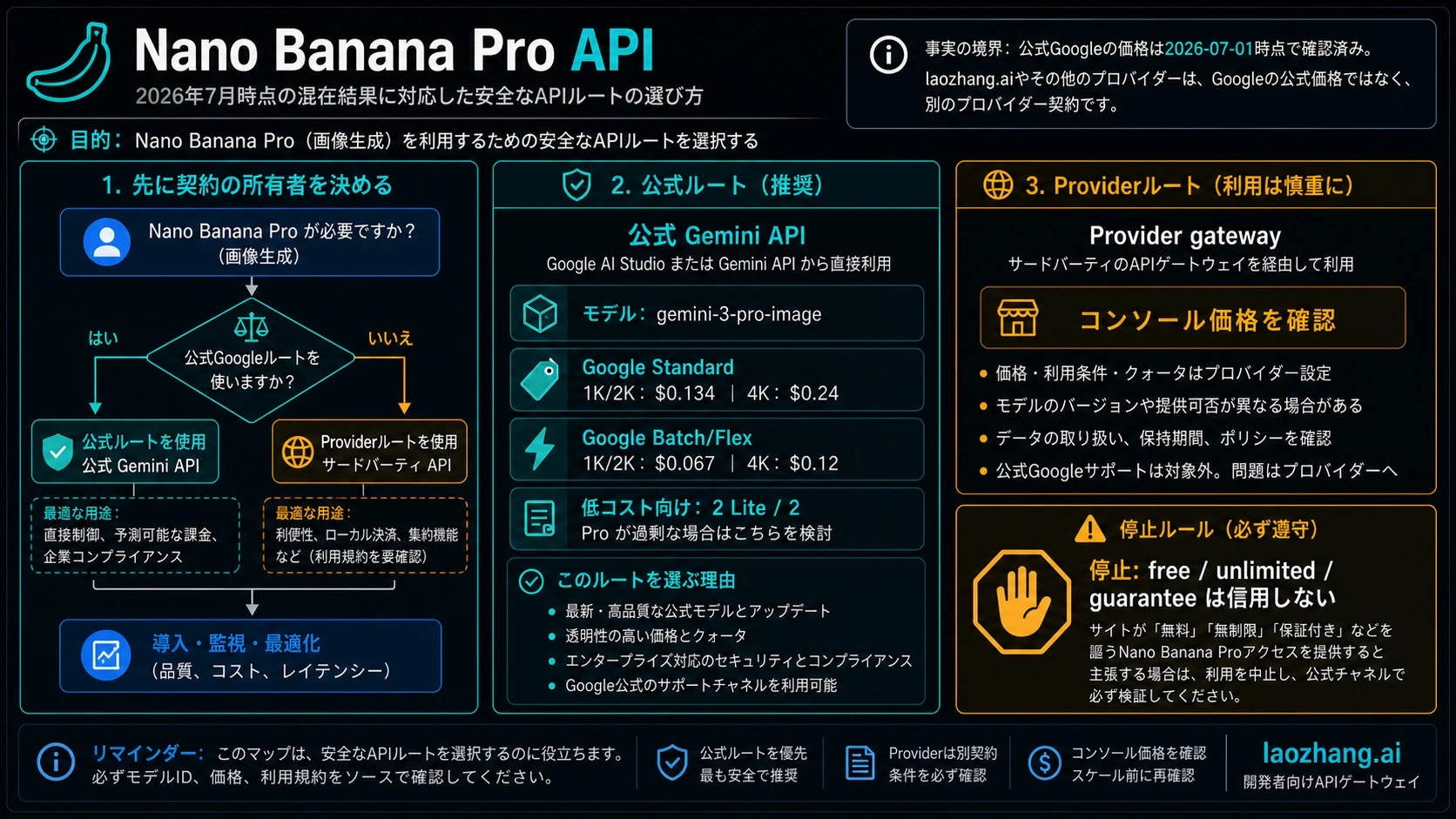
Nano Banana ProをGoogleへ直接リクエストする現在の正解は、モデル Gemini 3 Pro Image、model ID gemini-3-pro-image、endpoint POST https://generativelanguage.googleapis.com/v1beta/interactions の組み合わせです。新規実装では、Googleが最新モデル・機能向けに推奨する Interactions API を先に選びます。generateContent は現在も使えますが、互換・従来surfaceとして別のrequest/response contractのまま扱います。
まずは次の最小requestで、接続するcontractを固定できます。
curl -sS -X POST \
  "https://generativelanguage.googleapis.com/v1beta/interactions" \
  -H "x-goog-api-key: $GEMINI_API_KEY" \
  -H "Content-Type: application/json" \
  -d '{
    "model": "gemini-3-pro-image",
    "input": [
      {
        "type": "text",
        "text": "黒いメカニカルキーボードの商品画像。斜め30度の俯瞰、無彩色の背景、柔らかなリムライト。文字、ロゴ、透かしは入れない。"
      }
    ],
    "response_format": {
      "type": "image",
      "mime_type": "image/png",
      "aspect_ratio": "16:9",
      "image_size": "2K"
    }
  }'
このJSONはGoogle公式APIのtransportです。一方、いわゆる「JSON prompt」はチーム独自の制作briefであることが多く、Googleが品質向上を保証する公式prompt schemaではありません。YAMLもそのままAPIへ送る形式ではなく、型検査してJSONへ変換するためのアプリ設定です。
本ページのfield、価格、制限は2026年7月20日にGoogleの画像生成ガイド、Gemini 3 Pro Image model cardなどで再確認しました。今回はtask専用のcredentialと課金許可がないため、有料生成callは実施していません。サンプルはsource上のcontractとlocal syntaxを確認したもので、実生成品質のbenchmarkではありません。
実装前に固定する「完成形」
一つの画像生成jobを、次の4層に分けます。
- Semantic brief:何を描き、何を維持し、何を禁止するか。アプリが所有する。
- Official JSON:Google Interactions APIへ送るHTTP body。Googleが所有する。
- App YAML:編集しやすい設定。アプリがparse・validateしてJSONへ変換する。
- Provider mapping:gatewayを選ぶ場合の別contract。providerがendpoint、key、price、responseを所有する。
この順序を逆にして、検索で見つけたprovider JSONをGoogle endpointへ貼ると、model名が似ていても400/401/404やparser mismatchになります。
Semantic prompt objectを自然文へ落とす
制作チームでは、promptを最初から1本の文字列にせず、次のような独自objectにすると検査しやすくなります。
{
  "job": "product_hero",
  "subject": {
    "product": "黒いメカニカルキーボード",
    "must_preserve": ["筐体形状", "キー配列"]
  },
  "scene": {
    "camera": "斜め30度の俯瞰",
    "background": "無彩色のスタジオ背景",
    "lighting": "柔らかなリムライト"
  },
  "constraints": {
    "exact_text": [],
    "avoid": ["ロゴ", "余分なキー", "透かし"]
  }
}
これはofficial schemaではありません。アプリ側で例えば次の順に自然文へrenderします。
黒いメカニカルキーボードの商品画像。筐体形状とキー配列を維持する。斜め30度の俯瞰、無彩色のスタジオ背景、柔らかなリムライト。ロゴ、余分なキー、透かしは入れない。
最終文字列をinput[].textへ入れ、画像設定をresponse_formatへ置くと、意味とtransportを混同しません。Structured Outputsはresponse JSONを制約する機能であり、画像prompt用の公式JSON schemaが存在する証拠にはなりません。
Official JSONとapp YAMLを同じjobで比較する
Google Interactions APIへ送るJSON
{
  "model": "gemini-3-pro-image",
  "input": [
    {
      "type": "text",
      "text": "黒いメカニカルキーボードの商品画像。筐体形状とキー配列を維持する。斜め30度の俯瞰、無彩色のスタジオ背景、柔らかなリムライト。ロゴ、余分なキー、透かしは入れない。"
    }
  ],
  "response_format": {
    "type": "image",
    "mime_type": "image/png",
    "aspect_ratio": "16:9",
    "image_size": "2K"
  }
}
人が編集するYAML
route:
  owner: google
  contract: interactions
  endpoint: https://generativelanguage.googleapis.com/v1beta/interactions
  key_owner: google-ai-studio-project
request:
  model: gemini-3-pro-image
  prompt:
    subject: 黒いメカニカルキーボード
    must_preserve:
      - 筐体形状
      - キー配列
    camera: 斜め30度の俯瞰
    background: 無彩色のスタジオ背景
    lighting: 柔らかなリムライト
    avoid:
      - ロゴ
      - 余分なキー
      - 透かし
  output:
    mime_type: image/png
    aspect_ratio: "16:9"
    image_size: 2K
response:
parser: interactions-final-imageYAMLを使う場合は、aspect_ratioの16:9を文字列として保持し、booleanやnumberが意図せずstring化していないか確認します。API keyはYAMLやrepositoryへ書かず、server-side secret storeからheaderへ注入します。最後にYAMLの独自fieldをそのまま送るのではなく、上のofficial JSONへ明示的にmapします。
6項目のmismatch validator
課金前のpreflightでは、endpointだけでなく6項目を一組で検査します。
| # | 検査field | Google directの期待値 | mismatch例 |
|---|---|---|---|
| 1 | endpoint | Googleの/v1beta/interactions | provider URLとGoogle parserを混在 |
| 2 | key_owner | AI Studio / Google Cloud project | provider keyをx-goog-api-keyへ投入 |
| 3 | model | gemini-3-pro-image | 古い-previewやprovider alias |
| 4 | request_contract | inputを使うInteractions | contents[].parts[]を貼り付け |
| 5 | output_contract | response_formatとsnake_case | generationConfig.imageConfigを混在 |
| 6 | response_parser | Interactionsのfinal output/steps | OpenAI imagesやgenerateContent parser |
const PRO_RATIOS = new Set([
  "1:1", "2:3", "3:2", "3:4", "4:3",
  "4:5", "5:4", "9:16", "16:9", "21:9",
]);
const PRO_SIZES = new Set(["1K", "2K", "4K"]);

export function validateGooglePro(profile, body) {
  const errors = [];

  if (profile.endpoint !== "https://generativelanguage.googleapis.com/v1beta/interactions")
    errors.push("1 endpoint: Google Interactions endpointではありません");
  if (profile.key_owner !== "google-ai-studio-project")
    errors.push("2 key_owner: Google projectのkeyではありません");
  if (body.model !== "gemini-3-pro-image")
    errors.push("3 model: 現行の公式IDはgemini-3-pro-imageです");
  if (!Array.isArray(body.input) || !body.input.some(x => x.type === "text" && x.text))
    errors.push("4 request_contract: type=textのinputが必要です");
  if (body.response_format?.type !== "image" ||
      !PRO_RATIOS.has(body.response_format?.aspect_ratio) ||
      !PRO_SIZES.has(body.response_format?.image_size))
    errors.push("5 output_contract: type、ratio、uppercaseの1K/2K/4Kを確認してください");
  if (profile.response_parser !== "interactions-final-image")
    errors.push("6 response_parser: 別contract用parserです");

  return errors;
}
返り値が空になるまで送信しないのがstop ruleです。key、model、endpoint、payloadを同時に変更すると、どの修正が効いたか分からなくなります。
responseからfinal imageだけを保存する
SDKのoutput_imageは便利ですが、複雑なresponseではtextや複数のstepが混ざります。shortcutを先に確認し、なければmodel_outputのimageだけを集めて最後の1枚を採用します。thought/intermediate imageを成果物にしないためです。
import { GoogleGenAI } from "@google/genai";
import * as fs from "node:fs";

const ai = new GoogleGenAI({ apiKey: process.env.GEMINI_API_KEY });

const interaction = await ai.interactions.create({
  model: "gemini-3-pro-image",
  input: "3段階の決済フローを、日本語ラベル付きの見やすい図にする。",
  response_format: {
    type: "image",
    mime_type: "image/png",
    aspect_ratio: "16:9",
    image_size: "2K",
  },
});

function finalImage(result) {
  if (result.output_image?.data) return result.output_image;
  const candidates = [];
  for (const step of result.steps ?? []) {
    if (step.type !== "model_output") continue;
    for (const block of step.content ?? []) {
      if (block.type === "image" && block.data) candidates.push(block);
    }
  }
  return candidates.at(-1) ?? null;
}

const image = finalImage(interaction);
if (!image) throw new Error("final model outputに画像がありません");
fs.writeFileSync("nano-banana-pro.png", Buffer.from(image.data, "base64"));
HTTP 200でも画像がない場合は、raw responseをsecret除去後に保存し、response_format.type、policy/safetyのtext、model_output、parserのcontractを確認します。「ファイルがない」だけでupstream outageとは判断できません。
10種類のratioと1K〜4Kの境界
Pro向けの現行official tableで確認できるsize tierは1K、2K、4Kです。Kは大文字で、小文字の2kはreject対象です。4Kは固定の4096×4096を意味せず、ratioごとのtierです。例えばofficial tableの16:9・4Kは5504×3072です。
Pro-specific tableの10 ratiosは次のとおりです。
| 正方形・縦長 | 横長 |
|---|---|
1:1, 2:3, 3:4, 4:5, 9:16 | 3:2, 4:3, 5:4, 16:9, 21:9 |
一般的なImageConfig referenceには追加の極端なratioが見える場合がありますが、Pro-specific tableは14種類を保証していません。live routeで確認していない値をproduction allowlistへ入れないでください。
Reference imageは現行ガイドで合計最大14枚と説明され、Proのcategory guidanceはobject最大6、character最大5、style reference最大3です。同じページに「high fidelityは5枚」という別の境界もあります。14枚すべてが同じ精度で保持されると設計せず、重要度の高い入力を絞り、少数から増やすのが安全です。
PDFを直接入れない:2段階のdocument route
gemini-3-pro-imageのmodel cardに記載されたinputはText/Imageで、documentではありません。一方、Geminiのドキュメント理解ガイドはdocument-capable modelでPDFを扱う一般経路です。この二つを合わせても「Nano Banana ProへPDFを直接送れる」という結論にはなりません。
安全な実装は次の2段階です。
Stage 1:PDFを理解して制作briefを確定する
- 小さな一時PDFは
application/pdfのinline data、大きい/再利用するPDFはFiles APIへ渡す。 - Document-capable Gemini modelで、本文、表、必要ページ、正確な表記、図の要件をstructured dataへ抽出する。
- 元PDFと照合し、数値・固有名詞・ページ番号を検証する。
General PDF pathの上限は50 MBまたは1000ページです。これはdocument workflowの上限であり、Pro image modelのdirect input limitではありません。HTML、Markdown、XMLなどのnon-PDFは通常textとして処理され、layoutやchart contextを失う可能性があります。
Stage 2:検証済み情報だけを画像生成へ渡す
- 検証済みtextからsemantic briefを組み立てる。
- 必要なページや図だけをimageとしてrenderし、reference inputへ入れる。
gemini-3-pro-imageで生成し、出力内の文字・数値を再検証する。
次の場合は処理を止めます。
- sensitive documentの保存期間、region、access policyが未承認;
- 全ページを1枚へ正確に再現するなど、image modelにdocument fidelityを要求している;
- pageが回転・不鮮明で、Stage 1のextractionを検証できない;
- MIMEを書き換えるだけでunsupported inputを通そうとしている;
- Files API resourceがprocessing中またはfailedのまま次へ進んでいる。
keyを作れること、Free Tier、billing、quotaは別問題
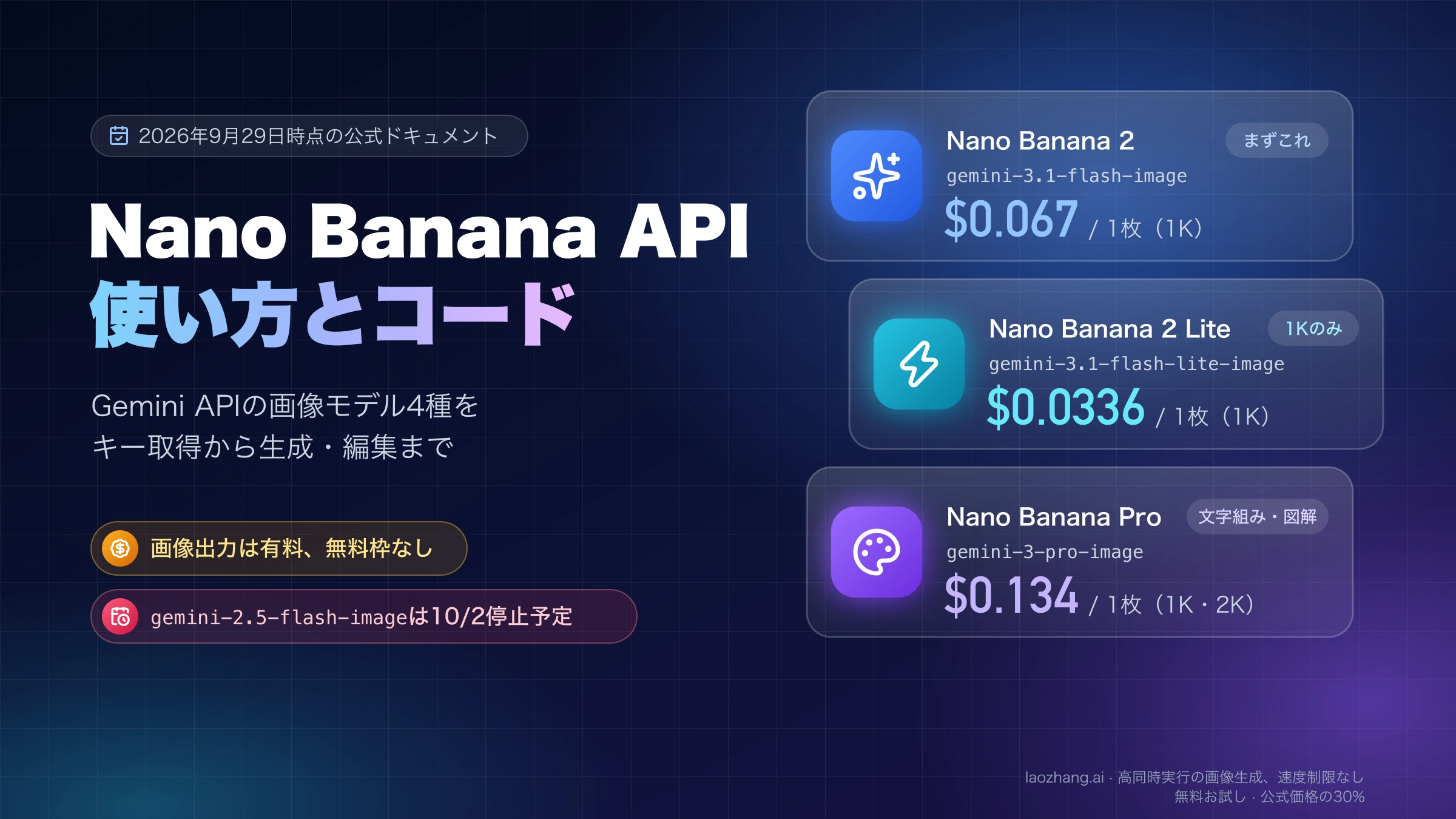
2026年7月20日時点のGoogle公式pricingでは、Nano Banana Proのimage outputにFree Tierは表示されていません。
| Google公式lane | 1K/2K image output | 4K image output | 選択条件 |
|---|---|---|---|
| Standard | $0.134 | $0.24 | 通常のonline responseが必要 |
| Batch / Flex | $0.067 | $0.12 | batch/flexible processingを許容できる |
入力token、text/thinking output、grounding、retry、税などは別途コストになり得ます。BatchとFlexでimage price rowが同じでも、運用上の性質まで同じとは限りません。日本円換算は請求時の条件で変わるため、固定換算額は置きません。
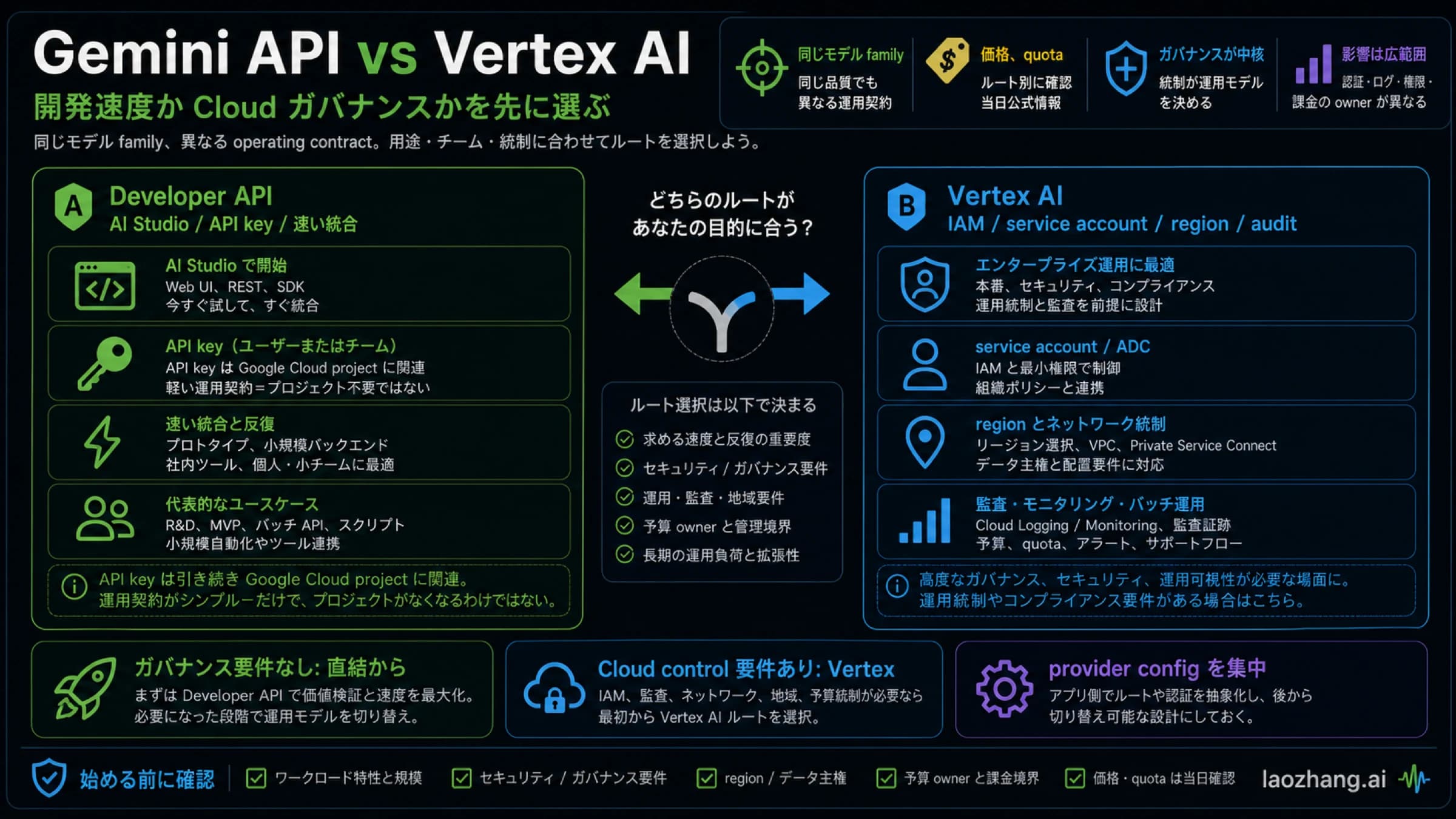
Gemini API keyはAI Studioで管理され、Google Cloud projectへ紐づきます。key作成が無料でもPro outputが無料になるわけではありません。Paid useにはbillingが必要で、billing docsは一部accountで最低$10のprepaymentが必要になる場合を示しています。自身のbilling screenを確認してください。
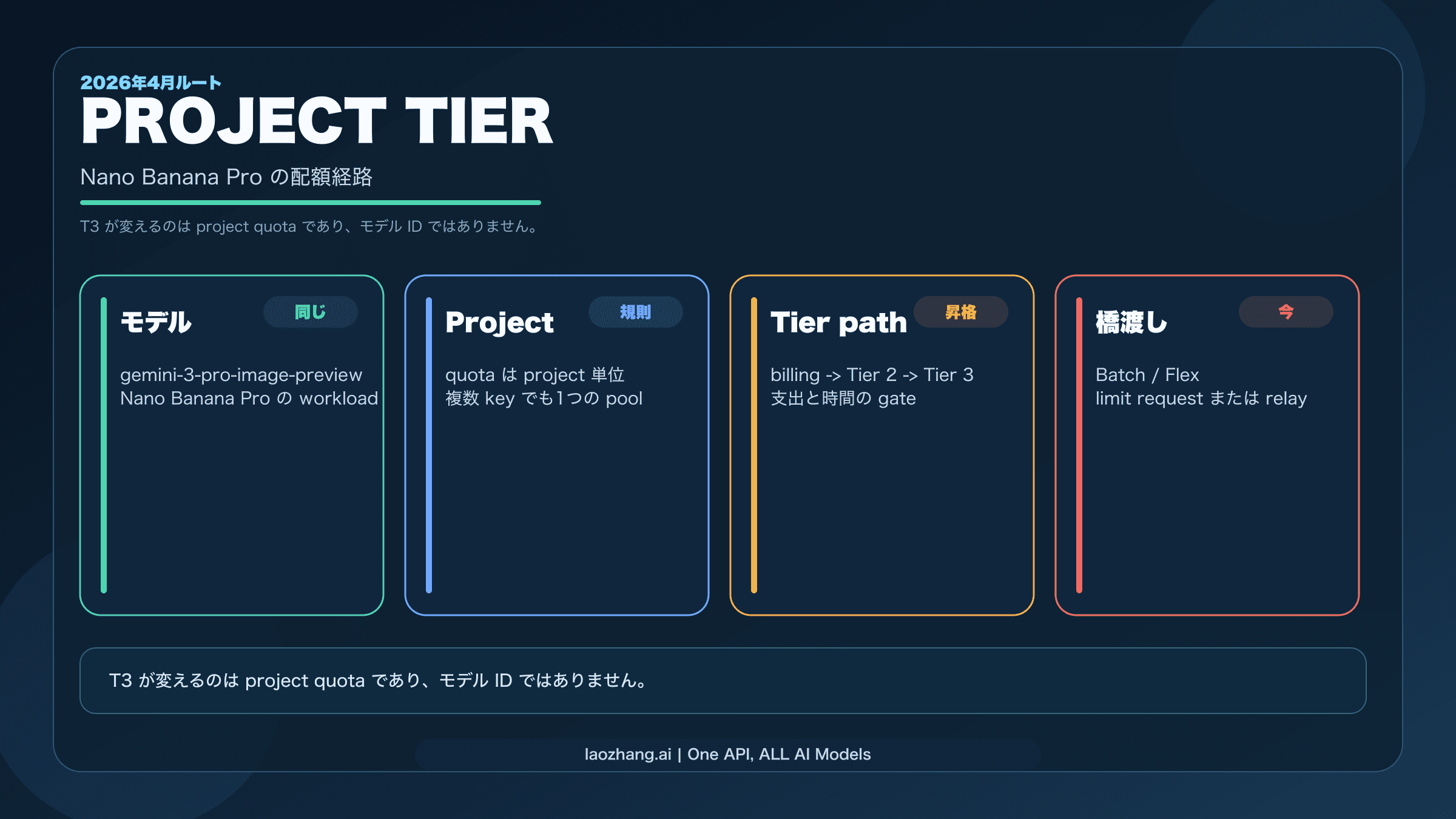
Rate limitはkey単位ではなくproject単位で、RPM、TPM、RPD、image-specific dimensionなどが関係します。同じprojectでkeyを増やしてもquotaは増えません。現在のlimitはAI Studio/project viewがownerであり、ブログに書かれた固定値はcapacity保証ではありません。
関連する運用手順は、quotaの増加、rate limitの診断、Batch APIのコスト最適化へ分けています。keyの作成とprojectへの紐づけは、直前のGoogle公式API keyドキュメントを参照してください。
providerを選ぶなら、同じmodel名でも別contractとしてmapする
基準routeはGoogle directです。Gatewayは、決済方法、model switching、provider側logが要件に合う時だけ候補になります。model aliasが同じでも、key、endpoint、payload、price、failed-call rule、response parserはprovider所有です。
2026年7月20日に確認したlaozhang.aiの公開docsでは、provider aliasはgemini-3-pro-image、generation/editingは$0.09/callです。OpenAI-compatible chat routeはfixed 1:1/1K、custom ratioと2K/4KはproviderのgenerateContent-compatible routeとして文書化されています。これはGoogle公式endpointや価格の証拠ではありません。
| App上の意味 | Google direct | laozhang.ai provider contract |
|---|---|---|
| Key owner | AI Studio / Google project | Provider account |
| 新規実装の主route | Interactions API | Provider docsで指定されたroute |
| Model | gemini-3-pro-image | Provider alias gemini-3-pro-image |
| Custom ratio / 2K / 4K | response_format | Provider generateContent-compatible mapping |
| 1:1 / 1K | Official contract内で設定 | OpenAI-compatible chat laneはfixed |
| Price owner | Google pricing | Public docsの$0.09/call、最終的にはconsole |
| Parser | Interactions output/steps | 選択したprovider routeのresponse |
Provider docsには「14 ratios」やpixel rowについてGoogleのPro-specific tableとの未解決差があります。Googleの主張には上記10 ratiosを使い、provider callではlive console、model list、request logを確認します。Unlimited、failed-call refund、direct PDF、upstream parity、guaranteed concurrencyは、現行contractの証拠なしに約束できません。
既存のgenerateContentを保守する場合
generateContentは今もdocumented compatibility surfaceです。既存codeをすぐ捨てる必要はありませんが、Interactionsのfieldを混ぜないでください。
{
  "contents": [
    {
      "parts": [
        {
          "text": "ロゴのない商品スタジオ画像を作成する。"
        }
      ]
    }
  ],
  "generationConfig": {
    "responseModalities": ["TEXT", "IMAGE"],
    "imageConfig": {
      "aspectRatio": "16:9",
      "imageSize": "2K"
    }
  }
}Endpointはmodels/gemini-3-pro-image:generateContentを含み、requestはcontents[].parts[]とgenerationConfig、responseはpartsを辿ります。response_formatやInteractions用parserは使いません。Migrationでは同じprompt/ratio/sizeを固定し、endpoint、payload、parserを一つのcontract単位で切り替えます。
400、401、404、429、5xxを切り分ける
| Status / 症状 | 主なowner | 最初の確認 | 次の操作 |
|---|---|---|---|
400 malformed/invalid argument | JSON・field・type | JSON parse、casing、10-ratio allowlist、uppercase K、MIME | payloadだけ修正して同じrouteで再試行 |
401 | credential | header、key owner、restriction、project link | AI Studioでkeyを作成/移行し同じrequestを再試行 |
404 | endpoint/model/resource | /v1beta/interactions、current ID、Files URI/state | promptを変えずcontract/resourceを確認 |
429 | project quota/traffic | live RPM/TPM/RPD/IPM、concurrency、retry storm | backoff+jitter、concurrency削減、Batch/Flex、quota申請 |
500/502/503/504 | Google/provider/upstream | request ID、status、provider log、timeout | bounded retry。証拠なしにrouteを変更しない |
200だが画像なし | output/parser/policy | model_output、output type、safety text、mixed content | parser/requestを修正し、network成功だけで完了扱いしない |
問い合わせ用の最小再現には、timestamp、contract owner、secretを除いたendpoint、model、sanitized payload、project/provider request ID、status、raw error、billing eventを残します。実API key、private image、顧客PDFはsupport logへ貼らないでください。
送信前チェック
- 6-field validatorが空配列を返す。
- JSON parseとYAML parse/type validationが通る。
- keyはserver-side secret storeから注入する。
- ratioはProの10-value allowlist、sizeは
1K/2K/4K。 - endpointとresponse parserが同じcontractに属する。
- PDFは別のdocument stageを通り、抽出結果を検証済み。
- Googleの価格/quotaはGoogle、providerの価格/failed-call ruleはprovider console/logで確認。
- retry回数に上限があり、request IDとcost eventを記録する。
結論はシンプルです。まずcontract ownerを固定し、semantic briefをYAMLから検証済みJSONへ変換し、PDFだけはdocument処理へ分岐します。その後に初めて有料requestを送れば、Nano Banana Proの「JSON template」「YAML」「公式docs」「PDF problem」を一つの再現可能な実装として管理できます。