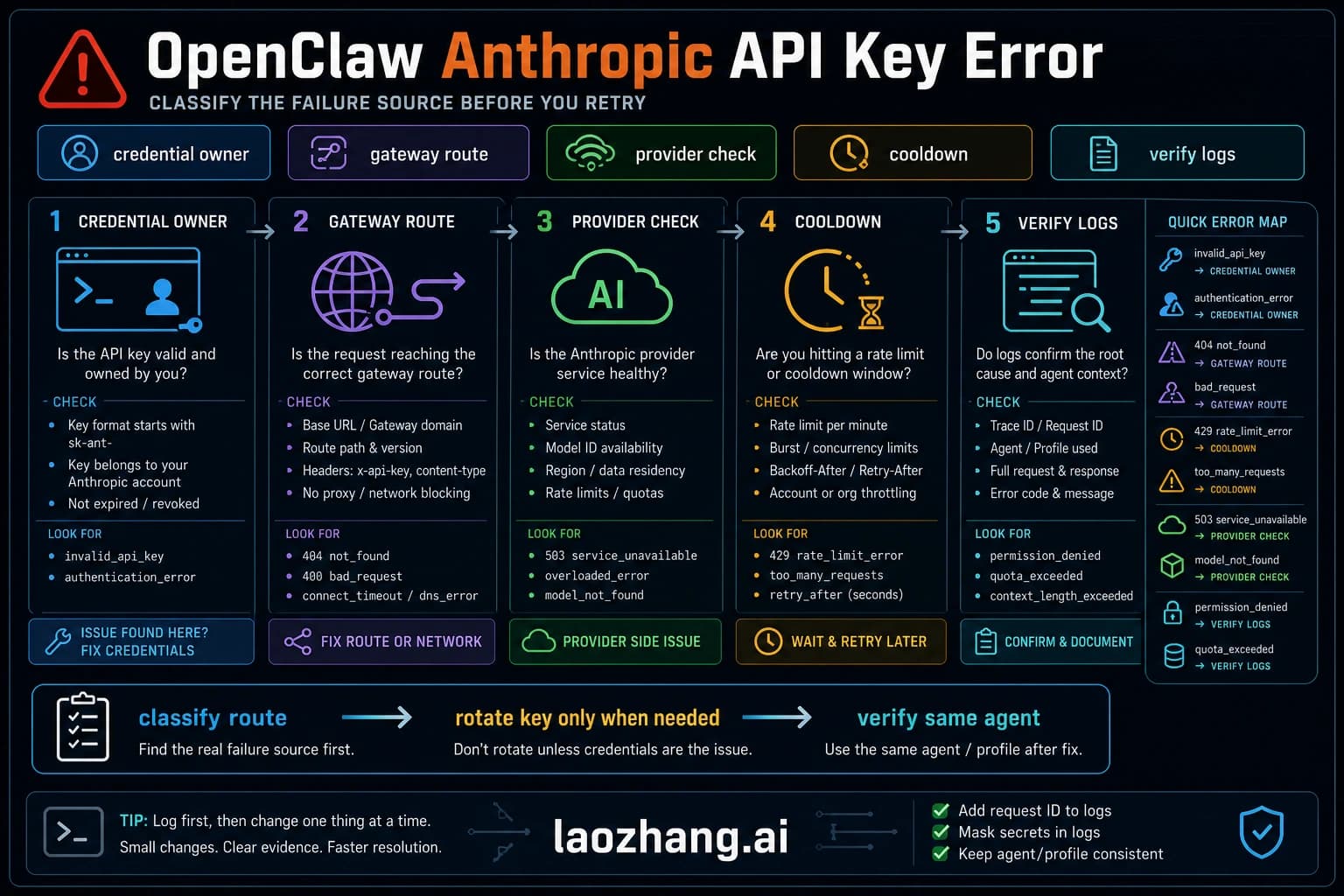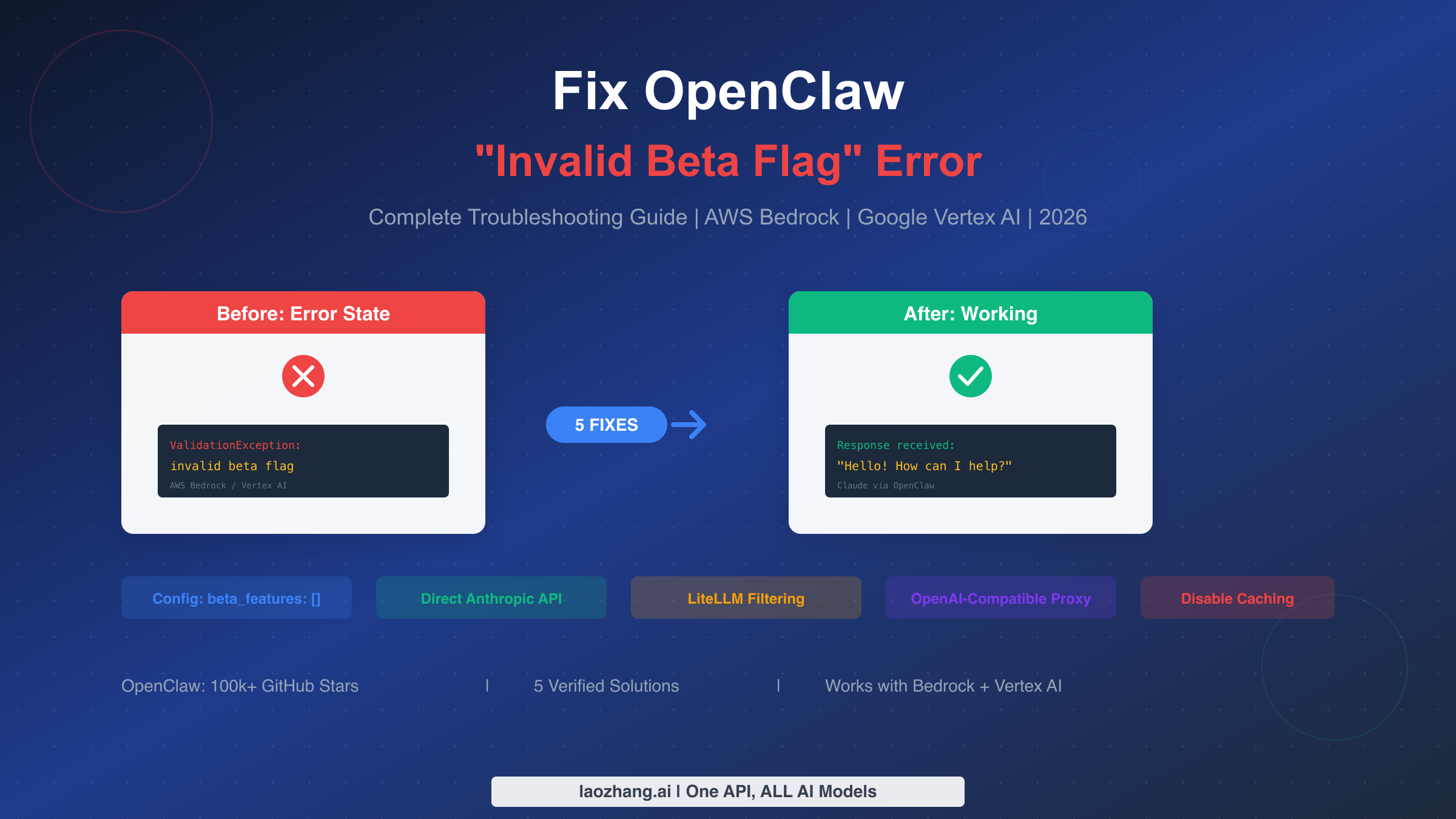
OpenClaw's "invalid beta flag" error means the upstream Claude-compatible route rejected an Anthropic beta header. The current fix is not to blindly add "beta_features": []. As of May 8, 2026, OpenClaw suppresses implicit Anthropic beta headers on non-direct anthropic-messages endpoints, Bedrock has a dedicated amazon-bedrock provider that uses the AWS SDK credential chain, and the 1M context beta is only sent when params.context1m: true is explicitly configured for an eligible Anthropic model.
That changes the diagnosis. If you still see invalid beta flag, look for an explicit anthropic-beta header in a custom provider, a stale OpenClaw binary that predates the provider safety behavior, a proxy pretending to be native Anthropic, or a direct Anthropic long-context request sent with credentials that are not eligible for that beta. This guide starts with that current route split, then shows which config to remove, repair, or move.
TL;DR
- First identify the route: direct Anthropic,
amazon-bedrock, Google Vertex, or a custommodels.providersproxy. - Do not start with old
beta_featuressnippets. Current OpenClaw provider logic suppresses implicit beta headers for non-direct Anthropic-compatible endpoints. - If the route is Bedrock, use the
amazon-bedrockprovider shape, AWS SDK credentials, the right region, and model discovery/access checks. Do not fake an Anthropic API key into Bedrock. - If the route is direct Anthropic, check whether you explicitly enabled
params.context1m: true. OpenClaw maps that to thecontext-1m-2025-08-07beta header, and the credential must be eligible. - If the route is a proxy, remove explicit
models.providers.<id>.headers["anthropic-beta"]unless the proxy documentation requires a specific supported beta. - If config and route look right, run
openclaw config validate,openclaw doctor, andopenclaw gateway statusto catch stale Gateway, damaged config, or old binary/runtime drift.
Identifying the Invalid Beta Flag Error
The "invalid beta flag" error manifests in several ways depending on your setup, but the useful evidence is always in the Gateway logs and the resolved provider route. Your OpenClaw assistant may return blank responses, generic upstream 400s, or a provider-specific validation message. Do not classify it from the chat surface alone; classify it from openclaw logs --follow, openclaw models status, and the active model ref.
When examining your logs through openclaw logs --follow, you'll encounter one of these error patterns. AWS Bedrock users typically see "ValidationException: invalid beta flag" in the response body. Google Vertex AI users encounter "400 Bad Request: invalid beta flag" with similar symptoms. The JSON-formatted error response looks like this:
json{
  "type": "error",
  "error": {
    "type": "invalid_request_error",
    "message": "invalid beta flag"
  }
}
Older guides treated this as mostly an AWS Bedrock or Google Vertex issue. That is now too broad. A modern OpenClaw setup can hit the same visible error through at least four routes: a stale custom proxy still forwarding unsupported beta headers, an explicit anthropic-beta override, a direct Anthropic long-context beta request with ineligible credentials, or an older OpenClaw install that has not picked up the current provider safety behavior.
To confirm you are dealing with this specific error rather than ordinary auth or gateway failure, run this sequence:
bashopenclaw logs --follow
openclaw models status
openclaw config validate
openclaw gateway status
openclaw doctor
The log line should name the upstream route or response body. The model status should tell you whether OpenClaw is using a direct provider, a Bedrock/Vertex provider, or a custom proxy. Only after that split should you change config.
Quick Fix (Start Here)
The fastest safe fix is to remove the beta header from the route that should not receive it, then restart or let the Gateway hot-reload after validation. The exact change depends on the provider surface.
For a custom Anthropic-compatible proxy, inspect your models.providers entry and remove any hard-coded beta header unless your proxy explicitly supports it:
json{
  "models": {
    "providers": {
      "my-proxy": {
        "api": "anthropic-messages",
        "baseUrl": "https://proxy.example.com",
        "headers": {
          "anthropic-beta": "REMOVE_THIS_UNLESS_SUPPORTED"
        }
      }
    }
  }
}
For direct Anthropic 1M context, disable the beta unless you know the credential is eligible:
json{
  "agents": {
    "defaults": {
      "models": {
        "anthropic/claude-opus-4-6": {
          "params": {
            "context1m": false
          }
        }
      }
    }
  }
}
For Bedrock, move to the dedicated provider shape instead of Anthropic-compatible header tweaks. Bedrock auth uses AWS credentials, region, and permissions such as model invoke/list access; it does not need an Anthropic API key in the model provider config.
After each change, run:
bashopenclaw config validate
openclaw gateway restart
openclaw logs --follow
If the error persists, capture the active model ref, provider config, OpenClaw version, and the exact upstream error before escalating. Without that route evidence, "invalid beta flag" is too ambiguous to fix reliably.
Understanding Why This Error Occurs
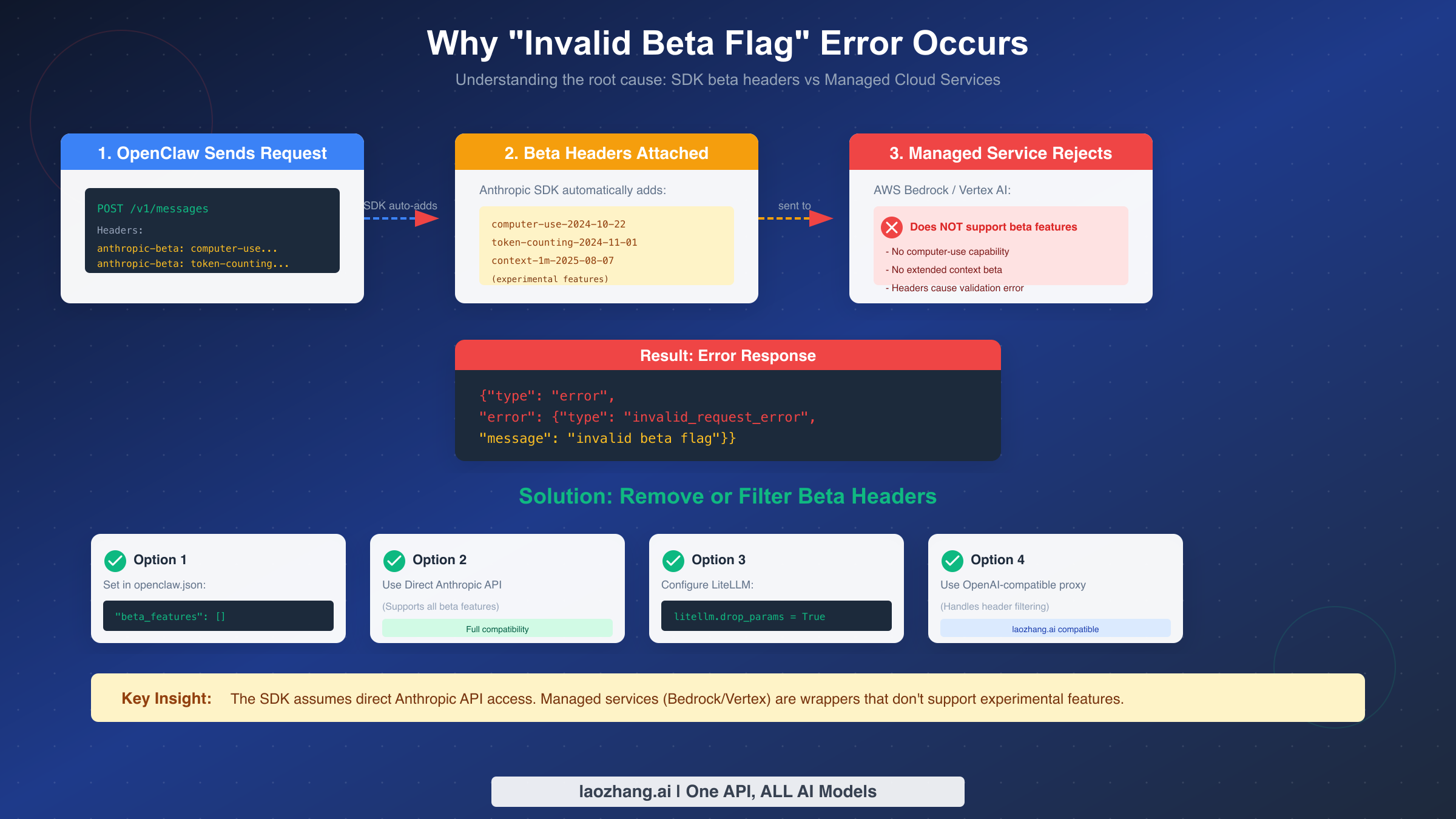
The root cause is a mismatch between a request header and the provider route that receives it. Direct public Anthropic traffic can accept Anthropic-specific request features when the credential and model are eligible. Managed routes and proxies often expose only part of that surface. OpenClaw's current provider layer tries to protect you by suppressing implicit beta headers on non-direct Anthropic-compatible endpoints, but it cannot protect you from every explicit override, stale binary, or proxy that claims the wrong API shape.
The current failure branches are:
| Branch | Why it fails | What to inspect | Best first fix |
|---|---|---|---|
| Direct Anthropic + 1M context | params.context1m: true maps to an Anthropic beta header | agents.defaults.models["anthropic/..."].params | Disable context1m or use an eligible credential |
| Bedrock route shaped like Anthropic | Bedrock uses AWS auth and Converse streaming, not direct Anthropic headers | models.providers, region, AWS env/profile | Use amazon-bedrock provider shape |
| Custom proxy with explicit beta header | Proxy rejects unsupported anthropic-beta | models.providers.<id>.headers | Remove or narrow the header |
| Stale OpenClaw build | Old provider behavior forwards headers current builds suppress | openclaw --version, openclaw doctor | Update and rerun doctor |
| Invalid config after manual edit | Gateway loaded a partial or clobbered provider entry | openclaw config validate, .rejected.* files | Repair with doctor --fix or reapply only intended keys |
Current Fix Paths
Each fix should preserve the provider route you actually need. Do not move to a different provider just to silence the error unless that route also solves your access, compliance, or cost requirement.
Path 1: Custom proxy or relay. Keep the proxy, but stop pretending it is native Anthropic unless it is. Use an explicit provider id, set the correct API shape, and remove unsupported beta headers:
json{
  "models": {
    "providers": {
      "relay": {
        "baseUrl": "https://relay.example.com",
        "api": "anthropic-messages",
        "apiKey": "${RELAY_API_KEY}",
        "models": [
          {
            "id": "claude-opus-4-6",
            "name": "Claude Opus 4.6 via relay",
            "contextWindow": 200000,
            "maxTokens": 8192
          }
        ]
      }
    }
  },
  "agents": {
    "defaults": {
      "model": { "primary": "relay/claude-opus-4-6" }
    }
  }
}
Path 2: Direct Anthropic long-context usage. If you intentionally need 1M context, use direct Anthropic and confirm your credential is eligible. If you only enabled it because an old guide told you to, remove it:
json{
  "agents": {
    "defaults": {
      "models": {
        "anthropic/claude-opus-4-6": {
          "params": { "context1m": false }
        }
      }
    }
  }
}
Path 3: Amazon Bedrock. Use the Bedrock provider, not a direct Anthropic provider with AWS credentials pasted into the wrong place. The key checks are AWS_REGION or AWS_DEFAULT_REGION, AWS credential chain availability, model access in the target region, and discovery permissions such as bedrock:ListFoundationModels and bedrock:ListInferenceProfiles when you rely on model discovery.
Path 4: Google Vertex or Gemini-style routes. Keep the Google-owned auth flow and model route separate from direct Anthropic assumptions. If a Vertex provider or proxy rejects a beta header, remove the explicit header and verify the active provider route with openclaw models status before changing model ids.
Path 5: Config damage or old install. When the error appears after an update or hand edit, assume the config may be stale or partially clobbered:
bashopenclaw --version
openclaw config validate
openclaw doctor
openclaw gateway status --deep
If validation fails, do not copy a tiny replacement JSON object over the whole config. Use openclaw config set, config.patch, or openclaw doctor --fix so the active file keeps required metadata, Gateway mode, auth, and provider shape.
Choosing the Right Fix
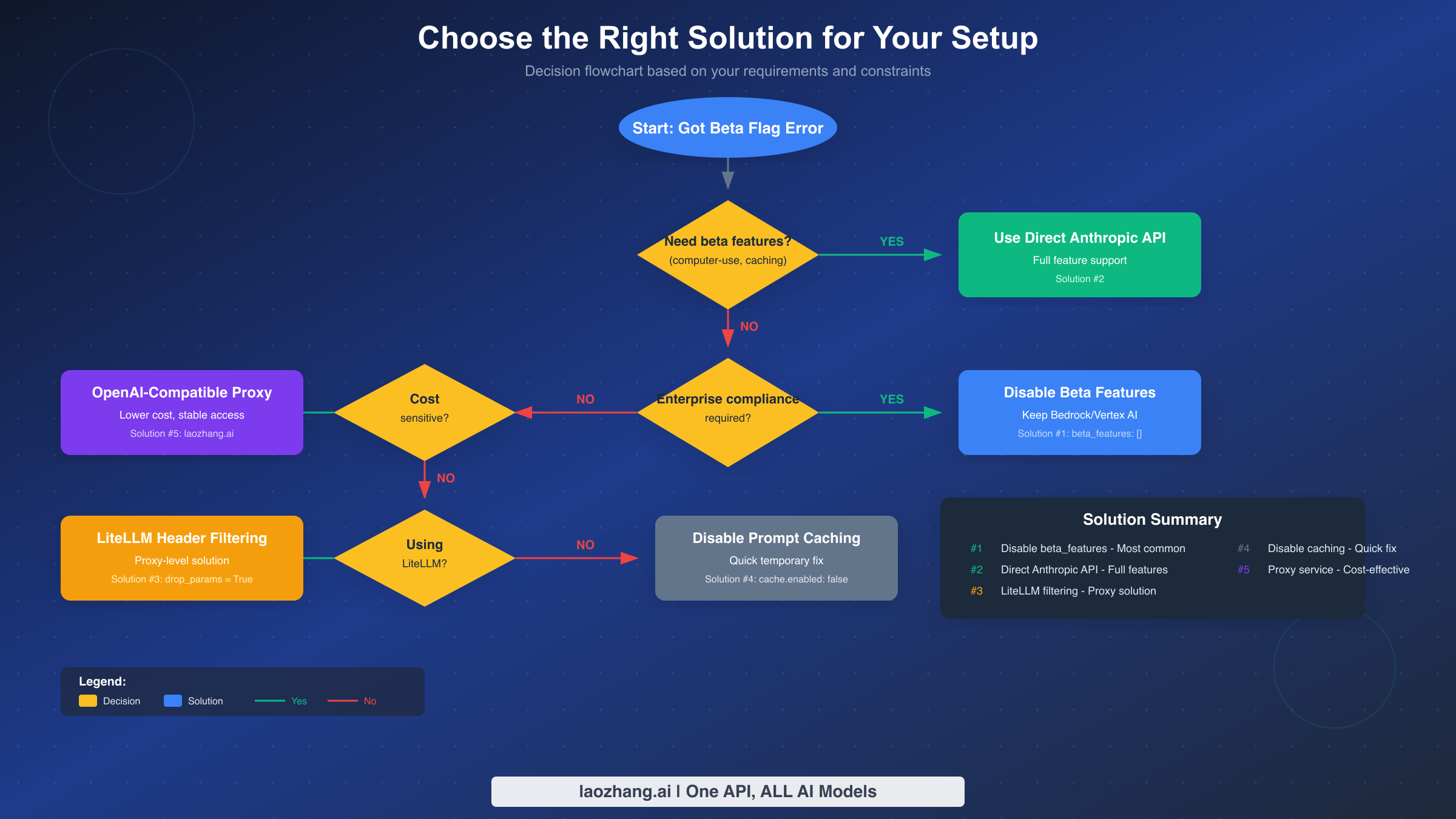
Selecting the appropriate fix depends on which route you meant to use.
Need Anthropic-only beta behavior? Stay on direct Anthropic and verify eligibility. If the beta is not required, disable the explicit beta parameter.
Need AWS controls? Stay on Bedrock and repair the provider shape. Do not trade away IAM, region, and audit requirements just because a generic proxy example looks shorter.
Need a regional relay or private gateway? Use a custom provider entry with explicit model metadata and avoid native-only headers. A proxy can be a valid access route, but it should be configured as a proxy, not as public api.anthropic.com.
Need quick proof before changing production? Reproduce with a clean single-model config in a temporary profile or staging host, then port only the confirmed keys back to the production config.
Enterprise Deployment Considerations
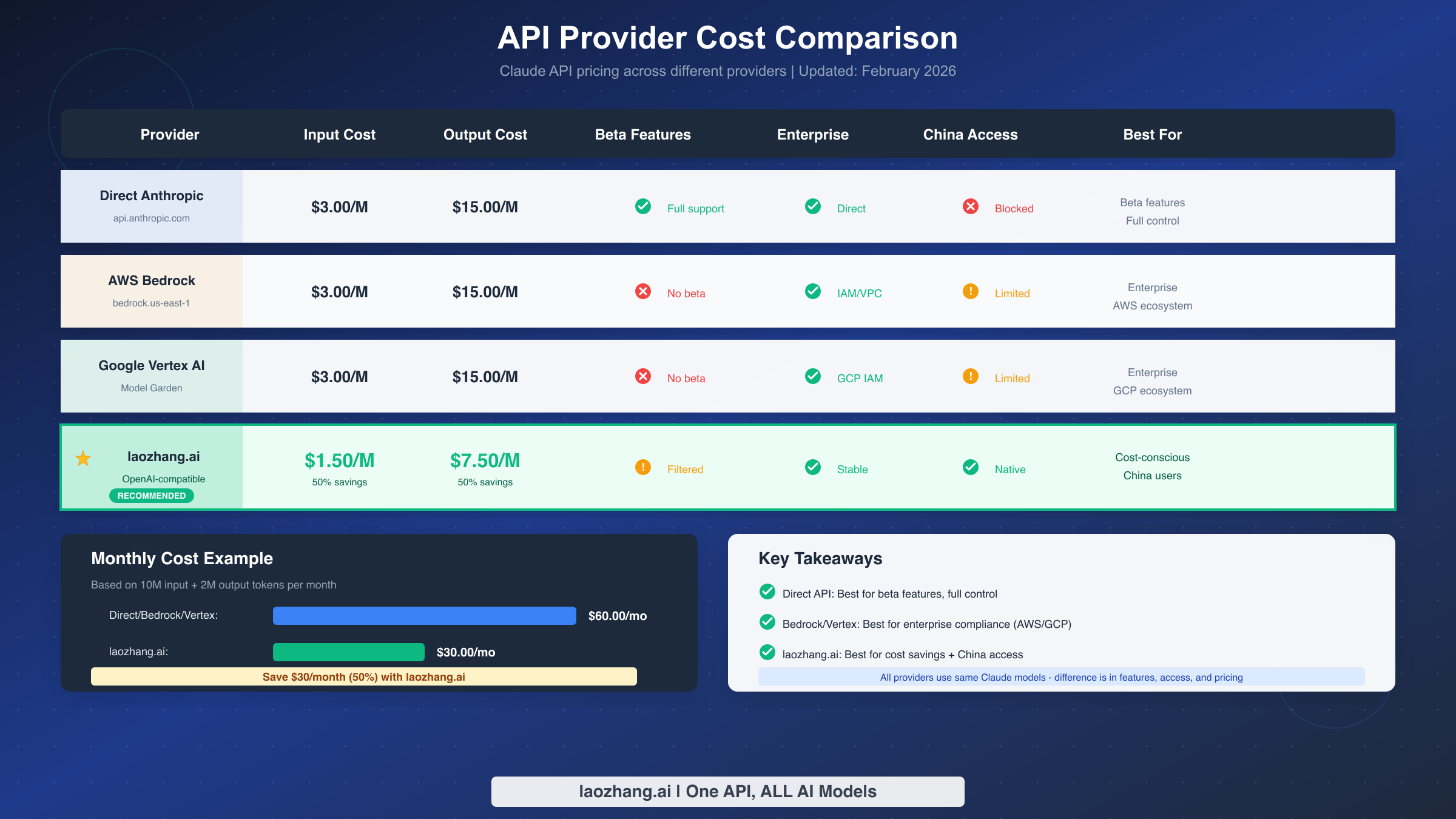
Enterprise deployments often have constraints that individual users don't face. Compliance requirements, data residency regulations, and security policies may dictate which solutions are acceptable. Understanding these factors helps you make the right choice for your organization.
AWS Bedrock offers several enterprise features that matter for regulated industries: IAM integration, regional controls, VPC endpoints, and CloudTrail audit logs. If you chose Bedrock for those controls, preserve the Bedrock route and fix the provider shape instead of moving the workload to an unknown proxy or applying an old native-Anthropic snippet.
Google Vertex AI provides similar enterprise capabilities within the GCP ecosystem. Data residency options, VPC Service Controls, and IAM integration can be the reason that route exists. Treat the compatibility boundary as part of the deployment contract: document which headers and context parameters are allowed on the managed route, and keep direct-Anthropic-only features on direct Anthropic.
For organizations that can't modify cloud provider settings due to centralized IT policies, repair the shared proxy or LiteLLM layer where the header is injected. This solves the problem at the routing layer without touching provider-specific configuration managed by your IT team.
Data residency deserves special attention. If regulations require your AI processing to happen within specific geographic regions, both Bedrock and Vertex AI support regional deployments. Direct Anthropic API may not meet these requirements depending on your jurisdiction. Proxy services vary in their data handling practices—review their documentation and compliance certifications before using them in regulated environments.
When comparing Claude models for your use case, consider that enterprise deployments often benefit from the consistency of managed services even with the beta feature tradeoff. The reliability, compliance certifications, and integration with existing infrastructure usually outweigh the loss of experimental features.
Prevention: Setting Up OpenClaw Right the First Time
Avoiding the beta flag error from the start saves troubleshooting time. The current prevention rule is simple: make the provider route explicit, keep native-only features on native routes, and validate config before restart.
Step 1: Plan your provider route deliberately. Before installation, decide whether you need direct Anthropic behavior, AWS/GCP controls, a regional proxy, or a local model. Do not copy a model id without copying the route assumptions that make it work.
Step 2: Use openclaw onboard and provider docs first. Built-in providers own their auth and model picker behavior. Custom models.providers entries are for overrides, local runtimes, and proxies, not a replacement for every supported provider.
Step 3: Validate before going live. After configuration, run openclaw config validate, openclaw doctor, and openclaw gateway status. Send one test message through the Control UI before testing every connected channel.
Step 4: Document the route owner. Record which provider owns auth, rate limits, region, model discovery, and beta behavior. This prevents future teammates from adding a direct Anthropic header to a Bedrock or proxy route.
Step 5: Stay updated on provider support. OpenClaw provider behavior, Bedrock model discovery, Vertex support, and Anthropic beta eligibility can change. Recheck provider docs before re-enabling headers or long-context options.
For teams deploying OpenClaw at scale, encode the provider route and allowed headers in configuration management. The enforcement target is no longer "always add a beta feature disable flag"; it is "do not let unsupported beta headers reach non-native routes."
Troubleshooting Tips and FAQ
Even with the right solution applied, edge cases can complicate resolution. These troubleshooting tips address common scenarios that don't follow the standard pattern.
Q: I applied the fix but still see the error. What's wrong?
Check the active model ref and provider route first. A fix applied to anthropic/... will not affect a relay/... or amazon-bedrock/... route. Then run openclaw config validate and inspect models.providers.<id>.headers for explicit anthropic-beta.
Q: The error appeared after an OpenClaw update. Did something change?
Updates can tighten provider safety behavior or reject config shapes that older builds tolerated. Check openclaw --version, run openclaw doctor, and compare your active provider entry with the current provider docs.
Q: Can I use some beta features but not others?
Only on routes that support the corresponding header. In current OpenClaw, the clearest published example is Anthropic 1M context: set params.context1m: true on supported Anthropic Opus/Sonnet models only when the credential is eligible. For proxy or managed routes, do not add beta headers unless that route's docs explicitly support them.
Q: Why does my friend's setup work without these changes?
They may be using a different provider route, a newer OpenClaw build, or a proxy that strips unsupported headers before forwarding. Compare the active model ref and provider config, not only the model name.
Q: Is this a bug in OpenClaw or the SDK?
It is usually configuration alignment, not one universal bug. OpenClaw can route to native providers, managed cloud providers, and custom proxies. The same visible error can be caused by unsupported headers, stale builds, damaged config, or an ineligible long-context credential.
Q: Will this issue be fixed in future versions?
Some of it already changed: current OpenClaw suppresses implicit Anthropic beta headers on non-direct Anthropic-compatible endpoints. The remaining failures usually come from explicit headers, old installs, or provider-specific eligibility. Keep OpenClaw updated, but still validate custom headers yourself.
Q: How do I know if I'm using a beta feature without realizing it?
Search your config for anthropic-beta, context1m, and provider-specific params under agents.defaults.models. Then inspect the resolved model route with openclaw models status. A beta feature only matters if it is attached to the route actually handling the request.
For persistent issues, the OpenClaw community on GitHub Discussions and the project's FAQ documentation provide additional resources. The error is well-documented, and community members often share solutions for unusual configurations.
The "invalid beta flag" error is fixable once you stop treating it as one old Bedrock workaround. Identify the route, remove unsupported headers, validate config, restart the Gateway, and only then decide whether a provider switch is necessary.