Grok Voice Agent API: Endpoint, Pricing, and Quickstart Guide (April 2026)
xAI's developer-facing realtime voice route is the Grok Voice Agent API at `wss://api.x.ai/v1/realtime`. The current public self-serve surface shows `$0.05 / min`, `100` concurrent sessions per team, and a `30` minute max session. Use a server API key on trusted backends, ephemeral tokens for browser or mobile clients, and switch to the separate TTS API when you only need one-shot speech generation.
On this page
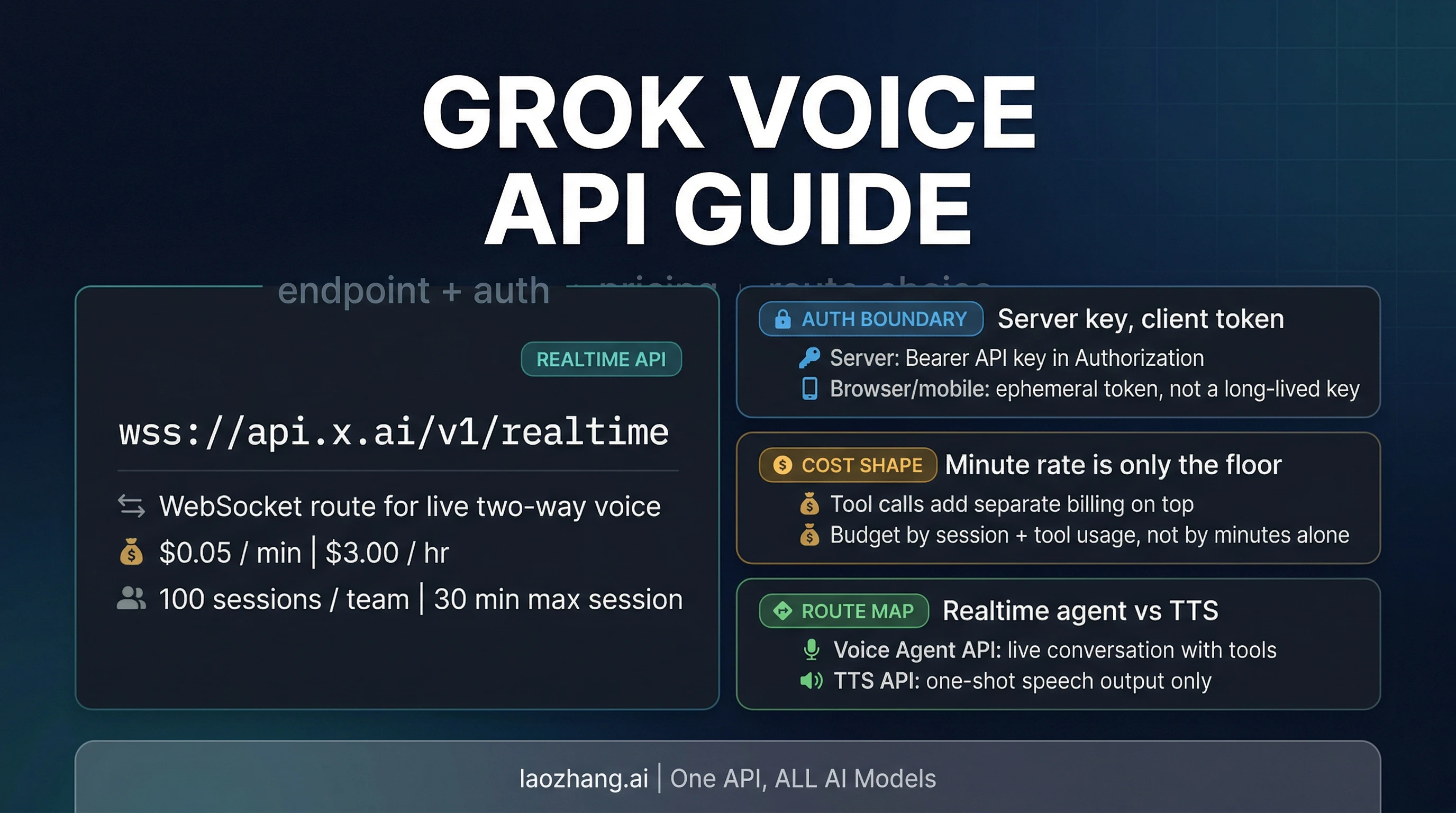
If you want xAI's developer-facing realtime voice stack, the product you actually use is the Grok Voice Agent API at wss://api.x.ai/v1/realtime. The current public self-serve contract shows $0.05 / min, 100 concurrent sessions per team, and a 30 minute max session. Use a normal API key only on your server, use ephemeral tokens for browser or mobile clients, and switch to the separate Text to Speech API if you only need one-shot speech generation.
Evidence note: this guide was checked against xAI's current Voice Agent docs, pricing and model pages, voice overview, Text to Speech docs, product page, and release notes on April 6, 2026. The Speech to Text boundary was updated on April 20, 2026 after xAI published the standalone Grok STT docs and endpoints.
The contract in one screen
| What you need to know first | Current public answer |
|---|---|
| Official realtime route | wss://api.x.ai/v1/realtime |
| Product name | Grok Voice Agent API |
| Public self-serve price | $0.05 / min ($3.00 / hr) |
| Public self-serve runtime limits | 100 concurrent sessions per team, 30 minute max session |
| Browser-safe auth path | mint an ephemeral token on your backend, then connect the client with that token |
| Safe default for first integration | keep the session on your backend first |
| Hidden cost most people miss | tool calls are billed separately from the minute rate |
| Better route when you only need speech output | xAI Text to Speech API at POST https://api.x.ai/v1/tts |
| Migration bonus | xAI documents OpenAI Realtime API compatibility, but not every event assumption maps one-to-one |
What the official xAI voice surface actually is
The most common mistake with this topic is flattening every xAI voice surface into one mental model. xAI's current voice pages do not really support that shortcut. The developer docs cleanly surface two routes you can act on today:
- Grok Voice Agent API for live, two-way voice conversations over WebSocket
- Text to Speech API for one-shot speech generation through a normal REST call
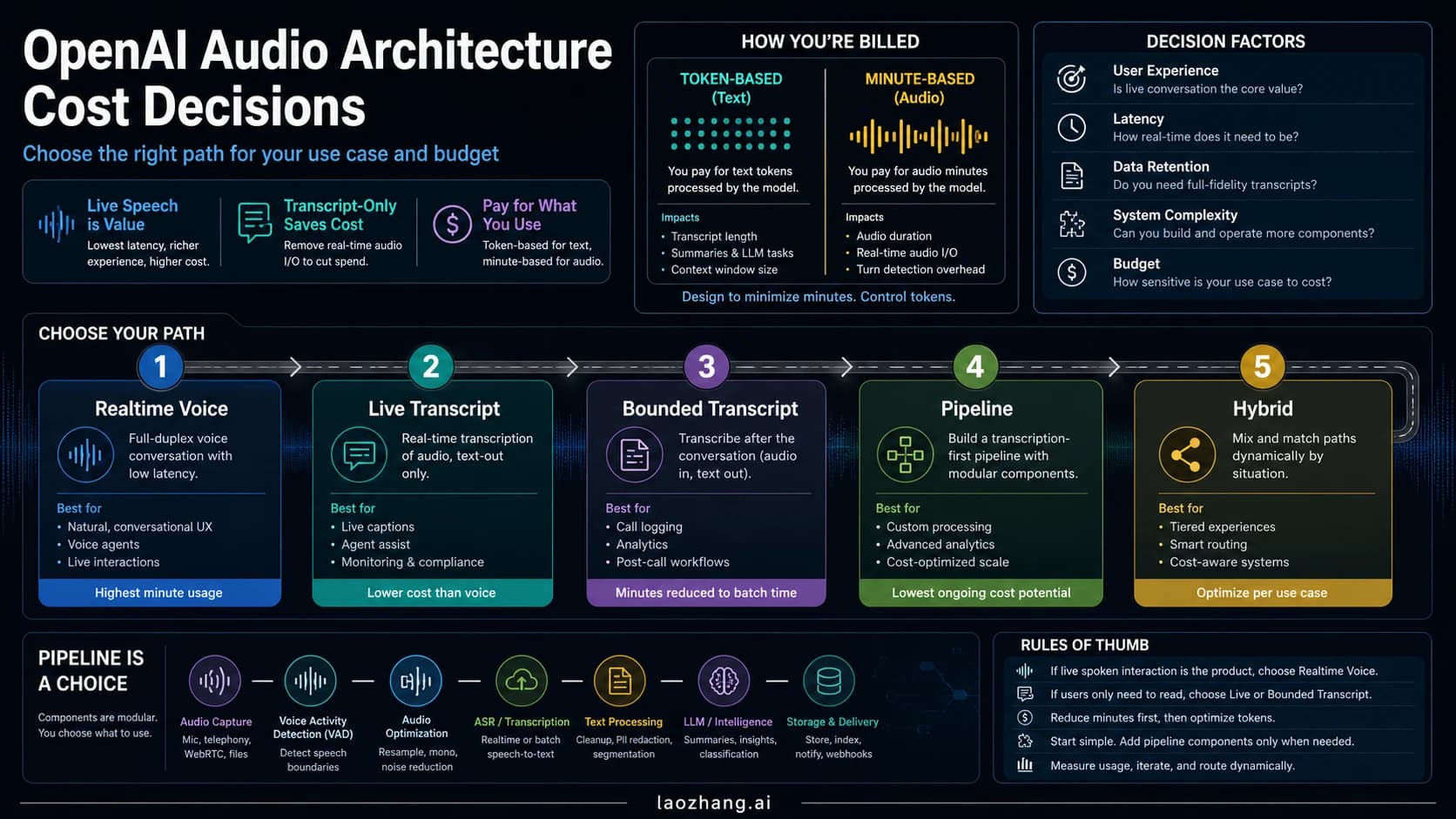
That sounds like a documentation detail, but it changes the whole build. If your app needs turn-taking conversation, low-latency audio back and forth, tool calling during a live session, or a phone-agent style runtime, the Voice Agent API is the right surface. If your app already owns the interaction loop and only needs generated speech at the end, the TTS API is simpler and cheaper to reason about operationally.
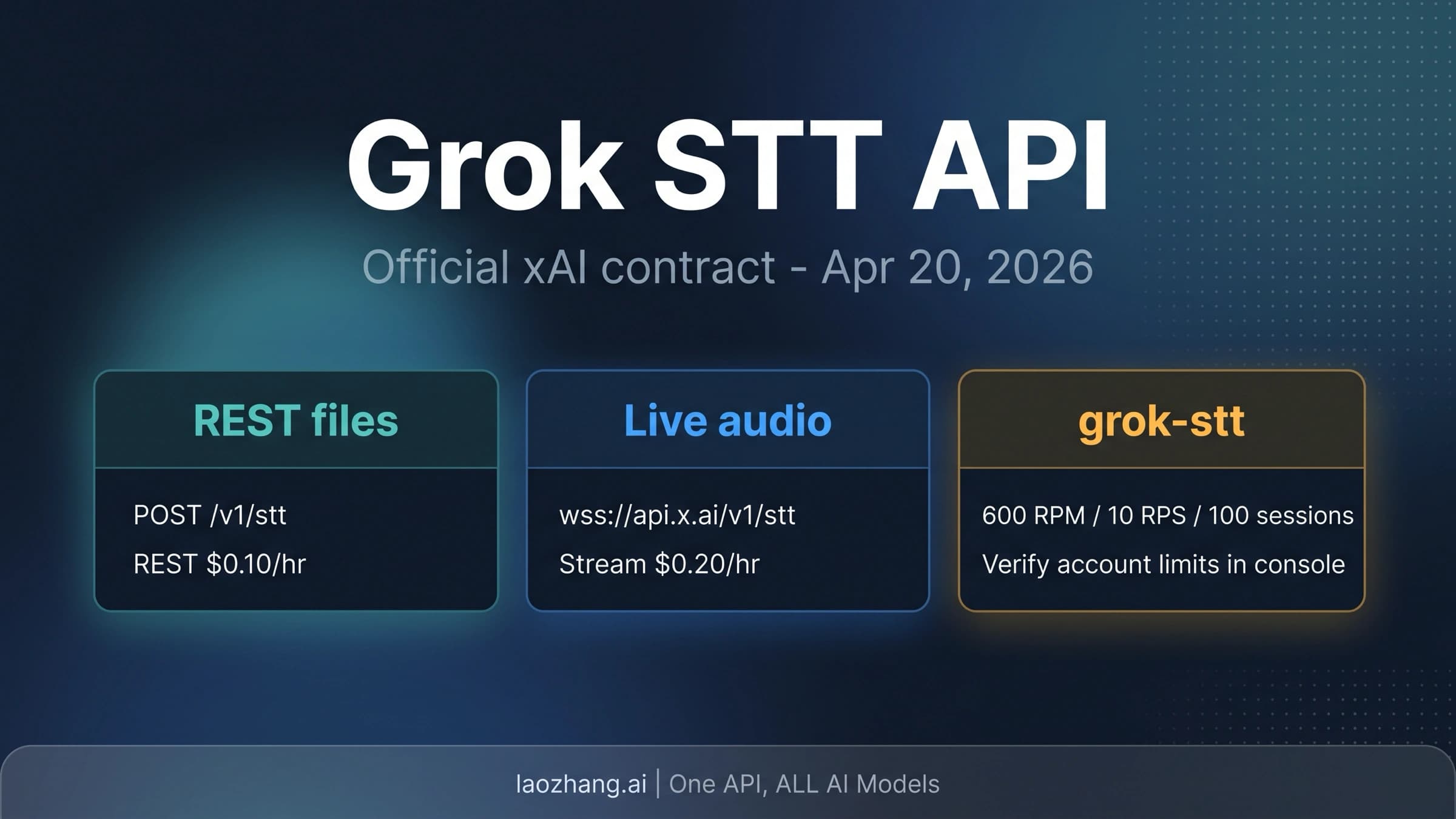
xAI's product page also markets Speech to Text, and that boundary changed after this article's first publication. As of April 20, 2026, xAI now has a standalone Grok STT route: use POST https://api.x.ai/v1/stt for file or URL transcription and wss://api.x.ai/v1/stt for realtime transcription. Keep it separate from Voice Agent API, because STT returns text and the Voice Agent API runs a live spoken agent session.
So the clean route map is:
- choose Voice Agent API when the voice session is the product
- choose TTS when voice output is only a final rendering step
- choose Grok STT when the job is transcription; the dedicated guide is Grok STT API: endpoint, pricing, streaming, and route choice
That is already more useful than a generic “xAI has voice APIs now” summary, because it tells you what to build against.
The fastest safe path to a working session
The official docs are actually refreshingly direct here. The basic flow is:
- Open a WebSocket connection to
wss://api.x.ai/v1/realtime - Send
session.update - Create a user message with
conversation.item.create - Ask the model to answer with
response.create
For a trusted backend, the shortest JavaScript path looks like this:
import WebSocket from "ws";

const ws = new WebSocket("wss://api.x.ai/v1/realtime", {
  headers: {
    Authorization: `Bearer ${process.env.XAI_API_KEY}`,
  },
});

ws.on("open", () => {
  ws.send(
    JSON.stringify({
      type: "session.update",
      session: {
        voice: "eve",
        instructions: "You are a helpful assistant.",
        turn_detection: { type: "server_vad" },
      },
    }),
  );

  ws.send(
    JSON.stringify({
      type: "conversation.item.create",
      item: {
        type: "message",
        role: "user",
        content: [{ type: "input_text", text: "Hello!" }],
      },
    }),
  );

  ws.send(JSON.stringify({ type: "response.create" }));
});
That is the safest first move because it keeps the credential boundary simple. You control the key. You control the socket. You can validate the session flow before you add browser audio capture, WebRTC, phone routing, or tool orchestration.
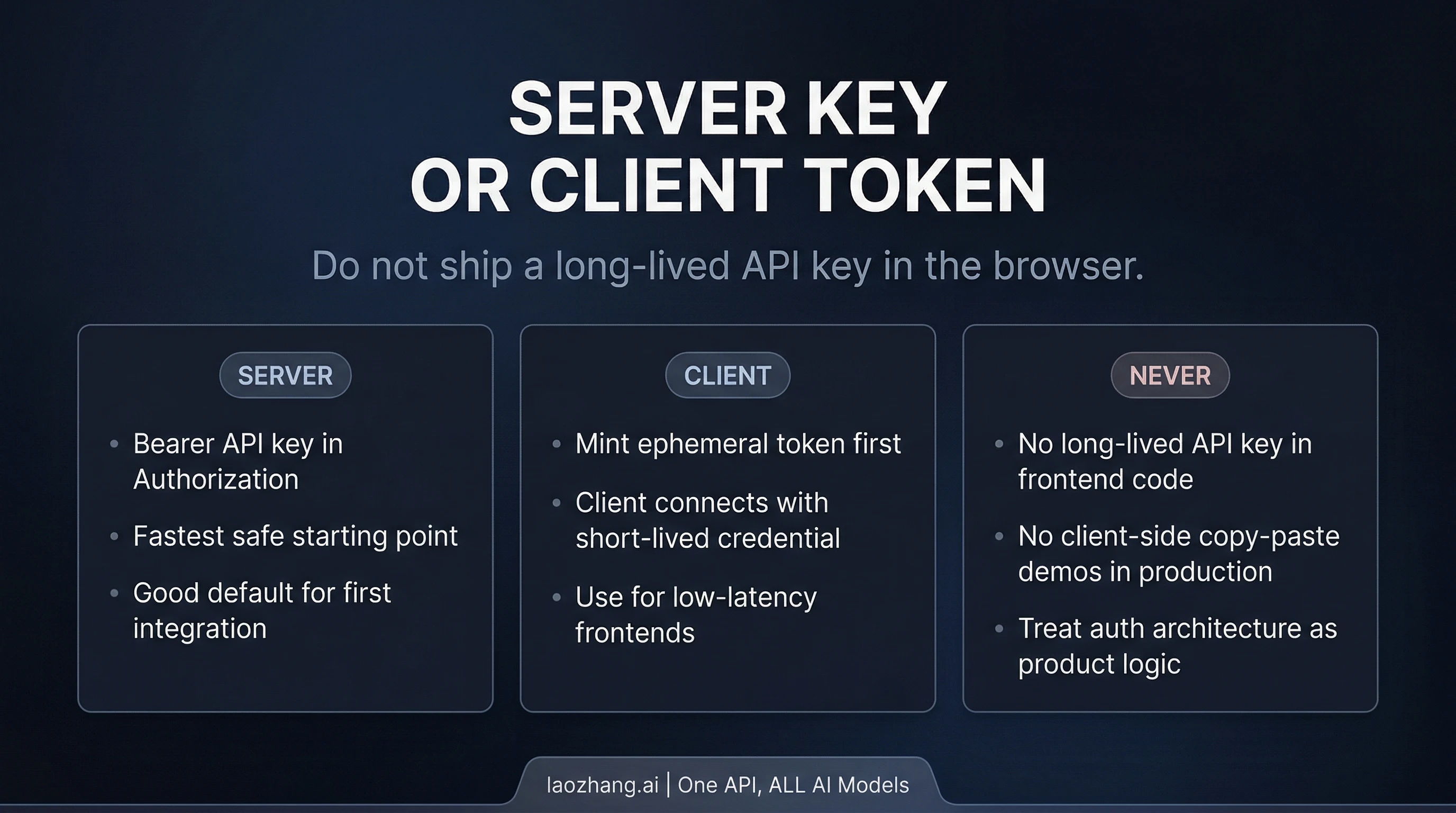
Where teams get into trouble is trying to jump straight from “it works on the server” to “ship the same API key in the browser.” xAI's own docs are explicit: client-side apps should use ephemeral tokens. The API-key path is documented as server-side only.
The public route for that is POST https://api.x.ai/v1/realtime/client_secrets. Your backend mints the short-lived token, then the client opens the realtime socket with that token instead of a long-lived API key. In browser code, xAI documents the xai-client-secret. prefix in sec-websocket-protocol.
That is the architecture rule worth keeping:
- backend first if you want the fastest safe start
- browser or mobile direct only after you already have ephemeral-token minting on your backend
The docs also expose a few runtime defaults that are easy to miss but valuable early:
server_vadis the intended automatic turn-detection mode- default PCM audio is
24 kHz - the supported audio formats are
audio/pcm,audio/pcmu, andaudio/pcma - the built-in voices are
eve,ara,rex,sal, andleo
Those are not trivia. They tell you this API is already shaped for real voice products, not just a toy speech demo.
Pricing, rate limits, and the hidden tool bill
The public voice contract is easy to summarize:
| Surface | Public self-serve contract |
|---|---|
| Voice session price | $0.05 / min |
| Hourly equivalent | $3.00 / hr |
| Concurrent sessions | 100 per team |
| Max session duration | 30 minutes |
| Public cluster | us-east-1 |
That is simple enough that many readers stop there. They should not.
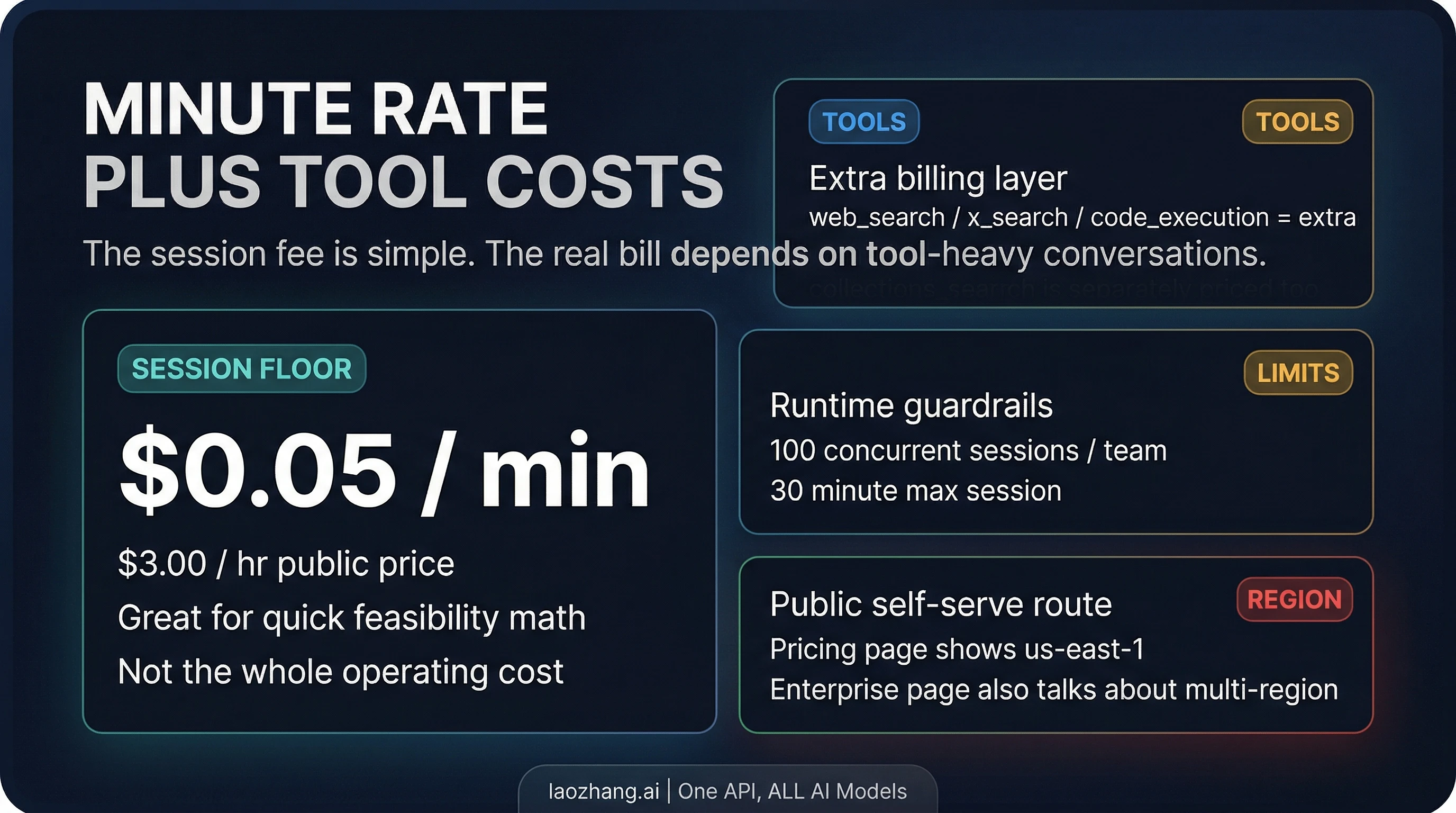
The most important pricing sentence on xAI's voice pages is not the minute rate itself. It is the note that tool invocations are billed separately when your voice agent uses function calling, web search, X search, collections, or MCP-backed tools.
That means the minute rate is the session floor, not the whole bill.
A quick example shows why this matters. A 10-minute voice session at the published base rate is about $0.50. If that same session triggers 20 web searches, and the current public tool price is $5 / 1,000 calls, those searches add about $0.10. That is still not an alarming number, but it changes the real economics of tool-heavy agents. The more your “voice” product is actually a search-and-retrieval agent with audio I/O, the less useful it is to think only in minutes.
The same logic applies to the other published tool prices:
web_search:$5 / 1,000callsx_search:$5 / 1,000callscode_execution:$5 / 1,000callscollections_search/file_search:$2.50 / 1,000calls
There is another operational nuance worth keeping straight. The public pricing page shows us-east-1 as the current availability cluster for the self-serve surface. The product page also talks about multi-region infrastructure and custom rate limits, but that sits inside an enterprise framing. Those are not the same promise. If you are a developer reading the public self-serve contract, use the public pricing page as the source of truth and treat the broader infrastructure language as enterprise positioning unless your account team gives you a more specific contract.
This is also why the best first budgeting question is not “How many minutes will users talk?” It is “How tool-heavy will the average conversation be, and does my architecture really need those calls on every turn?”
The capabilities that actually matter in architecture
The Voice Agent API can look broader or narrower than it really is depending on which xAI page you land on first. The useful way to read the public surface is this:
It is already meaningful for agent workloads. xAI documents support for:
- live two-way voice conversation over WebSocket
- built-in voices
server_vadturn handling- multiple audio formats, including telephony-friendly
μ-lawandA-law - live tool use through
web_search,x_search,file_search, remote MCP tools, and custom functions - OpenAI Realtime API compatibility
That is enough to cover a real range of product patterns: browser voice assistants, phone agents, support flows, retrieval-backed voice interfaces, and operator copilots.
The two capability details that matter most in practice are not flashy.
First, tool support is part of the main product contract. This is not only a “talk back in a nice voice” surface. If your actual product job requires live lookup, internal knowledge retrieval, or custom function calls in the middle of the conversation, the public docs already treat that as a standard path.
Second, compatibility is good enough to accelerate migration, but not good enough to erase adaptation work. xAI says most OpenAI Realtime clients and SDKs work by changing the base URL to wss://api.x.ai/v1/realtime. That is strong and useful. But xAI also documents event-name differences and unsupported events. One concrete example is the text stream naming: xAI uses response.text.delta, while OpenAI GA clients may expect response.output_text.delta.
So if you are coming from an OpenAI-style realtime client, the right mental model is:
- you can reuse a lot of your structure
- you should not assume every event name or event lifecycle detail is identical
- the compatibility note saves time, but it does not remove the need to read the xAI event differences once
That is a much stronger operator conclusion than either “fully drop-in” or “totally different.”
When Voice Agent API is the wrong route
A lot of articles about new voice APIs quietly assume the realtime route is always the interesting route. That is not true.
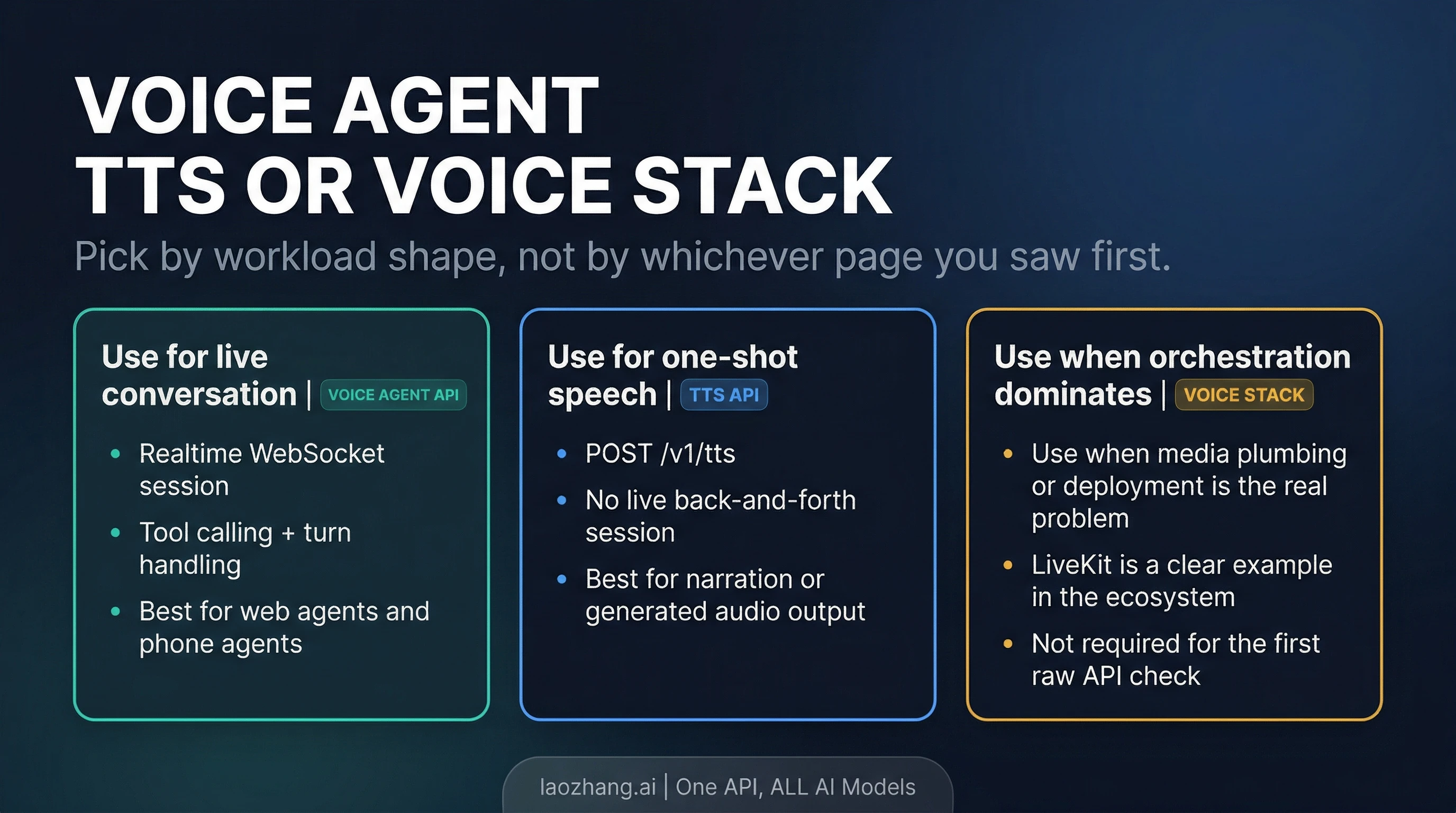
Use the Grok Voice Agent API when live conversation is the product. If your app needs turn-taking voice interaction, tool use during the session, and low-latency audio back and forth, the realtime WebSocket contract is the right fit.
Use the TTS API when voice is only the output layer. xAI's separate TTS route is a standard REST call to POST https://api.x.ai/v1/tts. If your application already owns the state machine and only needs generated speech at the end, a realtime agent loop is unnecessary complexity.
Use a framework path when media and orchestration become the harder problem than raw xAI connectivity. xAI's own voice overview now points readers toward ecosystem integrations such as LiveKit, Twilio, WebRTC, and telephony examples. That is a useful clue. If your team is already fighting media transport, browser audio plumbing, phone routing, or deployment topology, a framework can change your time-to-shipping more than another hour on raw socket code.
The key is not to upgrade too early to a bigger stack because it sounds more “production.” The raw API is already enough for a meaningful first integration. Move up the stack when orchestration becomes the bottleneck.
That is the practical route split:
- Voice Agent API: live voice product
- TTS API: output-only speech
- framework path: when media plumbing and deployment complexity start to dominate
If you are coming from OpenAI Realtime, check these differences first
xAI's compatibility note is one of the best reasons this surface is easier to adopt than some readers expect. But do not reduce that into a blanket “drop-in compatible” claim. The more accurate summary is:
- The mental model transfers. Stateful realtime session, streaming events, tool use, live audio, and client reuse are all part of the story.
- The endpoint changes. Your main contract moves to
wss://api.x.ai/v1/realtime. - Some event names differ. One explicit example in the docs is
response.output_text.deltaversus xAI'sresponse.text.delta. - Some events are unsupported or absent. xAI documents gaps such as
conversation.item.retrieve,conversation.item.truncate, and some server events that OpenAI-oriented clients may expect.
That makes this section less about brand comparison and more about migration hygiene. If you already have a Realtime client architecture in your codebase, xAI is easier to approach than a completely foreign protocol. But your first production pass should still validate event handling, not only the socket handshake.
FAQ
What is the exact Grok Voice Agent API endpoint?
Use wss://api.x.ai/v1/realtime.
How much does the public self-serve Voice Agent API cost?
The current public surface shows $0.05 / min or $3.00 / hr. Tool calls are billed separately.
Can I connect directly from a browser app?
Yes, but the documented safe route is to mint an ephemeral token on your backend and let the client connect with that. Do not expose a long-lived API key in browser code.
Is the Grok Voice Agent API the same thing as xAI's TTS API?
No. The Voice Agent API is the realtime WebSocket route for live conversation. The TTS API is a separate REST surface for one-shot speech generation.
Does the Voice Agent API support tools?
Yes. xAI documents web_search, x_search, file_search, remote MCP tools, and custom function tools on the realtime voice surface.
Does xAI have a public self-serve Speech to Text API right now?
Yes. As of April 20, 2026, xAI exposes standalone Grok STT through POST https://api.x.ai/v1/stt for files and wss://api.x.ai/v1/stt for realtime transcription. Use this Voice Agent API article only when the product is a live spoken agent session.
What are the current public runtime limits?
The public pricing/model page shows 100 concurrent sessions per team and a 30 minute max session.
Bottom line
The useful answer to “Grok Voice Agent API” is not only that the API exists. It is that xAI's official realtime route is already clear enough to build against if you keep three things straight from the start: the exact WebSocket endpoint, the auth boundary between server key and client token, and the fact that the minute rate is only the floor once tools enter the conversation. If that is the product you are actually building, the Voice Agent API is the right starting point. If you only need speech output, start on TTS instead.