Grok Speech-to-Text API: Endpoint, Pricing, Streaming, and When to Use It (April 2026)
Grok Speech-to-Text is now an official xAI API. Use REST for files, WebSocket for live audio, and keep Voice Agent API and TTS for different jobs.
On this page
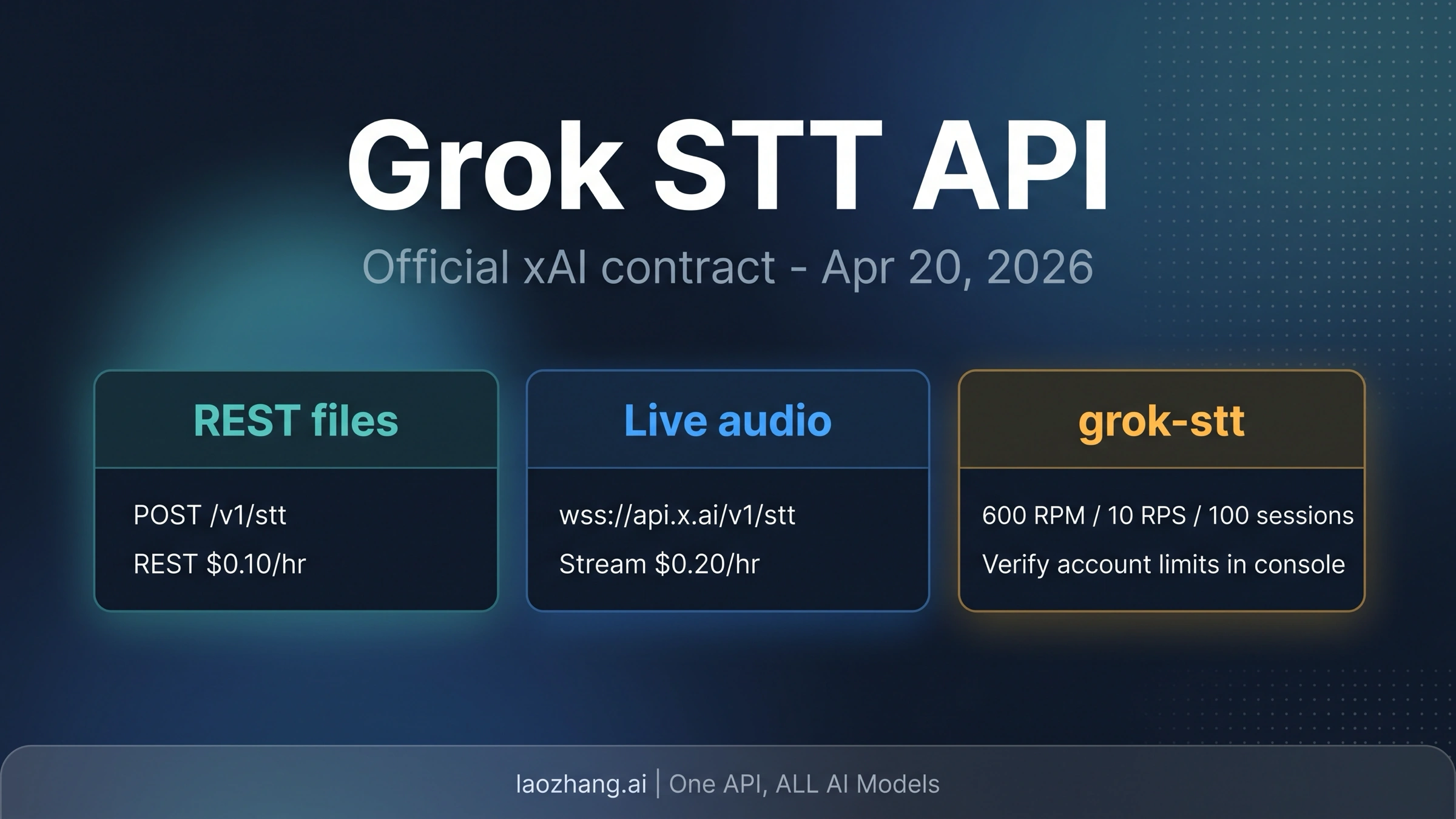
As of April 20, 2026, xAI has a standalone Grok Speech-to-Text API. Use POST https://api.x.ai/v1/stt for file or URL transcription and wss://api.x.ai/v1/stt for live audio streams. The public STT price is $0.10 / hour for REST batch transcription and $0.20 / hour for realtime streaming; use Voice Agent API only when the product needs a live two-way conversation, and use TTS only when the product needs speech output.
The contract in one screen
| Decision | Current public answer |
|---|---|
| Model id | grok-stt |
| REST file route | POST https://api.x.ai/v1/stt |
| Realtime route | wss://api.x.ai/v1/stt |
| REST price | $0.10 / hour |
| Streaming price | $0.20 / hour |
| Public region surface | us-east-1 |
| Public limit surface | 600 REST RPM, 10 WebSocket RPS, 100 streaming sessions per team |
| Best default | REST for existing files; WebSocket only when live audio changes the product |
Evidence note: verified on April 20, 2026 against the xAI launch announcement, xAI Speech to Text model page, xAI Speech to Text implementation guide, xAI voice reference, and xAI Voice API product page. Account-specific console entitlements can still differ from the public docs surface.
What changed now
The important change is not that xAI has voice features in a broad product sense. The important change is that standalone Speech to Text now has a public developer route with a model id, REST endpoint, WebSocket endpoint, price, and public limits.
That matters because older Grok voice coverage often treated STT as adjacent to Voice Agent API rather than a route a developer could call directly. That was a reasonable dated caveat before the April 17 xAI launch. It is no longer the right default for a developer choosing a transcription route on April 20, 2026.
The practical split is now clear:
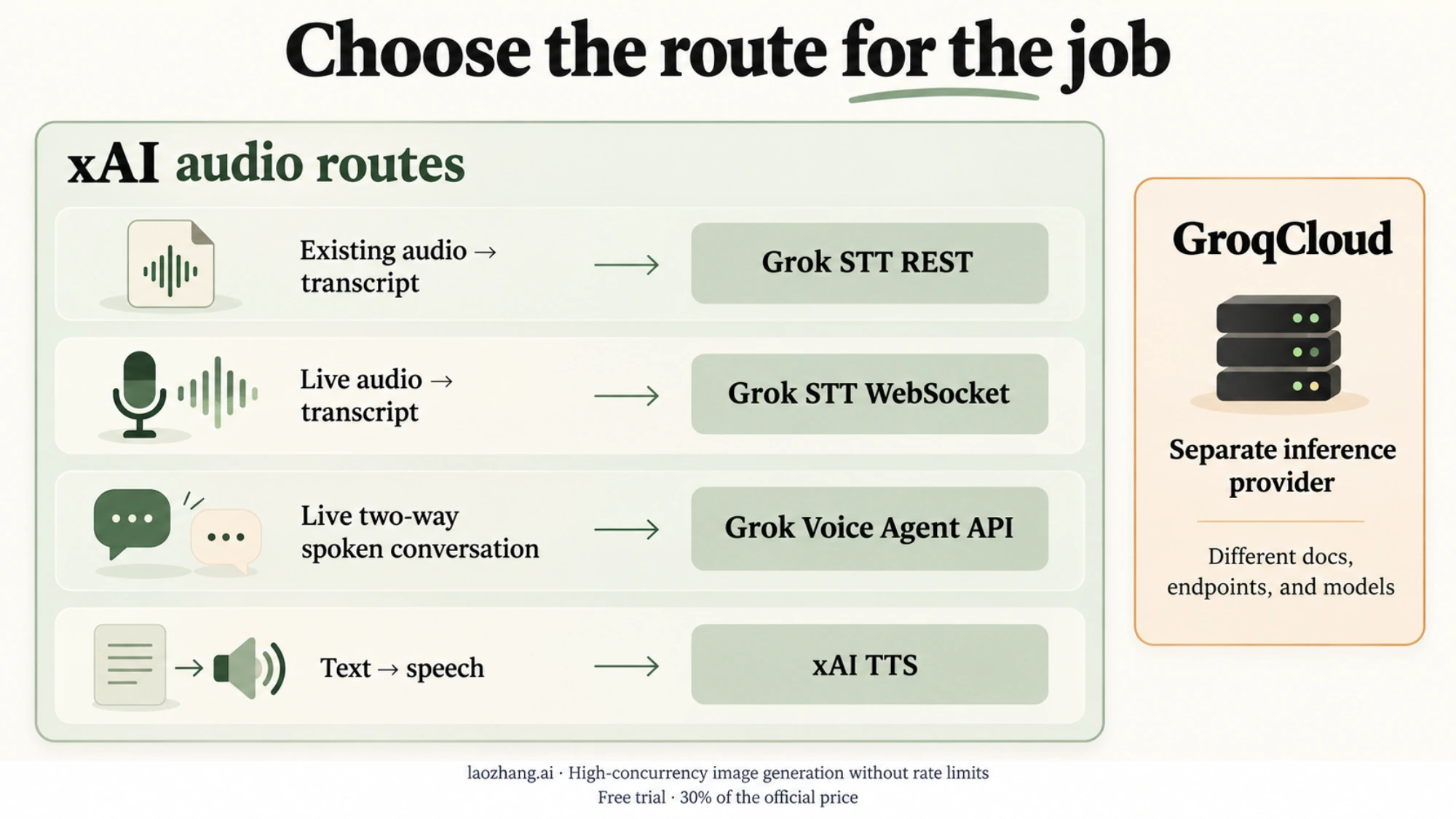
| Workload | xAI route | Why |
|---|---|---|
| Transcribe an uploaded file, meeting recording, call recording, or audio URL | Grok STT REST | Lower public meter and simpler request shape |
| Transcribe live microphone or call audio | Grok STT WebSocket | Lower latency, interim events, live transcript flow |
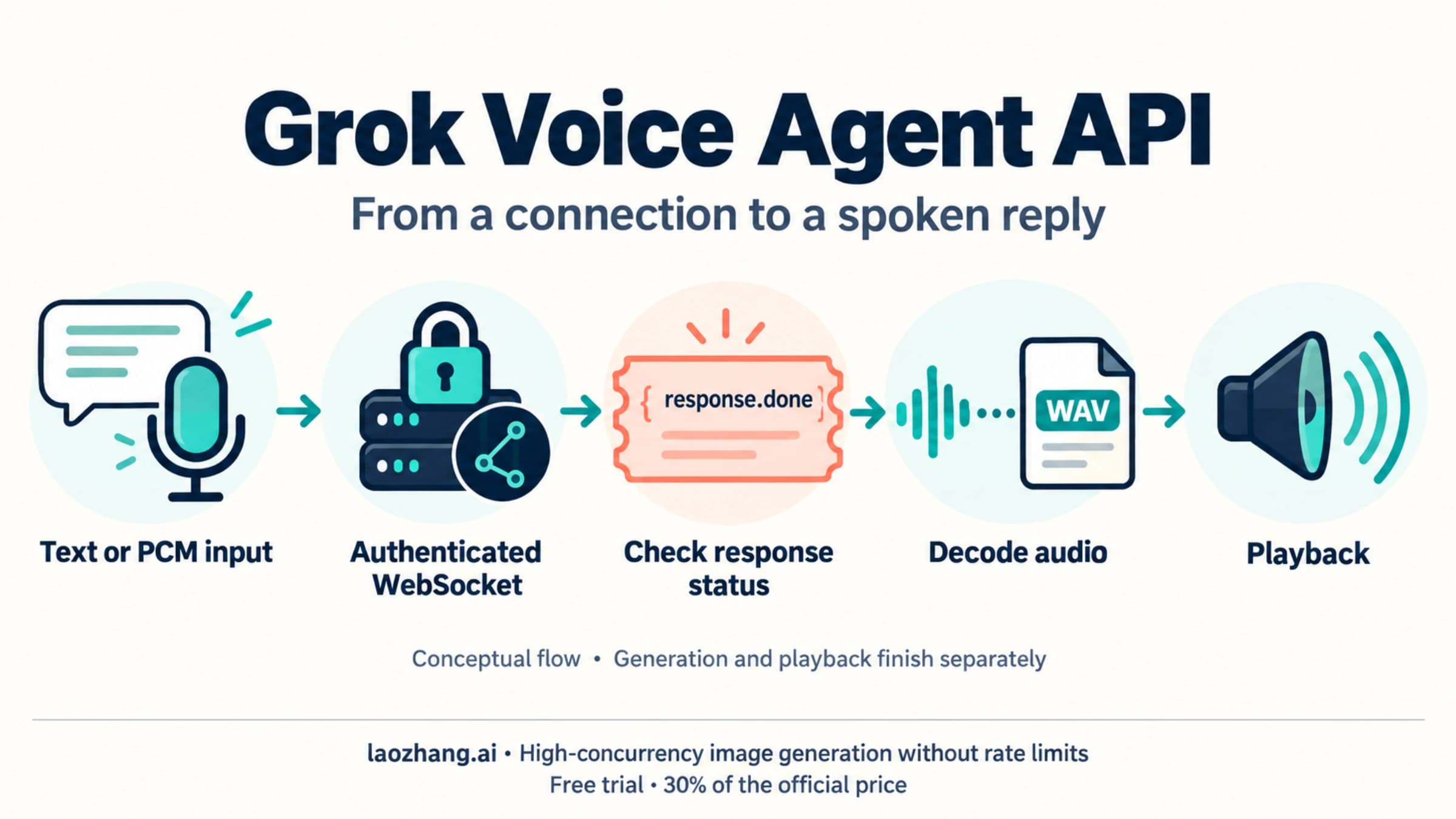
| Build a live two-way spoken agent | Grok Voice Agent API | Conversation, voice output, and agent loop are part of the product |
| Generate speech from text | xAI Text to Speech API | Output-only speech route |
| Use GroqCloud transcription | GroqCloud docs, not xAI | Similar spelling, different vendor |
Keep that split close to the implementation plan. It prevents the most expensive mistake: starting with a realtime voice-agent stack when the product only needs transcripts.
REST file transcription quickstart
REST is the clean first test when the audio already exists. The public route is:
curl https://api.x.ai/v1/stt \
  -H "Authorization: Bearer $XAI_API_KEY" \
  -F model=grok-stt \
  -F file=@meeting.wav \
  -F format=json \
  -F language=en
Use that shape for recordings, uploaded files, batch jobs, and URL-based transcription. The implementation guide also exposes options for language, response formatting, word-level timestamps, diarization, and multichannel handling. Keep those switches explicit in code instead of relying on hidden defaults when the transcript feeds a workflow.
A minimal Python path looks like this:
import os
import requests

url = "https://api.x.ai/v1/stt"
headers = {"Authorization": f"Bearer {os.environ['XAI_API_KEY']}"}

with open("meeting.wav", "rb") as audio:
    response = requests.post(
        url,
        headers=headers,
        files={"file": audio},
        data={
            "model": "grok-stt",
            "format": "json",
            "language": "en",
        },
        timeout=120,
    )

response.raise_for_status()
print(response.json())
The security rule is simple: keep API keys on a trusted backend or server-side job. Do not ship a long-lived xAI key inside browser audio capture code, mobile clients, or public notebooks.
REST is also the better cost default. At the current public rate, REST batch transcription is half the WebSocket meter. Choose streaming because latency matters, not because the route looks newer.
Realtime WebSocket transcription
Streaming is for products where transcript delay changes the experience: live captions, voice notes while a user speaks, call-center monitoring, live dictation, or a Voice Agent input layer that needs transcript events before the full audio session ends.
The public streaming endpoint is:
wss://api.x.ai/v1/sttThe guide describes a binary audio flow rather than a pure JSON upload:
- Open the WebSocket with server-side credentials or a backend-controlled relay.
- Send raw binary audio frames.
- Send
audio.donewhen the stream is complete. - Read interim and final transcript events from the socket.
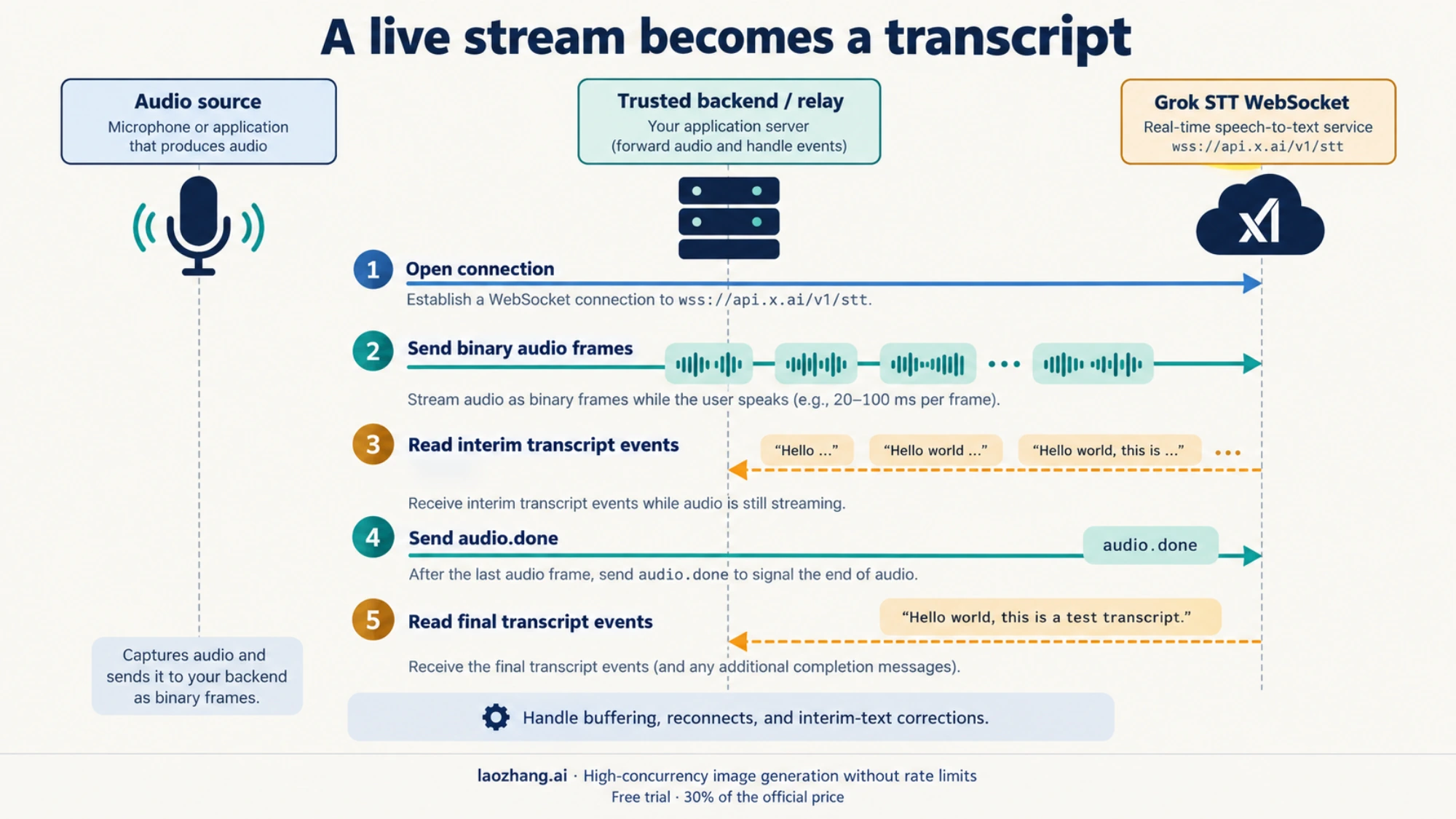
That event shape changes how you design the product. A file upload can wait for the full transcript. A live stream needs buffering, reconnect behavior, transcript correction handling, and UI logic for interim versus final text. The public WebSocket price is higher because the product receives lower latency and a live event channel.
Use streaming when at least one of these is true:
- the user needs text before the audio is finished
- downstream logic reacts while the speaker is still talking
- a call, meeting, or voice interface needs live visibility
- the product already owns streaming audio infrastructure
Stay with REST when a background job can wait.
Pricing, limits, and feature boundaries
The public xAI model page currently makes the price easy to quote:
| Route | Public price | Better for |
|---|---|---|
| REST batch STT | $0.10 / hour | Files, recordings, asynchronous jobs |
| WebSocket STT | $0.20 / hour | Live captions, live dictation, streaming input |
The public docs also surface these limits and deployment facts:
- Region:
us-east-1 - REST: 600 RPM
- WebSocket: 10 RPS
- Streaming sessions: 100 per team
- File size: up to 500 MB in the implementation guide
- Formats include common audio and video containers such as
mp3,wav,mp4, andm4a
Treat those as public-docs facts, not as a guarantee that every account, enterprise contract, or console state behaves the same way. Rate limits, beta labels, playground access, and account-specific availability are exactly the kind of details that can move quickly after a launch.
The feature list is also meaningful, but it should be read as a capability boundary rather than a reason to skip evaluation. xAI lists multilingual support, automatic formatting, word-level timestamps, speaker diarization, multichannel support, and noise robustness. Those features are useful, especially for meetings and calls, but the real adoption test is your own audio: accents, domain vocabulary, cross-talk, background noise, latency tolerance, and how much cleanup your product can accept.
The xAI launch announcement also includes a vendor-published WER table. Use it as a reason to test Grok STT, not as independent proof that it will outperform every existing pipeline on your workload.
STT vs Voice Agent API vs TTS vs GroqCloud
The route map is where many implementations get simpler.
Use Grok STT REST when the audio already exists. It is the simplest route, the cheaper public STT meter, and the easiest path to batch processing.
Use Grok STT WebSocket when the transcript must arrive while audio is still flowing. It costs more publicly, but it changes the experience for captions, call monitoring, live dictation, and voice interfaces.
Use Grok Voice Agent API when the product itself is a live spoken conversation. That route is about a realtime agent session, not only text extraction. The related sibling reference is Grok Voice Agent API: Endpoint, Pricing, and Quickstart Guide.
Use xAI TTS when the product needs speech output. TTS turns text into audio. STT turns audio into text. Putting both under a vague "voice API" label creates bad architecture.
Use GroqCloud speech-to-text only when you actually mean Groq, the separate inference provider. The spelling is close enough to send developers to the wrong docs, but the vendors, endpoints, pricing, and model contracts are different.
Production evaluation checklist
Before switching a production transcription path, test the parts that change outcomes:
- Accuracy on your audio: evaluate real calls, meetings, accents, noise, and domain vocabulary.
- Diarization quality: speaker labels can be more important than raw WER for meeting notes.
- Timestamp behavior: word-level timestamps need to be stable enough for captions, clipping, or audit review.
- Streaming correction behavior: decide how the UI handles interim text that later changes.
- Multichannel handling: call-center audio and meeting recordings often need channel-aware parsing.
- Failure handling: design retries, partial transcripts, file-size rejection, and reconnect behavior.
- Cost by route: compare REST and streaming cost with the latency the product truly needs.
- Account limits: verify the console state before assuming the public limit board is enough.
The safest first adoption plan is small:
- Test REST on known audio files.
- Enable timestamps and diarization only when the downstream product needs them.
- Compare transcripts against the current production provider on the same files.
- Add streaming only after REST quality and cost are understood.
- Move to Voice Agent API only when live spoken interaction becomes the product.
That order keeps the implementation tied to the reader's job instead of to the newest API surface.
FAQ
Does Grok have a speech-to-text API now?
Yes. As of the April 17, 2026 xAI launch and April 20, 2026 verification, Grok STT is exposed as a standalone xAI API with REST and WebSocket routes.
What is the Grok Speech-to-Text REST endpoint?
Use POST https://api.x.ai/v1/stt with model=grok-stt for file or URL transcription.
What is the realtime Grok STT endpoint?
Use wss://api.x.ai/v1/stt for live audio streaming. The streaming route sends binary audio frames and receives transcript events.
How much does Grok STT cost?
The public xAI docs currently show $0.10 / hour for REST batch transcription and $0.20 / hour for realtime streaming. Verify account-specific limits and entitlements in your xAI console before production planning.
Is Grok STT the same as Grok Voice Agent API?
No. Grok STT turns audio into text. Grok Voice Agent API is for live two-way spoken agent sessions. Use Voice Agent API when the conversation itself is the product.
Is Grok STT the same as xAI TTS?
No. STT transcribes audio into text. TTS generates audio from text. They can be combined in a voice product, but they solve opposite jobs.
Can I use Python with the Grok Speech-to-Text API?
Yes. A normal server-side Python request can call the REST endpoint with requests, an Authorization header, and multipart file upload. Keep the API key on the server.
Is Grok the same as Groq for speech-to-text?
No. Grok is xAI's product family. GroqCloud is a different provider. Similar spelling does not mean shared endpoints, pricing, docs, or models.
Sources5
External pages this guide links to, in the order they appear. Last updated Apr 20, 2026.
Sources5
External pages this guide links to, in the order they appear. Last updated Apr 20, 2026.
- 1.xAI launch announcementx.ai/news/grok-stt-and-tts-apis
- 2.xAI Speech to Text model pagedocs.x.ai/developers/models/speech-to-text
- 3.xAI Speech to Text implementation guidedocs.x.ai/developers/model-capabilities/audio/speech-to-text
- 4.xAI voice referencedocs.x.ai/developers/rest-api-reference/inference/voice
- 5.xAI Voice API product pagex.ai/api/voice