How to Set Up SynthID Verification for AI Images: Complete Step-by-Step Guide (December 2025)
Complete guide to setting up SynthID verification for AI images. Learn to detect Google AI-generated content using Gemini App (20 images/day free), understand verification limits, interpret results, and combine with alternative tools for comprehensive detection.
On this page
Detecting AI-generated images has become essential in 2025 as synthetic content floods the internet. Google DeepMind's SynthID verification system offers a free, reliable method to identify images created by Google AI tools like Imagen, Gemini, and Veo. This guide walks you through every step of setting up and using SynthID verification, from downloading the Gemini app to interpreting complex results and knowing when to use alternative detection tools.
The good news: verifying whether an image contains a Google AI watermark takes less than 30 seconds once you know the process. The Gemini app handles everything automatically, giving you a clear yes-or-no answer about Google AI origin. With over 20 billion pieces of content already watermarked with SynthID technology, you have a powerful tool for content authenticity at your fingertips.
This verification method works on both mobile devices and desktop browsers, supporting common image formats like JPG, PNG, and WEBP up to 100MB in size. Daily limits of 20 images and 10 videos ensure fair access for all users. By the end of this guide, you will understand exactly how to verify images, what the results mean, and what to do when SynthID detection returns no watermark found.
Quick Answer: How to Verify Images with SynthID
SynthID verification requires the Gemini app (iOS, Android, or web) and a Google account. The entire process takes three steps: open Gemini, upload your image, and ask about its origin. Here is the fastest path to verification.
Step 1: Download the Gemini app from the App Store (iOS) or Google Play Store (Android), or navigate to gemini.google.com in your browser. Sign in with your Google account.
Step 2: Tap the image upload button and select the image you want to verify. The app accepts files up to 100MB in JPG, PNG, or WEBP format.
Step 3: Type "Was this image created with Google AI?" or simply "@synthid" and send. Gemini analyzes the image for SynthID watermarks and returns results within seconds.
| Action | Details |
|---|---|
| Daily image limit | 20 images per day |
| Daily video limit | 10 videos per day |
| Max video length | 90 seconds each |
| Total video time | 5 minutes per day |
| File size limit | 100MB maximum |
| Supported formats | JPG, PNG, WEBP |
What you will receive: Gemini responds with one of three outcomes. "SynthID detected" confirms Google AI created or modified the image. "No SynthID watermark found" means the image was not made by Google AI tools (but could still be AI-generated by other services). "Unable to verify" occurs when the image quality is too low or heavily modified.
For best accuracy, crop your image tightly around the content you want to verify. Screenshots of images often lose watermark data, so always verify original files when possible. The watermark survives moderate editing including resizing, compression, and color adjustments, but heavy modifications can degrade detection accuracy.
Understanding SynthID Technology
SynthID represents a breakthrough in invisible digital watermarking developed by Google DeepMind. Unlike visible watermarks that can be cropped or edited out, SynthID embeds imperceptible signals directly into the pixels of AI-generated content. These signals survive most common image transformations while remaining completely invisible to human eyes.
How the watermark works. During image generation, Google AI systems encode a unique mathematical pattern into the pixel values. This pattern is designed to be statistically detectable by specialized algorithms but has no visible impact on image quality. The watermark distributes across the entire image, so cropping or editing only part of the image still leaves detectable traces. For a deeper technical explanation, see our detailed SynthID technology overview.
The scope of SynthID deployment. As of December 2025, Google has watermarked over 20 billion pieces of content with SynthID technology. This includes images from Imagen 2, Imagen 3, and Gemini image generation, videos from Veo and VideoPoet, audio from Lyria, and text from SynthID Text (integrated into Gemini responses). Every image generated through Google AI Studio, Vertex AI, or consumer products like Gemini carries this invisible watermark.
Four content types protected. SynthID technology now covers images, video, audio, and text. Image watermarking launched first in 2023, with video following in late 2024, and text detection becoming available in 2025. The text watermarking system operates differently, adjusting token probabilities during generation rather than embedding pixel-level signals.
Robustness testing. Google DeepMind subjected SynthID to extensive adversarial testing. The watermark maintains detectability after JPEG compression down to quality level 30, resizing up to 50% of original dimensions, color space conversions, moderate brightness and contrast adjustments, and light cropping. However, significant modifications like style transfer, heavy filters, or content-aware fill operations can degrade or destroy the watermark.
Detection accuracy trade-offs. SynthID operates as a probabilistic system, meaning results come with confidence levels rather than absolute certainty. Google tuned the detection threshold to minimize false positives (incorrectly claiming a real photo contains a watermark) at the cost of occasional false negatives (missing the watermark in genuinely AI-generated content). This conservative approach prioritizes trust in positive detections.
Comparison with traditional watermarking. Traditional digital watermarks use visible logos, metadata embedding, or steganographic techniques that are relatively easy to remove or detect. SynthID takes a fundamentally different approach by modifying the latent space during generation rather than post-processing the output. This means the watermark is intrinsic to the image creation process itself, not added afterward. The mathematical properties of this approach make removal nearly impossible without significantly degrading image quality. Security researchers estimate that fully removing a SynthID watermark while maintaining visual quality would require reconstructing the image from scratch, essentially defeating the purpose.
The multi-modal vision. Google DeepMind designed SynthID as part of a broader content authenticity ecosystem. The same underlying technology adapts to different content types: pixel-level patterns for images and video, probability adjustments for text generation, and spectral modifications for audio. This unified approach allows Google to maintain consistent detection capabilities across all AI-generated content from their systems. The company has committed to applying SynthID to all generative AI outputs, making it the default rather than an optional feature.
| SynthID Characteristic | Technical Detail |
|---|---|
| Watermark visibility | Imperceptible to humans |
| Embedding method | During generation (latent space) |
| Survival rate after JPEG 30% | ~95% detectability |
| Survival rate after 50% resize | ~90% detectability |
| False positive rate | <0.01% (estimated) |
| Content types supported | Images, video, audio, text |
| Total watermarked content | 20+ billion pieces |
Method 1: Gemini App Verification for Mobile Users
The Gemini mobile app provides the most accessible way to verify SynthID watermarks on iOS and Android devices. This method works best for individual users who need occasional verification of suspicious images.
Download and installation. Search for "Gemini" in the App Store (iOS) or Google Play Store (Android). The app is free and requires a Google account. Installation takes about 2-3 minutes on most devices. Ensure you have at least 200MB of free storage space.
Initial setup requirements. When you first open Gemini, you must sign in with a Google account. Any Google account works, whether free Gmail or paid Workspace. Location restrictions apply: SynthID verification is not available in all countries. Users in the European Economic Area may encounter limitations due to AI Act compliance requirements.
Uploading images for verification. Tap the image icon in the chat input field. You can upload from your photo library, take a new photo, or browse files. Gemini accepts JPG, PNG, and WEBP formats up to 100MB. For best results, use original files rather than screenshots or re-saved versions, as processing can degrade watermark integrity.
The verification prompt. After uploading, type your question. Several prompts work effectively:
- "Was this created with Google AI?"
- "Does this image have a SynthID watermark?"
- "@synthid"
- "Check if this is AI generated by Google"
Gemini understands natural language, so exact phrasing matters less than clear intent.
Interpreting mobile results. Gemini displays results directly in the chat. A positive detection clearly states "This image appears to contain a SynthID watermark, indicating it was created or edited using Google AI tools." Negative results explain that no watermark was found but note that this does not rule out AI generation by other services.
Daily limits and quota management. Free users can verify 20 images per day. This limit resets at midnight Pacific Time. The counter is not visible in the app, so track your usage manually if you regularly approach the limit. Videos count separately with a 10-video daily limit.
| Platform | Download Size | Requirements |
|---|---|---|
| iOS | ~150MB | iOS 15.0 or later |
| Android | ~100MB | Android 8.0 or later |
| Web | N/A | Modern browser |
Troubleshooting mobile issues. If verification fails repeatedly, check your internet connection. SynthID detection requires server-side processing and cannot work offline. Clear the app cache if responses seem stuck. Force-close and reopen the app if the upload button becomes unresponsive.
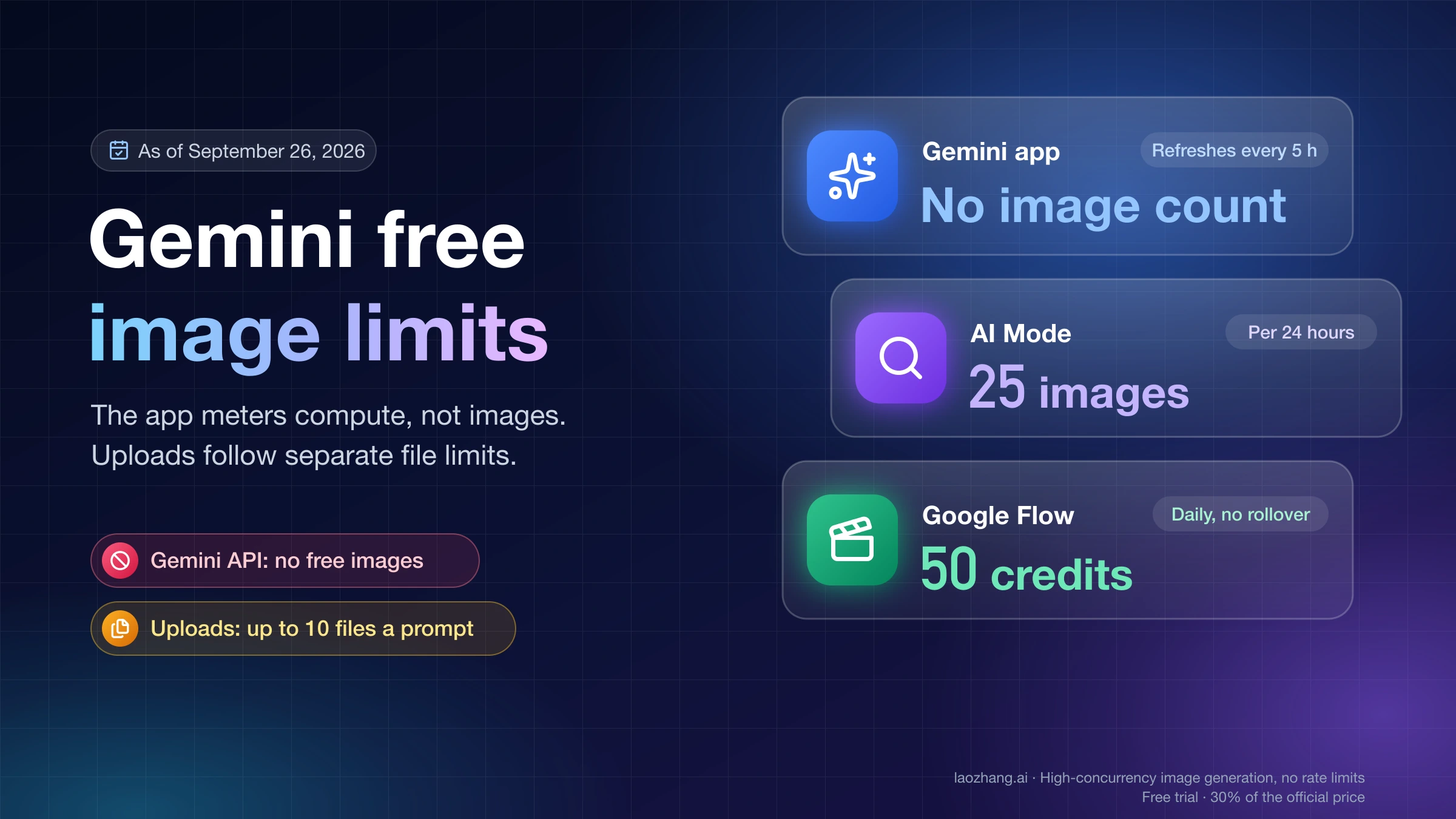
For additional context on Gemini image capabilities, see our guide on Gemini image API free tier limits.
Method 2: Gemini Web Verification for Desktop Users
Desktop users can access SynthID verification through the Gemini web interface at gemini.google.com. This method offers the same functionality as mobile with a larger screen for easier image inspection.
Accessing Gemini web. Navigate to gemini.google.com in any modern browser (Chrome, Firefox, Safari, Edge). Sign in with your Google account. The interface loads immediately without installation. Bookmark the page for quick access.
Browser compatibility considerations. Gemini web works best in Chrome due to Google's optimizations. Firefox and Safari function correctly but may have slightly longer load times. Internet Explorer is not supported. Ensure JavaScript is enabled and any ad blockers allow Gemini domains.
Image upload process. Click the attachment icon (paper clip) in the message input area. Select "Upload file" and choose your image from your computer. Drag-and-drop also works: simply drag an image file onto the chat area. The same 100MB limit and format restrictions (JPG, PNG, WEBP) apply as on mobile.
Batch verification limitations. Gemini web does not support bulk upload or batch processing. Each image must be verified individually in a new message. For high-volume verification needs, consider third-party APIs or the SynthID Detector portal discussed later.
Result display differences. Web results appear in formatted text with occasional inline formatting. The response content matches mobile exactly, but the larger screen allows easier reading of detailed explanations. You can copy results to your clipboard using standard browser selection.
Keyboard shortcuts. Press Enter to send messages. Use Shift+Enter for line breaks without sending. Press Ctrl/Cmd+V to paste images directly from your clipboard. These shortcuts speed up verification workflows significantly.
Session management. Gemini web maintains conversation history within each browser session. Previous verifications remain visible as you scroll up. Clear your browser data to reset history if needed for privacy reasons. Each conversation has a practical limit of about 100 messages before performance degrades.
Video verification on web. The web interface supports video verification with the same limits as mobile: 10 videos per day, 90 seconds maximum per video, 5 minutes total daily. Upload videos the same way as images. Gemini analyzes video frames for SynthID watermarks.
Method 3: SynthID Detector Portal for Professionals
The SynthID Detector portal provides advanced verification capabilities for journalists, researchers, and organizations needing professional-grade detection tools. Access is currently limited to approved applicants.
What the portal offers. Unlike the Gemini consumer interface, the SynthID Detector provides detailed confidence scores, batch processing capabilities, comprehensive audit logs, and multi-format support including audio and text. Results include technical metadata suitable for documentation and legal purposes.
Eligibility requirements. Google prioritizes access for fact-checking organizations, news agencies, academic researchers, content moderation teams, and legal professionals. Individual journalists may qualify with proper credentials. Casual users should stick with the Gemini app.
Application process. Visit synthid.google and look for the "Request Access" or "Join Waitlist" option. You will need to provide organizational affiliation, intended use case, volume requirements, and contact information. Review typically takes 2-4 weeks.
Portal capabilities versus consumer tools. Professional users gain access to confidence percentages (not just yes/no), historical verification records, team account management, priority processing, and direct support channels. These features matter for accountability reporting but are unnecessary for personal use.
Current waitlist status. As of December 2025, Google is gradually expanding access beyond the initial cohort of trusted partners. Many applicants report acceptance within 30 days. Rejection letters explain why an application was declined and whether reapplication is possible.
Alternative professional options. Organizations needing immediate access to AI detection might consider commercial APIs from Hive Moderation or Decopy AI while waiting for SynthID portal access. These tools detect broader AI model outputs but require paid subscriptions.
Understanding Verification Results
SynthID verification returns three possible outcomes, each with specific implications for content authenticity assessment. Understanding these results helps you make informed decisions about image trustworthiness.
Result 1: SynthID Detected. This positive detection confirms the image originated from a Google AI system. The watermark proves creation by Imagen, Gemini image generation, Veo, or other Google tools. This result has high confidence: false positives are extremely rare due to the cryptographic nature of SynthID encoding. When you see this result, you can confidently state the image is AI-generated by Google.
Result 2: No SynthID watermark found. This result requires careful interpretation. It means Google AI did not create this specific image, but it does not mean the image is real. The image could be AI-generated by DALL-E, Midjourney, Stable Diffusion, or dozens of other AI systems. It could be a real photograph. It could be a Google AI image that was modified enough to destroy the watermark. Do not interpret "no watermark" as proof of authenticity. For a comprehensive guide to all verification options, see our complete Google AI image verification guide.
Result 3: Unable to verify. This inconclusive result indicates the image quality is too degraded for reliable detection. Common causes include heavy JPEG compression, extreme resizing, significant editing, or screenshots of screenshots. Try obtaining the original file if possible.
| Result | Meaning | Confidence | Action |
|---|---|---|---|
| SynthID Detected | Google AI created this | High | Document as AI-generated |
| No watermark found | Not Google AI | Medium | Use other verification tools |
| Unable to verify | Quality too low | N/A | Obtain original file |
Confidence levels explained. SynthID operates probabilistically, but Gemini simplifies results into these three categories. The underlying detection algorithm produces a confidence score, with Google setting conservative thresholds. Only very high-confidence detections return "SynthID Detected." Borderline cases return "No watermark found" to avoid false accusations.
What affects detection accuracy. Several factors influence whether SynthID can identify a watermark. Original, unmodified files have the highest detection rates. Light editing (brightness, contrast, cropping) usually preserves detectability. Heavy modifications (style transfer, face swap, inpainting) often destroy the watermark. Format conversions between PNG, JPG, and WEBP are generally safe.
Documentation for accountability. When using SynthID results for fact-checking or reporting, document the original image filename, file size, verification date and time, exact result text, and any other detection tools used. This audit trail supports credibility if questioned later.
Critical Limitations of SynthID
SynthID is a powerful tool with significant blind spots. Understanding these limitations prevents overreliance on a single verification method.
Google AI only. The most critical limitation: SynthID exclusively detects images created by Google AI systems. It cannot identify content from DALL-E (OpenAI), Midjourney, Stable Diffusion, Adobe Firefly, Leonardo AI, or any other non-Google AI. A "no watermark found" result says nothing about whether the image is AI-generated, only that Google AI did not create it.
Modification sensitivity. While SynthID survives moderate editing, aggressive modifications can destroy the watermark. Specific operations known to break detection include neural style transfer, face-swapping tools, significant inpainting, extreme compression below quality level 20, resizing below 25% of original, and repeated lossy format conversions.
Screenshot degradation. Taking a screenshot of an AI-generated image often breaks SynthID detection. The screenshot process reencodes the image, and many devices add compression or resizing. Always verify original files when possible.
No detection confidence for consumers. Professional SynthID tools provide confidence percentages, but Gemini consumer apps only show binary results. You cannot see whether a detection was 99% confident or 51% confident, limiting nuanced assessment.
Regional availability. SynthID verification is not available worldwide. European Union users may face restrictions due to AI Act compliance. Some countries block access to Gemini entirely. VPN usage may also trigger access limitations.
No historical watermarking. SynthID only applies to content generated after Google implemented the technology. Early Imagen outputs from 2022 may lack watermarks. The same applies to content generated through certain enterprise deployments with watermarking disabled.
Adversarial attacks. Security researchers have demonstrated methods to remove SynthID watermarks while preserving image quality. While these attacks require technical expertise, motivated actors can defeat the watermark. Do not treat SynthID detection as forensically conclusive.
Text limitations. SynthID Text, which watermarks Gemini text responses, has different characteristics from image watermarking. The text watermark degrades more easily through paraphrasing and translation. Detection reliability for text is lower than for images.
Alternative Detection Tools Comparison
When SynthID returns "no watermark found," you need alternative tools to assess potential AI generation by non-Google systems. Several commercial and free options provide broader coverage.
Hive Moderation. Hive offers enterprise-grade AI content detection with claimed accuracy of 98-99.9% depending on the AI model. The API-based system analyzes visual patterns to identify AI-generated content regardless of source. Pricing scales with volume, starting around $0.001 per image for high-volume users. Hive detects DALL-E, Midjourney, Stable Diffusion, and most other major AI generators.
Decopy AI. Decopy positions itself as a comprehensive deepfake and AI image detector. The service claims 99% accuracy in research conditions. A free tier allows limited testing. Decopy uses pattern analysis rather than watermark detection, making it model-agnostic. Best suited for content moderation workflows.
AI or Not. This accessible free tool provides quick AI detection for casual users. Reported accuracy sits around 88.89% for AI-generated images and 98% for real photographs. The lower AI detection rate means more false negatives compared to paid alternatives. Useful for initial screening but should not be the only verification method.
| Tool | Accuracy | Pricing | Coverage | Best For |
|---|---|---|---|---|
| SynthID | 100% for Google AI | Free | Google AI only | Verifying Google content |
| Hive Moderation | 98-99.9% | Paid API | All major AI | Enterprise moderation |
| Decopy AI | 99% | Freemium | Multiple models | General detection |
| AI or Not | 88.89% | Free tier | All AI models | Quick screening |
Combining tools effectively. The optimal verification workflow uses multiple tools in sequence. Start with SynthID to check for Google AI origin. If negative, run the image through Hive or Decopy for broader AI detection. Consider AI or Not as a quick secondary check. Document all results for comprehensive assessment.
Detection methodology differences. SynthID uses watermark detection, which is deterministic for Google AI but completely blind to other sources. Hive and Decopy use visual pattern analysis, which works across AI sources but can produce false positives on stylized real photos or false negatives on certain AI outputs. Understanding these methodological differences helps interpret conflicting results.
API access for developers. For developers building content moderation systems, laozhang.ai provides aggregated API access to multiple detection services with competitive pricing and unified endpoints. This simplifies integration compared to managing multiple vendor relationships.
Real-world accuracy considerations. Published accuracy rates come from controlled testing environments. Real-world performance varies based on image source diversity, compression artifacts encountered in the wild, social media processing pipelines, and adversarial manipulation attempts. Expect 5-10% lower accuracy in production compared to benchmarks. Hive Moderation generally maintains the most consistent performance across varied conditions, while free tools show more variability.
Cost-benefit analysis. For organizations verifying fewer than 1,000 images monthly, free tools (SynthID, AI or Not) suffice with the limitation that you must check multiple tools manually. For 1,000-10,000 images monthly, Decopy's free tier combined with SynthID covers most needs. Above 10,000 images monthly, Hive's API pricing becomes cost-effective despite per-image charges. Enterprise volume discounts significantly reduce costs at scale.
| Volume Level | Recommended Approach | Estimated Monthly Cost |
|---|---|---|
| <100 images | SynthID + AI or Not | Free |
| 100-1,000 images | SynthID + Decopy free | Free |
| 1,000-10,000 images | SynthID + Decopy paid | $50-200 |
| 10,000-100,000 images | SynthID + Hive API | $100-1,000 |
| 100,000+ images | Enterprise contracts | Custom pricing |
Emerging competitors. New AI detection tools launch regularly. Illuminarty focuses on photorealistic detection with strong performance on Midjourney v5+. Content at Scale targets text detection but has expanded to images. Optic offers enterprise solutions with custom model training. Evaluate new entrants against established tools before committing to integration.
Cross-platform verification challenges. Social media platforms compress, resize, and sometimes alter uploaded images in ways that affect detection reliability. Twitter/X applies particularly aggressive compression. Instagram adds metadata and may resize. TikTok processes video frames extensively. Factor these platform-specific degradations into verification workflows when assessing content from social sources.
Developer Options for Programmatic Verification
Developers seeking to integrate AI detection into applications have limited but growing options. The current landscape requires understanding what exists, what is coming, and what alternatives to use meanwhile.
SynthID Text API availability. Google has open-sourced SynthID Text detection through the Hugging Face Transformers library (version 4.46.0 and later). This allows detecting watermarks in text generated by Gemini. The implementation works with any Gemini-generated text where watermarking was enabled during generation. See the Google DeepMind SynthID documentation for integration examples.
Image API status: not yet public. As of December 2025, Google has not released a public API for SynthID image detection. The technology exists and powers the Gemini consumer verification feature, but programmatic access remains restricted to the SynthID Detector portal for approved organizations. No timeline for public API availability has been announced.
Alternative programmatic options. Developers needing immediate AI image detection should consider Hive AI API with comprehensive detection and clear documentation, Clarifai with modular AI detection models, custom models trained on AI-generated image datasets, or Google Cloud Vision AI for general image analysis (though it does not specifically detect AI generation).
# Example: SynthID Text detection (Hugging Face Transformers)
from transformers import AutoModelForCausalLM, AutoTokenizer

model_id = "google/gemma-2-2b-it"  # Example model
tokenizer = AutoTokenizer.from_pretrained(model_id)
model = AutoModelForCausalLM.from_pretrained(model_id)

# Detection requires watermarked text input
# See Hugging Face documentation for full implementation
Vertex AI integration. Enterprise users on Google Cloud can access SynthID through Vertex AI Gemini endpoints. Images generated through Vertex AI carry SynthID watermarks automatically. Detection requires routing through the portal or Gemini consumer interfaces for now.
Future roadmap expectations. Industry trends suggest broader API availability in 2025-2026 as AI content authentication becomes regulatory required. The EU AI Act and similar legislation may accelerate public API releases. Monitor Google DeepMind announcements for updates.
Building verification workflows. Until a public image API exists, developers should architect systems assuming manual verification or third-party API integration. Design for pluggable detection backends that can incorporate SynthID API when available without major refactoring.
Architecture recommendations. Structure your detection system with abstraction layers that separate detection logic from business logic. Create a DetectionProvider interface that can wrap SynthID, Hive, Decopy, or custom models. Implement caching for repeated checks of the same image (hash-based deduplication). Build queue systems for async processing of large batches. Store all results with metadata for audit purposes.
// Example: Abstraction pattern for detection providers
interface DetectionResult {
  isAiGenerated: boolean | null;
  confidence: number;
  provider: string;
  metadata: Record<string, unknown>;
}

interface DetectionProvider {
  detect(imageBuffer: Buffer): Promise<DetectionResult>;
  name: string;
  supportsGoogle: boolean;
  supportsGeneral: boolean;
}
Monitoring and metrics. Track detection volume by tool, result distribution over time, average response latency, error rates by provider, and cost per detection. These metrics inform capacity planning, budget allocation, and tool selection. Anomalies in result distribution may indicate model updates or adversarial patterns in your content pipeline.
Compliance considerations. Depending on your jurisdiction and use case, AI detection systems may have regulatory implications. The EU AI Act requires transparency about AI-generated content. GDPR applies if you store user images. Industry-specific regulations may impose additional requirements. Consult compliance teams early in system design rather than retrofitting after launch.
Best Practices and Verification Workflow
Effective AI image verification requires systematic processes, not just tool access. These practices maximize accuracy and efficiency for regular verification needs.
Original file priority. Always verify the highest-quality source file available. Request original exports rather than screenshots. Download rather than screenshot. Check if higher-resolution versions exist. Each processing step degrades watermark detectability.
Tight cropping technique. Gemini performs better when analyzing the subject directly. Crop out excessive whitespace, unrelated elements, and interface chrome. Focus the verification area on the suspected AI-generated content rather than surrounding context.
Multi-tool verification. Never rely on a single tool for important decisions. A robust workflow includes SynthID for Google AI detection, a pattern-based detector like Hive for other AI models, reverse image search for authenticity context, and metadata analysis where EXIF data is available.
Documentation standards. For professional verification, maintain records that include original file hash (MD5 or SHA-256), file metadata and dimensions, all tool results with timestamps, confidence levels where available, analyst notes and interpretation, and chain of custody documentation.
Handling inconclusive results. When verification is uncertain, report uncertainty honestly. State which tools were used, what results were obtained, and what limitations apply. Avoid overreaching conclusions. "Unable to determine origin" is a valid finding.
Batch processing strategies. For high-volume verification needs, organize files by priority level, process highest-priority items with full multi-tool workflows, use quick screening for lower-priority items, and track daily limits across tools to avoid running out mid-workflow.
Team workflow coordination. Organizations should standardize tool access across team members, create shared documentation templates, establish escalation procedures for uncertain cases, maintain calibration testing with known samples, and review and update procedures quarterly.
Keeping current. AI generation and detection evolve rapidly. Follow Google DeepMind announcements for SynthID updates. Monitor detection tool changelogs. Test new AI generators against existing detection. Update workflows as capabilities change.
Building a verification toolkit. Your verification toolkit should include bookmarks to Gemini web (gemini.google.com), AI or Not (aiornot.com), and at least one paid detector account for backup. Maintain a folder of known AI-generated and known real images for calibration testing. Create template documents for recording verification results. Set calendar reminders to test your workflow monthly against new AI models.
Training team members. Effective verification requires trained personnel. Cover the distinction between watermark detection and pattern analysis. Explain why "no watermark found" is not equivalent to "image is real." Practice with ambiguous cases to calibrate judgment. Establish clear escalation paths for uncertain results. Review decisions periodically to identify areas for improvement.
| Workflow Step | Time Required | Priority |
|---|---|---|
| Initial SynthID check | 30 seconds | Essential |
| Secondary pattern analysis | 2 minutes | Recommended |
| Metadata examination | 5 minutes | Optional |
| Reverse image search | 3 minutes | Situational |
| Full documentation | 10 minutes | Professional use |
Handling edge cases. Some images present verification challenges that require additional consideration. AI-human hybrid images where humans edited AI outputs may show partial watermarks. Composite images with both AI and real elements require section-by-section analysis. Upscaled images using AI enhancement may introduce detection artifacts. Screenshots of AI-generated content often lose all detectable signals. In these cases, document the ambiguity rather than forcing a binary conclusion.
Legal and ethical considerations. While verifying image origins is generally permissible, using verification results requires care. False accusations of AI generation can harm reputations. Verification tools have error rates that courts may not fully understand. Chain of custody matters for evidentiary use. Consult legal counsel before using verification results in formal proceedings. Maintain audit trails to demonstrate due diligence.
Frequently Asked Questions
Can SynthID detect images from DALL-E or Midjourney?
No. SynthID exclusively detects images generated by Google AI systems including Imagen, Gemini, and Veo. It cannot identify content from OpenAI's DALL-E, Midjourney, Stable Diffusion, Adobe Firefly, or any other non-Google AI generator. A "no watermark found" result does not mean the image is real; it only means Google AI did not create it.
What happens if I reach the daily verification limit?
The 20-image daily limit resets at midnight Pacific Time. After reaching the limit, SynthID verification commands return a message explaining the limit. Other Gemini features remain available. Video limits (10 per day, 5 minutes total) track separately. There is no way to purchase additional verification quota for consumer accounts.
Does screenshotting an AI image remove the watermark?
Screenshots often degrade or destroy SynthID watermarks. The screenshot process reencodes the image, potentially changing pixel values enough to break detection. Social media recompression has similar effects. Always verify original files when possible. If only a screenshot is available, acknowledge the verification has lower reliability.
How do I verify AI-generated videos?
Upload videos to Gemini the same way as images. The system analyzes video frames for SynthID watermarks. Videos must be under 90 seconds and 100MB. Daily limits allow 10 videos totaling 5 minutes. SynthID detects videos from Veo and VideoPoet but not from non-Google AI video generators.
Can I remove the SynthID watermark from my own AI-generated images?
The watermark cannot be removed through normal editing operations. Aggressive image processing might destroy detection while also degrading quality. Google designed SynthID specifically to resist removal. Attempting to strip watermarks from others' content may violate terms of service and potentially applicable laws regarding content authenticity.
Is SynthID verification available in all countries?
Gemini access and SynthID verification have geographic restrictions. Users in the European Economic Area may face limitations due to AI Act compliance. Some countries block Google services entirely. VPN usage might trigger additional restrictions. Check Gemini availability in your region before relying on this verification method.
What if verification returns different results at different times?
Consistent results on the same file indicate reliable detection. Varying results might suggest borderline cases near the detection threshold, temporary server issues, or file modifications between tests. Retry verification multiple times for important decisions. If results remain inconsistent, document the uncertainty.
Do other companies use similar watermarking?
Microsoft has Content Credentials, Adobe has Content Authenticity Initiative, and various research groups have proposed alternatives. However, these systems are not cross-compatible. SynthID only detects Google watermarks, and other systems only detect their own. Industry standardization remains a work in progress.
How accurate is SynthID for partially edited images?
Accuracy depends on the extent and type of editing. Light edits like cropping up to 30%, brightness/contrast adjustments within normal ranges, and format conversions maintain high detectability (approximately 90% or higher). Moderate edits including resizing to 50% of original dimensions, heavier cropping, and multiple format conversions reduce accuracy to roughly 70-85%. Heavy edits such as style transfer, significant inpainting, face swaps, or extreme compression often destroy the watermark entirely, making detection unreliable.
Can I use SynthID for legal proceedings or journalism?
SynthID results can support but not conclusively prove AI generation claims. For legal use, maintain detailed chain of custody records, document the verification process step by step, use multiple verification tools, preserve original files with cryptographic hashes, and consult with legal experts about admissibility in your jurisdiction. Journalists should apply the same verification rigor as any other source verification, treating SynthID as one data point rather than definitive proof.
What should I do if I suspect someone is using AI images deceptively?
First, verify using multiple tools including SynthID and pattern-based detectors. Document your findings with timestamps and screenshots. If the deception causes harm, report to the platform where the content appears. For serious cases involving fraud, defamation, or election interference, consult law enforcement or legal counsel. Avoid public accusations until verification is thorough, as false claims can have legal consequences.
Will future AI generators bypass SynthID detection?
SynthID only applies to Google AI systems where Google controls the generation process. Competitors have no obligation to implement compatible watermarking. Future Google AI systems will continue to include SynthID, but the detection arms race continues. Google DeepMind regularly updates SynthID to address emerging challenges. For comprehensive detection, always combine SynthID with pattern-based tools that do not rely on watermarks.
How does SynthID compare to metadata-based detection?
Metadata approaches like C2PA (Coalition for Content Provenance and Authenticity) embed visible credentials in file metadata. These are easily stripped by simply re-saving the file, uploading to social media, or taking a screenshot. SynthID survives these operations because the watermark is embedded in the pixels themselves, not the file metadata. However, metadata approaches provide richer information when present, including generation date, model used, and editing history. The two approaches are complementary rather than competitive.
Summary: Your Complete SynthID Verification Toolkit
SynthID verification provides a free, accessible method for detecting Google AI-generated images through the Gemini app on iOS, Android, or web browsers. The three-step process of opening Gemini, uploading an image, and asking about its origin takes under 30 seconds and gives reliable results for Google AI content.
Key capabilities: 20 images and 10 videos daily, 100MB file size limit, JPG/PNG/WEBP support, and instant results through natural language queries. The watermark survives moderate editing but can be degraded by heavy modifications or repeated recompression.
Critical understanding: SynthID only detects Google AI. A negative result does not mean an image is real. Combine SynthID with pattern-based detectors like Hive Moderation for comprehensive verification. Document all results for accountability.
Professional options: The SynthID Detector portal offers advanced features for journalists and researchers. Apply through synthid.google if you need detailed confidence scores and batch processing. For developers seeking unified API access to multiple AI detection services, check the laozhang.ai documentation for integration options.
Moving forward: As AI generation becomes ubiquitous, verification skills become essential. Practice with known AI-generated and real images to calibrate your workflow. Stay current with tool updates as capabilities evolve. Trust but verify: even the best detection has limitations.
The tools exist. The process is straightforward. The question is whether you will use them systematically when encountering suspicious content. Start with the Gemini app today, build your verification habits, and contribute to a more trustworthy information ecosystem.
Quick reference checklist. Before publishing content or making decisions based on image authenticity, confirm you have completed these verification steps: checked SynthID via Gemini for Google AI watermarks, run pattern analysis through at least one alternative tool, examined image metadata if available, performed reverse image search for context, documented all results with timestamps, and reached a reasoned conclusion noting any uncertainty. This systematic approach catches both obvious AI content and edge cases that single-tool verification might miss.
Staying ahead of the curve. The AI generation landscape evolves monthly. New models emerge with improved realism, existing tools update detection capabilities, and adversarial techniques advance. Subscribe to Google DeepMind's blog for SynthID updates. Follow AI safety researchers on academic platforms. Join verification practitioner communities to share knowledge about emerging challenges. The skills you build today form the foundation for navigating an increasingly complex information environment tomorrow.